
|
|
Dallwitz, M.J., Paine, T.A. and Zurcher, E.J. 1993 onwards. User’s guide to the DELTA System: a general system for processing taxonomic descriptions. delta-intkey.com |
PDF version (578KB)
22 August 2020
Abstract
The DELTA system is a flexible data-coding format for taxonomic descriptions, and an associated set of programs for producing and typesetting natural-language descriptions and keys, for interactive identification and information retrieval, and for conversion of the data to formats required for phylogenetic and phenetic analysis. This manual is a comprehensive guide to the data format and the program directives.
Contents
When taxonomic descriptions are prepared for input to computer programs, the form of the coding is usually dictated by the requirements of a particular program or set of programs. This restricts the type of data that can be represented, and the number of other programs that can use the data. Even when working with a particular program, it is frequently necessary to set up different versions of the same basic data – for example, when using restricted sets of taxa or characters to make special-purpose keys. The potential advantages of automation, especially in connection with large groups, cannot be realised if the data have to be restructured by hand for every operation. The DELTA (DEscription Language for TAxonomy) system was developed to overcome these problems. It was designed primarily for easy use by people rather than for convenience in computer programming, and is versatile enough to replace the written description as the primary means of recording data. Consequently, it can be used as a shorthand method of recording data, even if computer processing of the data is not envisaged.
Particular attention has been paid to the need to minimize coding errors. The data are written in free format – that is, there is no need to place data in particular columns. The characters may be assigned numbers in any order that suits the user (there is no need to group them by character types, as required by some programs). However, this order need not be adhered to when recording the attributes of a particular taxon. Thus, attributes that are unknown or considered unimportant can be omitted, and later added to the end of the list, if required. An incorrect attribute can be deleted, and the correct one inserted in the same place or at the end. Common character attributes may be made implicit – that is, only the corresponding unusual attributes need appear explicitly in the data.
The system is capable of encoding all of the types of character commonly used for identification and classification: unordered and ordered multistate (including two-state), counts, measurements, and text. Intermediates, ranges, and alternatives can be represented, and distinction is made between ‘variable’, ‘unknown’, and ‘not applicable’. There is provision for comments, which can be used to indicate such things as probability, rarity, uncertainty, qualification, amplification, or references.
There is some redundancy in the coding system, to aid the detection of errors. Most errors have only a local effect, so that a program can continue to scan the rest of the data for other errors.
A format-conversion program, Confor, converts DELTA-format data into natural language, or into formats required by several other programs, including Key (generation of keys), Dist (generation of distance matrices), Paup, MacClade (Nexus), and Hennig86 (cladistic analysis), and Intkey (interactive identification and information retrieval). A complete list of the available translations can be found under the TRANSLATE INTO directive in Section 3.5.
This Guide is intended as a reference manual for the DELTA format (Chapter 2), and for the programs Confor, Delfor, Key, and Dist. Intkey has built-in documentation, and there is some further information in Chapter 7 of this Guide.
Introductions to using the DELTA format and programs are available in User’s guide to the DELTA Editor (Dallwitz, Paine and Zurcher 1999) and A primer for the DELTA System (Partridge, Dallwitz and Watson 1993).
The programs run on Microsoft Windows XP or later, and have been ported to run on Macintosh computers – see Installing and running the programs of the DELTA System for details. The programs are free for non-commercial use – see Conditions of use for details.
The latest versions of the DELTA programs, and several data sets, are available via the Web from delta-intkey.com.
The taxa are described in terms of a list of characters, each of which consists of a feature and a set of states or possible values. Five main types of character are recognized: unordered multistate (UM), ordered multistate (OM), integer numeric (IN), real numeric (RN), and text (TE). A multistate character has a fixed number of states (one or more), whereas a numeric character can take (in principle) an infinite number of values. (Note. One-state ‘characters’ are allowed mainly for convenience when using a hierarchy of ‘characters’ to represent a taxonomic or geographic hierarchy.) Table 1 shows an example of a character list. Characters 1, 2, and 3 are unordered multistate, 4 is ordered multistate, 5 is integer numeric, 6 is real numeric, and 7 is text. (For two-state characters, the distinction between unordered and ordered is arbitrary.)
Table 1. Example of a character list.
|
#1. striated area on maxillary palp <presence>/ 1. present/ 2. absent/ #2. pronotum <colour>/ 1. red/ 2. black/ 3. yellow/ #3. eyes <size>/ 1. of normal size <i.e. less than 0.5mm in diameter>/ 2. very large <i.e. more than 0.5mm in diameter>/ #4. frons <setae>/ 1. with setae on anterior middle and above eyes/ 2. with setae above eyes only/ 3. without setae/ #5. number of lamellae in antennal club/ #6. length/ mm/ #7. <comments>/ |
Each character description starts with a feature description. The feature description starts with a numero (#), which must be at the start of a line or preceded by a blank. The numero is followed by the character number, a full stop (.), and a blank. A blank between the numero and the character number is optional. The feature description is terminated by a slash (/), which must be at the end of a line or followed by a blank. For multistate characters, the feature description is followed by the state descriptions. A state description starts with the state number, followed by a full stop and a blank. It is terminated by a slash, which must be at the end of a line or followed by a blank. For numeric characters, the feature description may optionally be followed by the units in which the character is measured. The units are terminated by a slash, which must be at the end of a line or followed by a blank. The character numbers must be consecutive integers starting at 1, and must be in ascending order in the character list. State numbers must be consecutive integers starting at 1, and must be in ascending order within each character description. A slash not followed by a blank or end of line (e.g. and/or) is allowed, and does not constitute a terminating slash.
The descriptions of the features, states, and units may contain comments delimited by angle brackets (<>). To be interpreted as a delimiting bracket, an opening bracket must be at the start of a line, or be preceded by a blank, a left bracket, or a right bracket; and a closing bracket must be at the end of a line, or be followed by a blank, a right bracket, a left bracket, or the slash which terminates that part of the character description. Nesting of comments is allowed, e.g. <aaa <bbb>>.
Confor omits character-list comments from much of its output: in particular, they do not appear in natural-language descriptions. They may contain any kind of subsidiary material, such as definitions of the terms being used, or references. In some contexts, such as interactive identification, a feature description may be displayed in isolation; comments should therefore be used, if necessary, to make the feature description convey the nature of the character (see examples in Table 1). Lengthy comments may be more appropriately placed in the Confor directive CHARACTER NOTES (see Section 3.5). Inner nested comments should be used for the author’s private notes; they can be omitted when the character list is printed or translated into other formats (see OMIT INNER COMMENTS in Section 3.5).
The feature and state descriptions should start with lower-case letters (except for proper nouns, etc.). If an initial letter must remain lower case even when at the start of a sentence, it should be preceded by a vertical bar, e.g. |mRNA. If output is to be automatically typeset, any necessary typesetting marks should be included (see Section 3.4).
For input to Confor, the character list must be preceded by the control phrase *CHARACTER LIST (see Chapter 3).
A taxon description consists of one or more ‘item descriptions’, each of which describes one form or variant of the taxon. Usually one item per taxon is sufficient. However, it may be desirable, for example, to represent two or more subspecies as separate items within one species (taxon), or to represent one variable taxon by several items.
An item description consists of the item name followed by a set of attributes. The item name starts with a numero (#), which must be at the start of a line or preceded by a blank. A blank after the numero is optional. The item name is terminated by a slash (/), which must be at the end of a line or followed by a blank. A slash not followed by a blank or end of line is allowed, and does not constitute a terminating slash.
The item name may contain comments delimited by angle brackets (<>). To be interpreted as a delimiting bracket, an opening bracket must be at the start of a line, or be preceded by a blank, a left bracket, or a right bracket; and a closing bracket must be at the end of a line, or be followed by a blank, a right bracket, a left bracket, or the slash which terminates the item name. Nesting of comments is allowed. It is recommended that item-name comments be used for the authority, as in the example below. (The interpretation of inner nested comments is currently not defined; they may be used in future extensions of the DELTA format.)
Example
Item name and comment.
# Archaeoglenes nemoralis <Ford>/
An attribute consists of a character number, together with the character values (state numbers or numerical values) that apply to the taxon being described. The special symbols ‘V’, ‘U’, and ‘-’, represent ‘variable’, ‘unknown’, and ‘not applicable’, respectively. These are called pseudo-values. The simplest form of an attribute is
c,v
where c is a character number and v is a character value or pseudo-value. Attributes must be separated by at least one blank.
Example
With the characters defined in Table 1, the codes
1,V 4,3 5,- 6,8.5
represent
Striated area on maxillary palp present; or absent. Frons without setae. Number of lamellae in antennal club not applicable. Length 8.5mm.
The general form of an attribute is
c<e0>
or
c<e0>,r1<e1>/r2<e2>/...rn<en>
where c is a character number, ri is a value or combination of values (see below), ‘/’ is a separator denoting ‘or’, and ‘<ei>’ is optional extra information (a comment). Blanks or line endings are permitted within ei, but not elsewhere within the attribute. Nesting of comments is allowed. Note that, unlike the syntax in the character list and item names, any occurrence of ‘<’ or ‘>’ is interpreted as a comment delimiter. Inner nested comments should be used for the author’s private notes; they can be omitted when the character list is printed or translated into other formats (see OMIT INNER COMMENTS in Section 3.5). ri takes one of the forms
v
v1&v2&...vm
v1-v2-...vm
where v is any character value or pseudo-value, vj is any character value (not a pseudo-value), ‘&’ is a separator denoting ‘and’, and ‘-’ is a separator denoting ‘to’.
Text characters are coded simply as c<e0>. If an initial letter of the value of a text character must remain lower case even when at the start of a sentence, it should be preceded by a vertical bar, e.g. |mRNA.
Example
The codes
1,1/2<rare> 2,2/2&3<striped> 3,1-2 6,7-8.5 7<possibly two species>
represent
Striated area on maxillary palp present; or absent <rare>. Pronotum black; or black and yellow <striped>. Eyes of normal size to very large. Length 7 to 8.5mm. Possibly two species.
When the separator ‘-’ is used with ordered multistate or numeric characters, the components of ri must be in ascending order, and ri denotes all values between v1 and vm. For unordered multistate characters, values between v1 and vm are not included in the range.
Examples
The attributes 4,1-3 and 4,1-2-3 are equivalent, and indicate that setae may be on the anterior middle and above the eyes, above the eyes only, or absent. However, the attributes 2,1-3 and 2,1-2-3 are not equivalent: the former denotes colours between red and yellow (red, orange, and yellow, but not black), while the latter denotes red, black, yellow, and their intermediates.
For numeric characters, ‘v1-’ and/or ‘-vm’ may be enclosed within parentheses, to denote extreme values, and there may be at most 3 normal values (those not enclosed in parentheses). The middle or only normal value is assumed to be a measure of central tendency (mean, median, or mode).
Examples
These attributes are valid:
5,1 (median or mode is 1)
5,1-2
5,1-2-3 (median or mode is 2)
5,1-1-2 (median or mode is 1)
5,(1-)2 (median or mode is 2)
5,(1-)2-3
5,(1-)2-3-4 (median or mode is 3)
5,(1-)2(-3) (median or mode is 2)
5,(1-)2-3(-4)
5,(1-)2-3-4(-5) (median or mode is 3)
These attributes are invalid:
5,(1-2-)3
5,(1-)2-3-4-5
Most current applications do not make use of the distinction between the separators ‘&’ and ‘/’. The only exception (apart from the Confor and Delfor options specifically for maintaining DELTA data) is the TRANSLATE INTO NATURAL LANGUAGE directive of Confor. If the distinction is essential for identification purposes, extra states can be defined for the required combinations. However, this may be less satisfactory for use in classification, as there is no way (within the DELTA system) to express the relationship between the composite states and their components.
Attributes may be recorded in any order within an item. A missing attribute is equivalent to an attribute with pseudo-value ‘U’ (except for variant items in a multi-item taxon, or if character dependencies or implicit values have been specified — see below).
Example
The item
# Species A/ 1,1 3,2 5,2 6,9 4,1
is equivalent to
# Species A/ 1,1 2,U 3,2 4,1 5,2 6,9
The items of a multi-item taxon must be grouped together. The items are identified as belonging to the same taxon by having a plus sign after the numero of the second and subsequent items (#+). The first item is called the main item, and the other items are called variant items. Missing attributes in the main item denote characters with unknown values (or dependent or implicit values), in the usual way. Missing attributes in the variant items denote attributes that are the same as in the main item.
Example
The 2-item taxon
# Species B (Australia)/ 1,1 2,1/2<rare> 3,1 5,3 6,5-6
#+ Species B (New Guinea)/ 3,2 5,U
is equivalent to
# Species B (Australia)/ 1,1 2,1/2<rare> 3,1 5,3 6,5-6
# Species B (New Guinea)/ 1,1 2,1/2<rare> 3,2 5,U 6,5-6
Confor can be used to produce DELTA-format data in which all the relevant information from the main items is explicit in the variant items (see INSERT REDUNDANT VARIANT ATTRIBUTES in Section 3.5). This process can also be reversed (see OMIT REDUNDANT VARIANT ATTRIBUTES in Section 3.5).
(It is proposed that future versions of the DELTA format will have provision for specifying a taxonomic hierarchy, and for passing attribute information up and down the hierarchy. The ‘variant items’ facility, in its present form, will be then be redundant, and will be removed.)
Some characters have a common or ‘usual’ state value, which describes the great majority of taxa, and a rare or ‘unusual’ state value, which describes only one or a few taxa. It is possible to specify that the common value is to be implicit unless otherwise indicated (see IMPLICIT VALUES in Section 3.5). Then only the rare values need be explicitly coded in the items. The main purpose of implicit values is to improve natural-language descriptions by omitting the common character values. Confor can be used to insert the implicit values in DELTA-format data or natural-language descriptions (see INSERT IMPLICIT VALUES in Section 3.5). However, if implicit values are inserted in DELTA-format data, the process cannot be reversed.
Sometimes certain attributes imply that other characters are inapplicable. A common example is a character that specifies the presence or absence of some structure: if the structure is absent, then all characters that further describe that structure are inapplicable. If this dependency of the characters is specified (see DEPENDENT CHARACTERS in Section 3.5), then the inapplicable characters can be omitted from items, instead of being explicitly coded as inapplicable.
For input to Confor, the items must be preceded by the control phrase *ITEM DESCRIPTIONS (see Chapter 3).
Confor is a program for translating DELTA-format data into various other formats, including natural language. Execution of the program is controlled by means of ‘directives’, which are described in detail in Section 3.5. The output formats available are listed in that Section under the directive TRANSLATE INTO.
A directive consists of a star (*), a control phrase of up to four words, and data. The star must be at the start of a line, or be preceded by a blank. A blank following the star is optional. The control phrase must be in upper-case letters. Only the first two or three symbols of each word of the control phrase are examined by the program. However, it is recommended that the words be written in full, to make the directive as readable as possible. The data take different forms, depending on the control phrase, and in some directives are absent. A control phrase must be contained in one line, but its data may extend over several lines. A directive is terminated by the star at the start of the next directive.
Example
*TRANSLATE INTO NATURAL LANGUAGE *PRINT WIDTH 132
*COMMENT. African species
*INCLUDE ITEMS 2 3 6-8 14-15 20 23 25
The execution of the program is controlled by the contents of the directives, and by the order in which they appear. Not all combinations and orders of directives are permitted. The restrictions are given in full in the individual descriptions of the directives (see Section 3.5).
The order in which the directives may appear are governed by their types. There are 6 types: 0, and 1-5. Type-0 directives have no restrictions on order. Directives of types 1-5 must appear in order of their types — that is, a directive must not precede any directive of lower type. The reason for this restriction is that higher-type directives may need to use information provided by lower-type directives. The directive types for individual directives are given in Section 3.5.
Except for type-0 directives, a directive must not appear more than once in a run. This restriction extends to sets of directives that specify the same or similar information, for example, the directives INCLUDE ITEMS and EXCLUDE ITEMS.
Many of the variables whose values may be set by directives are assigned default values by the program at the start of each run. Variables whose default values are what is required need not be explicitly set: the directives or parts of directives that set these variables may be omitted.
Sets of Confor directives are stored in files (see Section 3.2). To run the program, enter
confor directives-file
for example,
confor tokey
N.B. File names must not contain spaces, because spaces are used as delimiters in DELTA.
The Confor directives required for a particular purpose can all be stored in a single computer file. However, it is usually more convenient and flexible to divide the directives into four files, as follows.
The adoption of conventions for naming files makes the names easier to remember. It is best to use a separate subdirectory for each set of data: then the names of corresponding files can always be the same, e.g. ‘specs’ for the specifications file. Some examples are given below.
Basic DELTA-format files.
|
specs |
Specifications. |
|
chars |
Character list. |
|
items |
Items. |
Special-purpose DELTA-format files. The purpose is indicated by a suffix to the file name.
|
charsf |
French character list. |
|
charsk |
Character list with special wording appropriate for translation into Key format. |
Key-format files produced by the TRANSLATE INTO KEY FORMAT option of Confor. The format of the files is indicated by a prefix to the file name.
|
kchars |
Character list |
|
kitems |
Items. |
Directives files.
|
tokey |
Translate into Key format. |
|
topau |
Translate into PAUP format. |
|
checki |
Check the items. |
|
printc |
Print the characters. |
When Confor detects an error in the data, it prints: the current line of data, preceded by the file name and line number; an arrow pointing to the column where the error was detected; and an error message. This information is printed on the screen and on the listing file (see LISTING FILE in Section 3.5). If an essential part of the data, such as a delimiter, has been omitted, the omission cannot usually be detected until another delimiter has been found. The site of the omission will then be before the position of the arrow, in some cases on a previous line.
Error messages are often easier to interpret when viewed in full context in the listing file. By default, the CHARACTER LIST and ITEM DESCRIPTIONS directives are omitted from the listing file, but they can be included by means of the LIST CHARACTERS and LIST ITEMS directives. The latter directive was used to produce the listing file shown (in part) in the following example.
items,211 # nigriventris Mercovich/
items,212 1,1.01-1.252,1 3,4 4,1-2 5,1 6,1 7,2 8,3 9,2 10,1 11,1
^
****** Illegal delimiter. 1
^
****** State number greater than specified maximum (2). 2
items,213 12,1 13,1 14,1 15, 1 17,2<difference slight> 18,3 19,2
^
****** Missing data. 3
^
****** Character 1 has already been specified. 4
items,214 20,2 21,2<usually a few on mesonotum> 23,2 24,4 25,7&8
items,215
items,216 # parvispinus Taylor
items,217 1,0.96-1.10 2,1 3,3 4,1 5.1 6,1 7,1 8,2 9,2 10,1 11,1
items,218 12,1 13,2 14,1 15,- 17,1 18,1 19,2 20,2 21,2 23,2 24,4
items,219
items,220 # phyllobates Brown/
^
****** Slash missing after previous item name. 5
items,221 1,0.96-1.12 2,1 3,4 4,2 5,1 6,1 7,3<fine to coarse>
1 There should be a blank separating the first two attributes. They should read: 1,1.01-1.25 2,1
2 The NUMBERS OF STATES directive specified 2 states for character 8.
3,4 Both of these messages are due to the same mistake: a blank in the middle of an attribute. It should read: 15,1
5 There should be a slash after the preceding item name (parvispinus Taylor). Note that the error in the fifth attribute (5.1 instead of 5,1) was not detected — because of the missing slash, the program treated all of the attributes as part of the item name.
After detecting errors, the program continues to process the data as long as it is possible and worthwhile to do so. When there is an error in a directive specifying a file name, the program stops immediately. After any other type of error, the program continues until a higher-type directive is encountered.
None of the DELTA programs has fixed limits on the numbers of items or characters. All storage is allocated from a single pool, whose size depends on the amount of memory (RAM) available in the computer. All of the programs require some storage proportional to the number of characters, and some proportional to the number of items (taxa). Some of the programs also require additional storage. ‘Key’ requires storage proportional to the number of items multiplied by the number of characters.
Confor has a ‘data buffer’, which must be able to hold the longest item. The length of an item is increased by text material (text characters and comments), and decreased if some characters are not coded (for example, because they inapplicable to a particular item). The same storage is also used to hold individual characters from the character list and individual character notes, but these are rarely the limiting factors.
Confor has two error messages that indicate that it does not have enough storage available. The first is
Not enough space in data buffer. The length is n.
This means that the item (or character, or character note) currently being read will not fit in the data buffer. The default length of the data buffer is 20 times the number of characters. This can be increased or decreased by means of the DATA BUFFER SIZE directive, which should be placed in the ‘specs’ file immediately under the MAXIMUM NUMBER OF ITEMS directive.
The second message is
Not enough storage. n locations required, m available.
This means that the total amount of storage available is insufficient. A reduction in storage requirements is obtained by using a SPECIAL STORAGE directive in the ‘specs’ file, so that the character list is stored on disk instead of in memory. Reducing the size of the data buffer (see above) will also help, but the scope for this is usually limited. However, any reduction is multiplied threefold, because there are three data buffers.
Confor recognizes RTF (Rich Text Format) typesetting marks embedded in text such as the character list, taxon names, and comments in attributes. The marks are passed through into output files such as RTF natural-language descriptions and Intkey data files (unless suppressed by means of an OMIT TYPESETTING MARKS directive). An OUTPUT FORMAT HTML directive causes the marks to be translated into the corresponding HTML (HyperText Markup Language) marks. Further typesetting marks can be inserted in various contexts in natural-language descriptions and keys by means of the TYPSETTING MARKS directive.
Although they may contain RTF marks, DELTA data files are not RTF files (which require a special header). They must be edited as text files, or by means of the DELTA Editor which is included in the DELTA program package. In a text editor, the marks are edited as such, whereas in the DELTA Editor, the effects of the marks (for example, italics font) are edited as in a word processor.
RTF marks start with a backslash (\), and are terminated by the backslash of a following mark, a space, or braces ({}). However, a space should not be used as a terminator in DELTA files, as it may be removed by Confor when wrapping lines.
Some frequently used marks are given in the table below. N denotes a numeric parameter. Font size is specified in half-points, and other dimensions in twips. A twip is one-twentieth of a point. There are 1440 twips in an inch, and 567 twips in a centimetre (the conversion factor used is 1 inch = 2.5 cm).
|
RTF Marks |
Meaning |
Example |
|
|---|---|---|---|
|
Marks |
Effect |
||
|
\i |
Start italics |
\i{}Agrostis\i0{} |
Agrostis |
|
\i0 |
Stop italics |
||
|
\b |
Start bold |
\b{}Habit\b0{} |
Habit |
|
\b0 |
Stop bold |
||
|
\sub |
Start subscript |
C\sub{}4\nosupersub{} |
C4 |
|
\nosupersub |
Stop super- or subscript |
||
|
\fsN |
Font size |
\fs16{}eight point |
eight point |
|
\plain |
Set default font attributes |
|
|
|
\endash |
En dash |
4\endash{}10mm |
4-10mm |
|
\lquote |
Left quote |
\lquote{}normal\rquote{} |
‘normal’ |
|
\rquote |
Right quote |
||
|
\par |
New paragraph |
\par\pard\sb567\sa283{} |
Start a new paragraph with 1cm space before and 0.5cm space after |
|
\pard |
Default paragraph attributes |
||
|
\sbN |
Space before paragraph |
||
|
\saN |
Space after paragraph |
||
|
\liN |
Line indentation |
\par\pard\li850\fi-567{} |
Paragraph with the first line indented 0.5cm, and the others 1.5cm |
|
\fiN |
First line indentation (relative to line indentation) |
||
For a full description of RTF, see rtf_1-5_(Word_97).pdf.
A range of character numbers has the general form
c1-c2
where c1 and c2 are character numbers, and c1 is less than or equal to c2. It denotes all character numbers from c1 to c2, inclusive. For example, 6-9 denotes the characters 6, 7, 8, and 9.
A range of item numbers has the general form
t1-t2
where t1 and t2 are item numbers, and t1 is less than or equal to t2. It denotes all item numbers from t1 to t2, inclusive. For example, 6-9 denotes the items 6, 7, 8, and 9.
This directive specifies error limits to be applied to real numeric characters when converting to Key and Intkey formats. If an attribute in an item specifies only a single value, the errors specified in this directive are added to and subtracted from the value in the attribute to convert it to a range. See also PERCENT ERROR, OMIT LOWER FOR CHARACTERS.
*ABSOLUTE ERROR c1,r1 c2,r2 ...ci,ri ...
where ci is a character number or range of numbers, and ri is a positive real number. An absolute error r applied to a value v produces a range v-r to v+r.
The values are not altered.
*ABSOLUTE ERROR 5,10 17,.005
With this directive in force, attributes 5,95 17,.12 would be equivalent to 5,85-105 17,.115-.125. Attributes 5,55-70 17,2.2-2.6 would be unchanged.
This directive allows the occurrence of two or more attributes with the same character number in an item. The last attribute with a given character number overrides the previous ones, and a warning message is displayed. This is to enable corrections to be made by appending the correct attribute, without the need to delete the incorrect attribute. This directive should be used with care, because repeated use of the same character number can arise unintentionally through mistyping of a character number.
*ACCEPT DUPLICATE VALUES
Duplicate values are fatal errors.
This directive specifies additional characters (that is, additional to those specified by means of an INCLUDE CHARACTERS or EXCLUDE CHARACTERS directive) to be included in the natural-language descriptions of specified taxa. Repeated use of the directive has a cumulative effect.
*ADD CHARACTERS
#t1. c11 c12 ...c1j ...
#t2. c21 c22 ...c2j ...
...
#ti. ci1 ci2 ...cij ...
...
or
*ADD CHARACTERS
#n1/ c11 c12 ...c1j ...
#n2/. c21 c22 ...c2j ...
...
#ni/ ci1 ci2 ...cij ...
...
where ti is an item number, ni is an item name, and cij is a character number or range of numbers.
No additional characters are output.
*ADD CHARACTERS
#2. 4 9 11 13 16 20 28
#7. 4 9 11 13 16 19 27-28 34
#11. 4 9 11-13 16 19 27-28 34
#14. 4 9 11-13 77
*ADD CHARACTERS
# Andropogon <L.>/ 25
# Echinochloa <P. Beauv.>/ 18
# Zea <L.>/ 13 25
This directive specifies that an alternate comma be used to separate elements in a list of states in natural-language descriptions. The form of the alternate comma is specified in the VOCABULARY directive. (In Chinese, the alternate comma should be used when the states are nouns, for example, for characters specifying geographical distribution or host range.)
*ALTERNATE COMMA c1 c2 ...ci ...
where ci is a character number or range of numbers.
The normal comma is used.
*ALTERNATE COMMA 51 59
This directive specifies the values of ‘controlling’ characters which make other ‘dependent’ characters applicable. If, in a given item, a controlling character takes only values which make its dependent characters inapplicable, or if the controlling character itself is inapplicable, then the dependent characters must not be given any values (other than the pseudovalue ‘inapplicable’ (see Section 2.2), which is redundant and will be removed by translation into DELTA format (see TRANSLATE INTO)).
The directive must not appear with an INAPPLICABLE CHARACTERS or DEPENDENT CHARACTERS directive, to which it is an alternative.
*APPLICABLE CHARACTERS c1,s1:d1 c2,s2:d2 ...ci,si:di ...
where ci is a character number (the controlling character), si is a set of state numbers, and di is a set of character numbers (the dependent characters). si takes the form
t1/t2/...tj/...
where tj is a state number. di takes the form
e1:e2:...ej:...
where ej is a character number or range of numbers. Characters declared applicable for a given value of a character are considered to be inapplicable for any other value of that character, unless explicitly declared otherwise. The controlling characters must be multistate, and any value of a controlling character may appear only once in the directive.
None.
*APPLICABLE CHARACTERS 10,1:11 16,1:17 20,1:21-24 32,1:33-38 39,2:40-43 47,3:48-51 55,1:56 57,1:58-59 68,1:69 78,1:79-80 78,2:79:81 78,3:82 78,4:83 78,5:79:84
This is equivalent to the example given for the DEPENDENT CHARACTERS directive.
This directive allows the specification, from information coded in the items, of the names of files for natural-language descriptions. It is an alternative to the ITEM OUTPUT FILES directive. See also INDEX OUTPUT FILE, SUBJECT FOR OUTPUT FILES.
*CHARACTER FOR OUTPUT FILES c
where c is the number of a text character. The text recorded against this character for an item is used as the main part of the output-file name, from that item onwards. The appropriate file type (.rtf or .htm) is appended.
Output files for natural-language descriptions are specified by the PRINT FILE and NEW FILES AT ITEMS directives
*CHARACTER FOR OUTPUT FILES 226
This directive specifies text characters which contain information on synonymy. These characters, as well as the taxon names, are searched by the ‘Find taxa’ option in Intkey (Version 4.04 and later).
*CHARACTERS FOR SYNONYMY c1 c2 ...ci ...
where ci is a character number or range of numbers.
None. Only the taxon names are searched by Intkey.
*CHARACTERS FOR SYNONYMY 1-3
This directive specifies a dummy text character, which is used as a placeholder for taxon-image information in natural-language descriptions. The images and associated information are stored in a TAXON IMAGES directive.
*CHARACTER FOR TAXON IMAGES c
where c is a character number.
None.
*CHARACTER FOR TAXON IMAGES 105
This directive allows the specification of alternative taxon name for use in output files. It is mainly intended for specifying abbreviated names for output files destined for other programs, in which long names are impossible or inconvenient.
*CHARACTER FOR TAXON NAMES c
where c is the number of a text character. The text recorded against this character for an item is used as the taxon name in output files.
The normal taxon name is used.
*CHARACTER FOR TAXON NAMES 226
This directive specifies headings to be placed in the character list produced by a PRINT CHARACTER LIST directive. (It should not be confused with the ITEM SUBHEADINGS directive.)
*CHARACTER HEADINGS !
#c1. !t1!
#c2. !t2!
...
#ci. !ti!
...
where ! represents a delimiter symbol, which may be any symbol except the DELTA delimiters *, #, <, and >; ci is a character number; and ti is any text. The delimiter ! is optional; its purpose is to allow the use of the DELTA delimiters within the heading. The delimiter may be left undefined, by omitting its first occurrence (after the words CHARACTER HEADINGS). ti is output immediately before character ci on a separate line.
None.
*CHARACTER HEADINGS
#1. Habit and Leaf Form
#24. Inflorescence and Floral Morphology
#69. Fruit, Seed and Seedling
#87. Transverse Section of Lamina
#96. Leaf Epidermis
#119. Wood Anatomy
#124. Pollen Ultrastructure
#131. Miscellaneous
This directive specifies information on character images and associated annotation for use with Intkey. The directive is normally created and edited by means of the program Intimate (see Chapter 8).
See CHARACTER IMAGES in Section 8.8.
None.
See file ‘cimages’ in the sample data supplied with the programs.
This directive specifies information on character keyword images and associated annotation for use with Intkey. It allows selection of character keywords from image screens (instead of from text screens).
The directive is normally created and edited by means of the program Intimate (see Chapter 8).
See CHARACTER KEYWORD IMAGES in Section 8.8.
None.
See file ‘kimages’ in the sample data supplied with the programs.
This directive specifies the character list. See also CHARACTER NOTES and CHARACTER IMAGES.
*CHARACTER LIST c
where c is the character list (see Section 2.1).
None.
See file ‘chars’ in the sample data supplied with the programs.
This directive specifies text containing supplementary information about characters. This information is placed after the appropriate characters in the output produced by the PRINT CHARACTER LIST directive, and is also available through Intkey.
*CHARACTER NOTES
#s1. t1
#s2. t2
...
#si. ti
...
where si is a set of character numbers and ti is any text. si takes the form
c1:c2:...cj:...
where cj is a character number or range of numbers.
None.
See file ‘cnotes’ in the sample data supplied with the programs.
This directive specifies the reliabilities or weights of the characters. The interpretation of the reliabilities or weights depends on the program for which they are intended. Generally, characters with high reliabilities or weights will be given emphasis in some way — for example, they will tend to be used early in keys.
This directive specifies the same information as the CHARACTER WEIGHTS directive. The relation between a reliability, r, and a weight, w, is given by
w = 2r-5 .
For example, reliabilities of 5 and 3 are equivalent to weights of 1 and 0.25, respectively.
*CHARACTER RELIABILITIES c1,r1 c2,r2 ...ci,ri ...
where ci is a character number or range of character numbers, and ri is a real number in the range 0 to 10.
5.
*CHARACTER RELIABILITIES 2,6 3,10 8,7.5 10,0 12-14,2
The equivalent weights are 2,2 3,32 8,5.66 10,0.03125 12-14,0.125.
This directive specifies the types of the characters.
*CHARACTER TYPES c1,t1 c2,t2 ...ci,ti ...
where ci is a character number or range of numbers, and ti is one of the following character types.
|
UM |
Unordered Multistate. Multistate (including 2-state) characters in which the states are not arranged in a natural order. |
|
OM |
Ordered Multistate. Multistate characters in which the states are arranged in a natural order. |
|
IN |
Integer Numeric. Numeric characters which take only integer (whole-number) values. |
|
RN |
Real Numeric. Numeric characters which may take fractional or integer values. |
|
TE |
Text. |
Characters not specified in this directive have type UM.
*CHARACTER TYPES 1-2,UM 3,OM 4,IN 5,UM 6,IN 7-9,UM 10-11,RN 12,UM 13,TE
*CHARACTER TYPES 3,OM 4,IN 6,IN 10-11,RN 13,TE
Equivalent to Example 1.
This directive specifies the weights of the characters. The interpretation of the weights depends on the program for which they are intended. Generally, characters with high weights will be given emphasis in some way — for example, they will tend to be used early in keys.
The directive must not appear with a CHARACTER RELIABILITIES directive, to which it is an alternative.
*CHARACTER WEIGHTS c1,w1 c2,w2 ...ci,wi ...
where ci is a character number or range of numbers, and wi is a real number in the range 0.03125 to 32 (corresponding to character reliabilities in the range 0 to 10).
1.
*CHARACTER WEIGHTS 1,5 2,10 3,1.5 6,0.5 8,.05
This directive specifies formatting for Chinese and similar languages. Chinese symbols (characters) are assumed to be represented by pairs of bytes with the high-order bit set in the first byte. Capitalization is suppressed, line breaks may occur before or after any Chinese symbol, and spaces are not placed between features and states in natural-language descriptions.
*CHINESE FORMAT
Normal formatting for alphabetic languages.
This directive enables comments to be incorporated in directives files. It is intended for information that is not associated with a particular character, item, or attribute (for example, the date of the last revision of the data). It can also be used to deactivate a directive that is not currently required, but may be required again later. See also SHOW.
*COMMENT text
where text is any text not containing blank-star. The text may extend over more than one line.
None.
*COMMENT Mask for Australian genera.
Deactivate an EXCLUDE CHARACTERS directive.
*COMMENT EXCLUDE CHARACTERS 35-52
This directive sets the size of arrays used for temporary storage of character and item descriptions. It need be used only if error messages on previous runs have indicated storage problems (see Section 3.3.2). The arrays must be large enough to hold (in the internal representation) the longest character or item description. However, if the arrays are larger than necessary, they occupy storage that could be used for other purposes.
*DATA BUFFER SIZE n
where n is a positive integer.
2000, or 20 times the number of characters, whichever is the greater.
*DATA BUFFER SIZE 1200
This directive causes the items produced when translating into DELTA format to be coded more compactly. Successive attributes that have the same character types and the same state values are combined by using a range of character numbers. For example, the attributes 12,2 13,2 14,2 would become 12-14,2.
*DATA COMPRESSION
Each attribute is output separately.
This directive causes the data read from the input file to be listed on the listing file (see LISTING FILE). In the listing, each line is preceded by the name of the file from which it was read, and by the line number. The directive is cancelled by the NO DATA LISTING directive.
This directive does not cause the characters and items files to be listed. This is done by means of the LIST CHARACTERS and LIST ITEMS directives.
*DATA LISTING
The input data are not listed. Note, however, that the listing is turned on by the LISTING FILE directive.
This directive specifies the number of decimal places to be used in outputting real character values, when translating into DELTA format or natural language.
*DECIMAL PLACES c1,d1 c2,d2 ...ci,di ...
where ci is a character number or range of numbers, and di is an integer in the range 0 to 5. The characters must be real numeric (RN).
5 significant figures, with suppression of non-significant zeros.
Suppose that characters 1, 2, and 3 are real numeric.
*DECIMAL PLACES 2,0 3,2
The attributes 1,2.6 2,2.6 3,2.6 would be output in DELTA format as 1,2.6 2,3 3,2.60.
This directive specifies the values of ‘controlling’ characters that make other ‘dependent’ characters inapplicable. If, in a given item, a controlling character takes only values that make its dependent characters inapplicable, or if the controlling character itself is inapplicable, then the dependent characters must not be given any values (other than the pseudovalue ‘inapplicable’ (see Section 2.2), which is redundant and will be removed by translation into DELTA format (see TRANSLATE INTO)).
The directive must not appear with an APPLICABLE CHARACTERS or INAPPLICABLE CHARACTERS directive, to which it is an alternative.
*DEPENDENT CHARACTERS c1,s1:d1 c2,s2:d2 ...ci,si:di ...
where ci is a character number (the controlling character), si is a set of state numbers, and di is a set of character numbers (the dependent characters). si takes the form
t1/t2/...tj/...
where tj is a state number. di takes the form
e1:e2:...ek:...
where ek is a character number or range of numbers. The controlling characters must be multistate, and any value of a controlling character may appear only once in the directive.
None.
*DEPENDENT CHARACTERS 4,2:16 10,1/3:12-13:20:30-35
Attribute 4,2 implies that character 16 is inapplicable. Attributes 10,1 and 10,3 imply that characters 12, 13, 20, and 30-35 are inapplicable.
This directive, used with TRANSLATE INTO INTKEY FORMAT, disables the Intkey commands OUTPUT DESCRIBE and OUTPUT SUMMARY (which produce DELTA-format data). Note that this cannot prevent Intkey users from capturing data for processing by other programs — it only makes it more difficult.
*DISABLE DELTA OUTPUT
DELTA output from Intkey is permitted.
This directive specifies the file on which data destined for input to the Dist program will be written (see TRANSLATE INTO). The file must not have been used for any other type of input or output. It is a direct-access file, and cannot be viewed or changed with ordinary text editors.
*DIST OUTPUT FILE f
where f is a file name.
None.
*DIST OUTPUT FILE ditems.grass
This directive specifies characters to be emphasized in the typeset natural-language descriptions of specified taxa (see TYPESETTING MARKS). The specified characters will appear in the description regardless of whether they have been included by means of an INCLUDE CHARACTERS or EXCLUDE CHARACTERS directive. Repeated use of the directive has a cumulative effect.
*EMPHASIZE CHARACTERS
#t1. c11 c12 ...c1j ...
#t2. c21 c22 ...c2j ...
...
#ti. ci1 ci2 ...cij ...
...
or
*EMPHASIZE CHARACTERS
#n1/ c11 c12 ...c1j ...
#n2/ c21 c22 ...c2j ...
...
#ni/ ci1 ci2 ...cij ...
...
where ti is an item number, ni is an item name, and cij is a character number or range of numbers.
Character descriptions are not emphasized.
*EMPHASIZE CHARACTERS
#1. 11 35 39
#2. 16
#3. 31 61
#4. 15 66
#5. 16 19 31
#6. 19 28 31 44
#7. 16 19 27
#8. 65
#9. 4 44 66
#10. 4 60
#11. 13 27 34
#12. 11 56
#13. 13 52 66
#14. 12
*EMPHASIZE CHARACTERS
# Andropogon <L.>/ 25
# Bambusa <Schreber>/ 13
# Echinochloa <P. Beauv.>/ 18
# Zea <L.>/ 13 25
This directive causes the specified features to be emphasized in natural-language descriptions (see TYPESETTING MARKS). To emphasize the feature in a set of linked characters, all of the features in the set should normally be specified in the EMPHASIZE FEATURES directive, in case the attribute corresponding to the first character is missing.
*EMPHASIZE FEATURES c1 c2 ...ci ...
where ci is a character number or range of numbers.
None.
*EMPHASIZE FEATURES 1 6-8 20
This directive terminates the program. It is supplied automatically by the program at the end of the main directives file.
*END
None.
This directive specifies the file on which error messages will be output. The file must not have been used for any other type of input or output, apart from listing and print output (see LISTING FILE and PRINT FILE).
*ERROR FILE f
where f is a file name.
Error messages are output on the default output device or file of the particular computer system. This is usually the screen. Also, error messages are always output on the listing file if one has been specified.
*ERROR FILE check.err
This directive specifies characters that are to be excluded from output files.
The directive must not appear with an INCLUDE CHARACTERS directive, to which it is an alternative.
*EXCLUDE CHARACTERS c1 c2 ...ci ...
where ci is a character number or range of numbers.
All characters are included.
*EXCLUDE CHARACTERS 1 3-5
This directive specifies items that are to be excluded from output files.
The directive must not appear with an INCLUDE ITEMS directive, to which it is an alternative.
*EXCLUDE ITEMS t1 t2 ... ti ...
where ti is an item number or range of numbers.
All items are included.
*EXCLUDE ITEMS 3 5-6 20
This directive specifies a heading, which may subsequently used to label the output. The current time and date may be included in the heading.
The heading is printed on the error file when reading of the HEADING directive is complete; on the listing file (see LISTING FILE) when a new file is started, or after a LIST HEADING directive; and on the print file (see PRINT FILE) after a PRINT HEADING directive. On the ‘output’ file, the heading is written wherever #HEADING (or the equivalent) appears in the data of a OUTPUT PARAMETERS directive (except when translating into DELTA format).
*HEADING t
where t is any text not containing blank-star. The words #TIME and #DATE are replaced by the current time and date, respectively. The total number of symbols in the heading, including the time and date, must not exceed 200.
None.
*HEADING: Genus Orectognathus (Hymenoptera: Formicidae). #DATE
This directive specifies a directory name for images that have links from natural-language descriptions in HTML format. The names of the image files are obtained from a TAXON IMAGES directive, and the specified directory name is prefixed to the file names.
To facilitate moving the output files onto other computers (in particular, onto a WWW server), the image directory should be specified as a relative rather than an absolute path, as shown in the example.
*IMAGE DIRECTORY d
where d is a directory name.
None. Hence, the image files must be in the same directory as the HTML files which reference them.
*IMAGE DIRECTORY ..\images
The ‘..’ refers to the parent of the current directory. Typically, the HTML descriptions are in a subdirectory ‘www’ and the images in a subdirectory ‘images’, both of which are subdirectories of a directory containing the HTML index file and the Intkey files.
This directive permits certain attributes or state values to be omitted from items. The omitted attributes or values are assigned default values. The main purpose of the directive is to improve natural-language descriptions by omitting frequently occurring state values.
*IMPLICIT VALUES c1,s1:t1 c2,s2:t2 ...ci,si:ti ...
where ci is a character number or range of numbers, and si and ti are state values. ‘:ti’ is optional. Numeric or text characters must not be specified.
If a character specified by ci does not appear in an item, then the character is assigned the value si (unless the item is a variant item, in which case missing characters have their normal interpretation). If a character specified by ci appears without a value or pseudovalue, it is assigned the value ti; if ‘:ti’ is not present in the directive, then no value is assigned. Unknown values must be represented by ‘U’.
When translating into DELTA format, implicit values are not inserted unless an INSERT IMPLICIT VALUES directive is in force.
When translating into natural language, implicit values corresponding to si are not inserted unless an INSERT IMPLICIT VALUES directive is in force, or the item and character have been specified in an ADD CHARACTERS or EMPHASIZE CHARACTERS directive. Implicit values corresponding to ti are inserted as though they were explicitly coded in the item; that is, the attributes ci and ci,ti produce the same result.
If an attribute which has been specified as implicit is nevertheless explicitly coded in an item (that is, ci,si appears in the item), the attribute is output when translating into DELTA format or natural language. This explicit coding of otherwise implicit attributes can be used for emphasis, for example, when the attribute is important for distinguishing the taxon from a closely related one.
None.
*IMPLICIT VALUES 1-3,2:1 5,1
The attributes
1,3 3
are then equivalent to
1,3 2,2 3,1 5,1
(except in natural-language descriptions).
This directive is synonymous with the DEPENDENT CHARACTERS directive.
This directive specifies characters which are to be included in output files.
The directive must not appear with an EXCLUDE CHARACTERS directive, to which it is an alternative.
*INCLUDE CHARACTERS c1 c2 ...ci ...
where ci is a character number or range of numbers.
All characters are included.
*INCLUDE CHARACTERS 2 6-20
This directive specifies items which are to be included in output files.
The directive must not appear with an EXCLUDE ITEMS directive, to which it is an alternative.
*INCLUDE ITEMS t1 t2 ...ti ...
where ti is an item number or range of numbers.
All items are included.
*INCLUDE ITEMS 1-2 4 7-19
This directive specifies headings to be used in the HTML index file (see INDEX OUTPUT FILE), interspersed with the taxon names.
*INDEX HEADINGS !
#n1/ !h1!
#n2/ !h2!
...
#ni/ !hi!
...
where ! represents a delimiter symbol, which may be any symbol except the DELTA delimiters *, #, <, and >; ni is a taxon name; and hi is a heading. The delimiter ! is optional; its purpose is to allow the use of the DELTA delimiters within the heading. The delimiter may be left undefined, by omitting its first occurrence (after the words INDEX HEADINGS). In the output, the headings are positioned before corresponding taxon names.
There are no headings interspersed with the taxon names in the index.
*INDEX HEADINGS !
# F. arizonica/ !<p><b>Subg. <i>Festuca</i> L.</b><br>!
# F. altaica/ !<p><b>Subg. <i>Leucopoa</i> (Griseb.) Hack.</b><br>!
# F. arundinacea/ !<p><b>Subg. <i>Schedonorus</i> (Beauv.) Peterm.</b><br>!
# F. elmeri/ !<p><b>Subg. <i>Subulatae</i> Tzvelev, sect. <i>Subulatae</i> Tzvelev</b><br>!
#F. paradoxa/ !<p><b>Subg. <i>Subulatae</i> (Tzvelev) E. B. Alexeev, sect. <i>Obtusae</i> E. B. Alexeev</b><br>!
#F. amethystina/ !<p><b>Species of <i>Festuca</i> that have been excluded for various reasons, such as limited data or uncertainties related to the correct name, and two species of <i>Lolium</i>.</b><br>!
This directive specifies the name of an HTML index file, into which are put links to files containing natural-language descriptions in HTML format. It is used in conjunction with the directives CHARACTER FOR OUTPUT FILES or ITEM OUTPUT FILES, which specify files containing individual taxon descriptions. See also INDEX TEXT.
*INDEX OUTPUT FILE f
where f is a file name.
None.
*INDEX OUTPUT FILE .\index.htm
The ‘.\’ (‘current directory’) overrides the directory specified in a previous OUTPUT DIRECTORY directive. (Usually, the index file is in the main data directory, whereas the HTML files are in a subdirectory ‘www’, which is specified as the ‘output directory’ when these files are being generated.)
This directive specifies text to be put in the HTML index file specified by the INDEX OUPUT FILE directive.
*INDEX TEXT text
where text is any text not containing blank-star. The text may extend over more than one line.
None.
See file ‘tonath’ in the sample data supplied with the programs.
This directive specifies the file from which directives are next to be read. It differs from the INPUT FILE directive in that if the specified file is not found in the current default directory, the program looks for it in the DELTA directory.
*INPUT DELTA FILE f
where f is a file name.
None.
*INPUT DELTA FILE vocabde
This directive specifies the file from which input lines will be read after the processing of the current input line is finished. The file must not have been used for any other type of input or output.
*INPUT FILE f
where f is a file name.
Input is from a file specified in the command line which started the program running, or a file specified in response to a prompt issued by the program.
*INPUT FILE specs
This directive specifies that sequence numbers are to be inserted in the new characters file, when translating into DELTA format. (It was used when data were saved on punched cards, so that the card deck could be correctly re-assembled if it was dropped.) See also SEQUENCE INCREMENT.
*INSERT CHARACTER SEQUENCE NUMBERS
Sequence numbers are omitted from the new characters file.
This directive causes the image-file names to be included in the output generated by the CHARACTER FOR TAXON IMAGES and TAXON IMAGES directives. It is intended for constructing an HTML image catalog for use by the author of a data set.
*INSERT IMAGE FILE NAME
Image-file names are not output (unless no ‘subject’ has been specified for the image — see Chapter 8).
This directive causes implicit values (see IMPLICIT VALUES) to be inserted in natural-language and DELTA-format output. (They are always inserted in all other output.)
*INSERT IMPLICIT VALUES
Implicit values are omitted from natural-language and DELTA-format output.
This directive specifies that sequence numbers are to be inserted in the new items file, when translating into DELTA format. (It was used when data were saved on punched cards, so that the card deck could be correctly re-assembled if it was dropped.) See also SEQUENCE INCREMENT.
*INSERT ITEM SEQUENCE NUMBERS
Sequence numbers are omitted from the new items file.
This directive specifies that, when translating a variant item into DELTA format or natural language, an attribute will be output if it is coded in either the master or variant item — that is, information missing from the variant item will be taken from the master item if possible. (Note that, for all other output formats, this is always done — it is not necessary to use this directive.) See also OMIT REDUNDANT VARIANT ATTRIBUTES.
*INSERT REDUNDANT VARIANT ATTRIBUTES
When translating a variant item into DELTA format or natural language, variant items are output as coded.
This directive specifies the file on which data destined for input to the Intkey program will be written (see TRANSLATE INTO). The file must not have been used for any other type of input or output. It is a direct-access file, and cannot be viewed or changed with ordinary text editors.
*INTKEY OUTPUT FILE f
where f is a file name.
None.
*INTKEY OUTPUT FILE iitems
This directive specifies the abundances or weights of the items.
The interpretation of the abundances or weights depends on the program for which they are intended. Generally, items with high abundances or weights will be given emphasis in some way — for example, they tend to come out early in keys.
This directive specifies the same information as the ITEM WEIGHTS directive. The relation between an abundance, a, and a weight, w, is given by
w = 2a-5 .
For example, abundances of 9 and 5 are equivalent to weights of 16 and 1, respectively.
*ITEM ABUNDANCES t1,a1 t2,a2 ...ti,ai ...
where ti is an item number or range of numbers. and ai is a real number in the range 0 to 10.
5.
*ITEM ABUNDANCES 2-4,3 6,8 10,9
This directive specifies the item descriptions. See also ACCEPT DUPLICATE VALUES, DEPENDENT CHARACTERS, IMPLICIT VALUES, MANDATORY CHARACTERS.
*ITEM DESCRIPTIONS t
where t is the taxon descriptions (see Section 2.2).
None.
See file ‘items’ in the sample data supplied with the programs.
This directive specifies headings to be used in natural-language output, interspersed with the taxon descriptions.
*ITEM HEADINGS !
#n1/ !h1!
#n2/ !h2!
...
#ni/ !hi!
...
where ! represents a delimiter symbol, which may be any symbol except the DELTA delimiters *, #, <, and >; ni is a taxon name; and hi is a heading. The delimiter ! is optional; its purpose is to allow the use of the DELTA delimiters within the heading. The delimiter may be left undefined, by omitting its first occurrence (after the words ITEM HEADINGS). In the output, the headings are positioned before corresponding taxon descriptions.
There are no headings interspersed with the taxon descriptions.
*ITEM HEADINGS
# F. arizonica/ \page\b\fs24{}Subg. \i{}Festuca\i0{} L.\b0{}
# F. altaica/ \page\b\fs24{}Subg. \i{}Leucopoa\i0{} (Griseb.) Hack.\b0{}
# F. arundinacea/ \page\b\fs24{}Subg. \i{}Schedonorus\i0{} (Beauv.) Peterm.\b0{}
# F. elmeri/ \page\b\fs24{}Subg. \i{}Subulatae\i0{} Tzvelev, sect. \i{}Subulatae\i0{} Tzvelev\b0{}
#F. paradoxa/ \page\b\fs24{}Subg. \i{}Subulatae\i0{} (Tzvelev) E. B. Alexeev, sect. \i{}Obtusae\i0{} E. B. Alexeev\b0{}
#F. amethystina/ \page\b\fs24{}Species of \i{}Festuca\i0{} that have been excluded for various reasons, such as limited data or uncertainties related to the correct name, and two species of \i{}Lolium\i0{}.\b0{}
This directive specifies the names of output files for natural-language descriptions. It is an alternative to the CHARACTER FOR OUTPUT FILES directive.
See also INDEX OUTPUT FILE, SUBJECT FOR OUTPUT FILES.
*ITEM OUTPUT FILES
#n1/ f1
#n2/ f2
...
#ni/ fi
...
where ni is a taxon name, and fi is text specifying a file name. fi is used as the main part of the output-file name, from the corresponding item onwards. The appropriate file type (.rtf or .htm) is appended by the program.
Output files for natural-language descriptions are specified by the PRINT FILE and NEW FILES AT ITEMS directives
*ITEM OUTPUT FILES
# Agrostis <L.>/ agrostis
# Andropogon <L.>/ andropog
...
# Phragmites <Adans.>/ phragmit
# Poa <L.>/ poa
# Zea <L.>/ zea
This directive specifies subheadings to be placed in natural-language descriptions (see TRANSLATE INTO). (It should not be confused with the CHARACTER HEADINGS directive.)
*ITEM SUBHEADINGS !
#c1. !t1!
#c2. !t2!
...
#ci. !ti!
...
where ! represents a delimiter symbol, which may be any symbol except the DELTA delimiters *, #, <, and >; ci is a character number; and ti is any text. The delimiter ! is optional; its purpose is to allow the use of the DELTA delimiters within the heading. The delimiter may be left undefined, by omitting its first occurrence (after the words ITEM SUBHEADINGS). ti is output immediately before attribute ci.
None.
*ITEM SUBHEADINGS
#87. Transverse section of lamina.
#96. Leaf epidermis.
#124. Pollen ultrastructure.
This directive specifies the weights of the items.
The interpretation of the weights depends on the program for which they are intended. Generally, items with high weights will be given emphasis in some way — for example, they tend to come out early in keys.
The directive must not appear with an ITEM ABUNDANCES directive, to which it is an alternative.
*ITEM WEIGHTS t1,w1 t2,w2 ...ti,wi ...
where ti is an item number or range of numbers, and wi is a real number in the range 0.03125 to 32 (corresponding to item abundances in the range 0 to 10).
1.
*ITEM WEIGHTS 3,.5 5,7 6-7,.05 10,20
This directive specifies an alternative character list, in which the state descriptions conform to the states specified in the KEY STATES directive. It is intended for use when the wording of the new state descriptions generated by the program is unsatisfactory.
The directive must not appear with a CHARACTER LIST directive, to which it is an alternative.
*KEY CHARACTER LIST c
where c is a character list (see Section 2.1).
None.
Suppose that the character list in Table 1 (Section 2.1) is used with the following KEY STATES directive.
*KEY STATES 4,1&2/3 5,7/8 6,~5/5~
The following wordings would be generated for the new states of characters 4 to 6.
#4. frons <setae>/
1. with setae on anterior middle and above eyes or with setae above eyes only/
2. without setae/
#5. number of lamellae in antennal club/
1. 7/
2. 8/
#6. length/
1. up to 5 mm/
2. 5 mm or more/
The following directive could be used to change the wordings of characters 4 and 6.
*KEY CHARACTER LIST
#1. striated area on maxillary palp <presence>/
1. present/
2. absent/
#2. pronotum <colour>/
1. red/
2. black/
3. yellow/
#3. eyes <size>/
1. of normal size <i.e. less than 0.5 mm in diameter>/
2. very large <i.e. more than 0.5 mm in diameter>/
#4. frons <setae>/
1. with setae/
2. without setae/
#5. number of lamellae in antennal club/
1. 7/
2. 8/
#6. length/
1. 5 mm or less/
2. 5 mm or more/
#7. <comments>/
Note that the definitions in the KEY CHARACTER LIST directive of all characters appearing in the KEY STATES directive must be consistent with the KEY STATES directive. Thus, in the example, it is not permissible to leave the wording of character 5 in the form appropriate to a numeric character. Also, all characters must be present, including those not mentioned in the KEY STATES directive.
This directive specifies the file on which data destined for input to the Key program will be written. The file must not have been used for any other type of input or output. It is a direct-access file, and cannot be viewed or changed with ordinary text editors.
*KEY OUTPUT FILE f
where f is a file name.
None.
*KEY OUTPUT FILE kchars
This directive specifies how the DELTA character states and values are to be modified for use in identification keys. Numeric characters must be converted into multistate characters by breaking up the total range of values into two or more intervals. Multistate characters may be modified by combining or reordering states. Combining of states may be desirable if discrimination between some of the states is difficult.
The new states may be overlapped, in order to give a margin for error. Values which fall in a region of overlap are assigned to both states. Conversely, the new states need not completely cover the range of the old states. This could be appropriate if some values never occur in the group of taxa for which the key is required.
When translating into Intkey format (see TRANSLATE INTO), key states can be defined only for multistate characters (if numeric characters are specified, they are ignored).
*KEY STATES c1,p1 c2,p2 ...ci,pi ...
where ci is a character number or range of numbers, and pi is the specification of the new states for that character. pi takes the form
s1/s2/...sj/...
where sj is the specification of new state j. For unordered multistate characters, sj takes the form
t or t1&t2&...tk&...
where t and tk are old state numbers. The new state includes all of the specified old states. For ordered multistate characters, sj takes the form
t or t-u
where t and u are old state numbers. t-u denotes t, u, and all of the states in between. For numeric characters, sj takes the form
t or t-u or ~t or t~
where t and u are numbers. t-u denotes t, u, and all values in between; ~t denotes all values up to and including t; and t~ denotes t and all larger values.
For numeric characters, there is no default — if the characters are to be used in the key, key states must be specified. For multistate characters, the default key states are the same as the DELTA states.
*CHARACTER TYPES 1-3,UM 4-6,OM 7-9,IN 10-12,RN
*NUMBERS OF STATES 1,2 2,4 3,2 4,3 5,5 6,3
*KEY STATES 2,1&3/2/4 3,2/1 5,1/2/3-5 6,1-2/2-3 8,~2/3~ 9,0-2/3/4 11,~5/5~ 12,0-2/1.5-4/3.5~
No new states have been specified for characters 1, 4, 7, and 10. Thus, the multistate characters 1 and 4 are unchanged, and the numeric characters 7 and 10 cannot be used in the key. In character 2, states 1 and 3 become state 1, state 2 is unchanged, and state 4 becomes state 3. In character 3, the order of the two states is reversed. In character 5, states 1 and 2 are unchanged, and states 3, 4, and 5 become state 3. In character 6, states 1 and 2 become state 1, and states 2 and 3 become state 2. (For example, suppose that the DELTA states of character 6 were: 1. concave, 2. straight, 3. convex. The key states would be: 1. concave or straight, 2. straight or convex.) In character 8, the states are 2 or fewer, and 3 or more. In character 9, the states are 0 to 2, 3, and 4. In character 11, the states are 5 or less and 5 or greater. In character 12, the states are 0 to 2, 1.5 to 4, and 3.5 or greater.
This directive specifies how attributes are to be combined into sentences in natural-language descriptions. The attributes corresponding to a linked set of characters are placed in the same sentence until an attribute not belonging to the set is encountered. The attributes in a sentence are separated by semicolons, unless a REPLACE SEMICOLON BY COMMA directive is in force. Words at the start of the feature description (see Section 2.1) of the second and subsequent attributes in a sentence are omitted if they are the same as the words at the start of the feature description of the first attribute in the sentence.
*LINK CHARACTERS s1 s2 ...si ...
where si is a set of character numbers. si takes the form
c1:c2:...cj:...
where cj is a character number or range of numbers.
Each attribute in a natural-language description is placed in a separate sentence.
*LINK CHARACTERS 1-3 6:10-11 7-9
The linked sets are: {1,2,3}, {6,10,11}, {7,8,9}.
The unlinked attributes
Culm sheaths persistent. Culm leaves present.
in which the feature descriptions are ‘culm sheaths’ and ‘culm leaves’ become
Culm sheaths persistent; leaves present.
when linked.
Note that a sentence will be terminated before the end of the linked set if the set is not contiguous and intervening attributes are present. Compare the treatments of attributes 45 to 54 (‘lemmas, shape of apex’ to ‘lemmas, number of nerves’) in the descriptions of Agrostis and Zea in the sample data supplied with the programs. In Agrostis, the awn attributes 48 to 51 separate the two groups of lemma attributes, so there are three sentences. In Zea, there are no awns, so there is only a single sentence.
This directive specifies that the CHARACTER LIST, CHARACTER NOTES, and CHARACTER IMAGES directives are to be listed on the listing file (see LISTING FILE). It overrides a NO DATA LISTING directive.
*LIST CHARACTERS
The directives are not listed.
This directive specifies that the heading is to be printed on the listing file (see HEADING, LISTING FILE).
*LIST HEADING
None.
This directive specifies that the ITEM DESCRIPTIONS and TAXON IMAGES directives are to be listed on the listing file (see LISTING FILE). It overrides a NO DATA LISTING directive.
*LIST ITEMS
The directives are not listed.
This directive specifies a file on which a listing of the input data will be output, and turns the listing on. If the file is not already in use, the current heading and the text of the last SHOW directive are output on the file. The line on which the directive ends is the first one listed on the file. The file must not have been used for any other type of input or output, apart from error and print output (see ERROR FILE and PRINT FILE). Error messages are also output on this file, as well as on the error file.
*LISTING FILE f
where f is a file name.
The input data are not listed. If listing has activated by means of a DATA LISTING directive, and a listing file has not been defined, the listing is produced on the default output device or file of the particular computer system. This is usually the screen.
*LISTING FILE tonat.lst
This directive specifies characters that must be coded for every item. If any of the specified characters is not coded in an item, a warning is given.
*MANDATORY CHARACTERS c1 c2 ...ci ...
where ci is a character number or range of numbers.
No characters are mandatory.
*MANDATORY CHARACTERS 1 3-5
This directive specifies the maximum number of items to be read. The number specified should be greater than or equal to the actual number of item descriptions.
*MAXIMUM NUMBER OF ITEMS n
where n is a positive integer.
1.
*MAXIMUM NUMBER OF ITEMS 173
This directive specifies the maximum number of states present in any of the characters. (States defined in a KEY STATES directive must be taken into account.) The number may be set larger than the actual maximum, but this wastes some storage.
*MAXIMUM NUMBER OF STATES n
where n is a positive integer.
2.
*MAXIMUM NUMBER OF STATES 10
This directive specifies where new output files are to be started in natural-language descriptions (see TRANSLATE INTO). The directive is intended for breaking up large output files for convenience in later processing. The names of the extra files are generated automatically by appending numbers to the file name specified in the PRINT FILE directive.
*NEW FILES AT ITEMS t1 t2 ...ti ...
where ti is an item number or range of numbers.
All output is written to a single file.
*NEW FILES AT ITEMS 1 51 101
This directive produces a new page on the listing file (see LISTING FILE), unless a NO DATA LISTING directive is in force.
*NEW LISTING PAGE
None.
This directive specifies where new paragraphs are to be started in natural-language descriptions (see TRANSLATE INTO). For translation into Intkey format, the paragraph formatting attributes must be established by means of an ITEM SUBHEADINGS directive (a heading for character 1 is sufficient).
*NEW PARAGRAPHS AT CHARACTERS c1 c2 ... ci...
where ci is a character number or range of numbers.
A new paragraph is started at character 1.
*NEW PARAGRAPHS AT CHARACTERS 1 6 19
This directive produces a new page on the print file (see PRINT FILE).
*NEW PRINT PAGE
None.
This directive suppresses listing of the input data (see DATA LISTING). (However, the record containing the directive is listed.) The directive is cancelled by the DATA LISTING directive.
*NO DATA LISTING
The input data are not listed. Note, however, that the listing is turned on by the LISTING FILE directive.
This directive specifies controlling characters whose values must be set by the user in Intkey before any of the dependent characters are used.
By default, when a dependent character is used in Intkey, all controlling attributes that would make the character applicable are automatically set (unless more than one state of an individual character would be set). This can lead to wrong results when the dependent character is capable of expressing the same information as a controlling character. For example, a character for leaf length might be dependent on a character for presence of leaves. If a user selected leaf length, intending to enter a value of 0, the program would automatically set ‘leaves present’, eliminating those taxa with leaves absent, that is, of length 0. To avoid this kind of problem, such dependent characters must be specified in a USE CONTROLLING CHARACTERS FIRST directive, or the controlling characters specified in a NONAUTOMATIC CONTROLLING CHARACTERS directive.
Using this directive without specifying any characters allows all controlling characters to be set automatically by Intkey (even if this results in setting multiple values for individual characters).
The directive and the USE CONTROLLING CHARACTERS FIRST directive may be used together.
*NONAUTOMATIC CONTROLLING CHARACTERS c1 c2 ...ci ...
where ci is a character number or range of numbers.
Controlling characters are automatically set by Intkey, unless more than one state of an individual character would be set, or a USE CONTROLLING CHARACTERS FIRST directive has been used.
Note that using this directive without specifying any characters is not equivalent to omitting the directive — see above.
*NONAUTOMATIC CONTROLLING CHARACTERS 32
This directive specifies the number of characters in the character list.
*NUMBER OF CHARACTERS n
where n is a positive integer.
1.
*NUMBER OF CHARACTERS 126
This directive specifies that states in PAUP and Nexus output are to be numbered from 0 (see TRANSLATE INTO).
*NUMBER STATES FROM ZERO
States are numbered from 1.
This directive specifies the numbers of states for multistate characters.
*NUMBERS OF STATES c1,s1 c2,s2 ...ci,si ...
where ci is a character number or range of numbers, and si is the number of states of ci.
2.
The character list in Table 1 (Section 2.1) would require the directive
*NUMBERS OF STATES 2,3 4,3
Characters 1 and 3 default to 2 states.
This directive specifies that character numbers are to be omitted from the natural-language descriptions (see TRANSLATE INTO).
*OMIT CHARACTER NUMBERS
A character number, in parentheses, is placed before each attribute in natural-language descriptions.
This directive specifies that comments in attributes (see Section 2.2) be omitted from natural-language descriptions.
*OMIT COMMENTS
Comments in attributes are included in natural-language descriptions.
In natural-languages descriptions, an attribute such as 10,1&2&3 is normally rendered as ‘... state 1, state 2, and state 3’. This directive specifies that the final comma, that is, the one before ‘and’, be omitted.
*OMIT FINAL COMMA c1 c2 ...ci ...
where ci is a character number or range of numbers.
Commas separate all of the elements of a list of states in natural-language descriptions.
*OMIT FINAL COMMA 49
This directive specifies that the phrase ‘or not applicable’ is to be omitted from natural-language descriptions, when translating attributes of the form c,v/-. (Attributes of the form c,- never produce any natural-language output, and the word ‘inapplicable’ is always omitted when translating attributes of the form c,-<comment>).
Improved wording of natural-language descriptions can often be achieved by using this directive, and incorporating such phrases as ‘when present’ as a comment in the attribute, immediately after the character number.
*OMIT INAPPLICABLES
Attributes of the form c,v/- give rise to the phrase ‘or not applicable’ in natural-language descriptions.
This directive specifies that inner comments in the character list and in attributes (see Section 2.2) be omitted from output.
*OMIT INNER COMMENTS
Inner comments in attributes are included in all output.
With this directive in force, the attributes
15,1<rarely <5%>>/3 41,2<<?need to examine fresher material>>
might be rendered as
Trees (rarely); or shrubs. Leaves not aromatic.
This directive specifies that, for numeric characters, the lower values be omitted from natural-language descriptions. The values omitted are the lower extreme and normal values of a range, and the mean value (see Section 2.2). The values retained are the upper normal and extreme values of a range. The directive is intended for use with characters which represent a maximum value, but where it is desirable for identification purposes to also code a minimum value. See also ABSOLUTE ERROR, PERCENT ERROR.
*OMIT LOWER FOR CHARACTERS c1 c2 ...ci ...
where ci is a character number or range of numbers.
All values are output in natural-language descriptions.
Consider a real numeric character
#20. leaves up to/ cm long/
The directive
*OMIT LOWER FOR CHARACTER 20
will cause an attribute 20,0-10(-12) to be rendered in natural language as ‘leaves up to 10(-12) cm long’. For identification (with Key or Intkey), any specimen with a leaf length in the range 0-12 cm would be a possible member of this taxon.
This directive specifies that the linking word ‘or’ be omitted between alternative states of the specified characters in natural-language descriptions (including the descriptions generated by Intkey). The directive is intended for use with attributes in which the state values would normally be separated by ‘&’ (for example, in characters giving a geographical distribution), but where the separator ‘/’ has been used instead, to permit the use of comments before the separators. The directive should not be used with characters for which REPLACE SEMICOLON BY COMMA has been specified (otherwise there will be no punctuation or connecting word between the states).
*OMIT OR FOR CHARACTERS c1 c2 ...ci ...
where ci is a character number or range of numbers.
The word ‘or’ is inserted as appropriate between state descriptions in natural-language descriptions.
*OMIT OR FOR CHARACTERS 10 15
This directive specifies the omission of the period (full stop) that would normally terminate a sentence in natural-language descriptions (including the descriptions generated by Intkey). It is intended for use with characters specifying taxon names and authorities, to avoid confusion with abbreviations of authorities.
*OMIT PERIOD FOR CHARACTERS c1 c2 ...ci ...
where ci is a character number or range of numbers.
The terminating period is inserted as appropriate.
*OMIT PERIOD FOR CHARACTER 1
This directive specifies that, when translating a variant item into DELTA format or natural language, only those attributes that differ from the master item will be output. See also INSERT REDUNDANT VARIANT ATTRIBUTES.
*OMIT REDUNDANT VARIANT ATTRIBUTES
When translating a variant item into DELTA format or natural language, variant items are output as coded.
This directive specifies that, for numeric characters in natural-language descriptions, the space before the units be omitted.
*OMIT SPACE BEFORE UNITS c1 c2 ...ci ...
where ci is a character number or range of numbers.
There is a space between the numerical value(s) and the units.
Consider a real numeric character
#20. leaves/ cm long/
The directive
*OMIT SPACE BEFORE UNITS 20
will cause an attribute 20,7-10 to be rendered in natural language as ‘leaves 7-10cm long’ instead of ‘leaves 7-10 cm long’.
This directive specifies that RTF typesetting marks (see Section 3.4) are to be removed from the data before output (except in the listing). See also TYPESETTING MARKS.
*OMIT TYPESETTING MARKS
Typesetting marks in the data are not removed.
This directive specifies a default directory for output files.
*OUTPUT DIRECTORY d
where d is a directory name.
Files are output in the ‘current’ directory — the directory from which the main directives file (for example, tonatr) is read.
*OUTPUT DIRECTORY www
This directive specifies the file on which ordinary (that is, non-binary, sequential) data destined for input to other programs will be written. The file must not have been used for any other type of input or output.
*OUTPUT FILE f
where f is a file name.
None.
*OUTPUT FILE items.new
This directive specifies that RTF control words, accented characters (e.g. à), and various special characters in the data (see Section 3.4) are to be translated into the corresponding HTML forms in output files. It must be used with a corresponding TYPESETTING MARKS directive.
*OUTPUT FORMAT HTML
RTF marks from the data are included in output files, unless an OMIT TYPESETTING MARKS directive is used.
This directive produces parameters, key words, or directives in the format specified in the TRANSLATE INTO directive. The information is output on the ‘output’ file (see OUTPUT FILE). Certain information, such as the number of characters, can be represented by variables, and the actual values are substituted by the program.
*OUTPUT PARAMETERS
l1
l2
...
li
...
where li represents a line of data in the format specified in the TRANSLATE INTO directive. Any material following the control phrase, and on the same line, is ignored. The lines are input in fixed format — that is, blanks and blank lines are significant. Any symbols beyond column 80 are ignored. The directive is terminated by the first input line having star (*) as its first non-blank symbol.
When translation into DELTA format has been specified, each occurrence of blank-numero in an input line is changed to blank-star. The lines of data for all other formats are interpreted as follows. The lines of data may contain variables, which are denoted by a numero (#) immediately followed by the variable name. Only the first two characters of the name are checked. When a variable is encountered, the appropriate value or values, and any other necessary information, are substituted by the program. The variables recognized depend on the format specified in the TRANSLATE INTO directive. For program parameters that must be right-aligned in fixed fields, the substituted value is inserted so that its rightmost symbol occupies the column formerly occupied by the rightmost symbol of the variable name.
The variables implemented for each format are described under TRANSLATE INTO.
None.
See file ‘tonex’ in the sample data supplied with the programs.
This directive specifies the maximum line length for the ‘output’ file (see OUTPUT FILE). The lines are kept within this length by starting a new line whenever a word will not fit on the current line.
Fixed-format output is not affected by this directive.
*OUTPUT WIDTH n
where n is an integer in the range 40 to 132.
80.
*OUTPUT WIDTH 70
This directive specifies the fonts to be used in image overlays. See Chapter 8.
See OVERLAY FONTS in Section 8.8.
The ‘system’ font is used.
See file ‘ofonts’ in the sample data supplied with the programs.
This directive specifies the number of lines of text to be output on each page of print output (see PRINT FILE).
*PAGE LENGTH n
where n is a non-negative integer. If n is 0, print output is not paginated.
No pagination.
*PAGE LENGTH 60
This directive specifies error limits to be applied to real numeric characters when converting to Key and Intkey formats. If an attribute in an item specifies only a single value, the errors specified in this directive are added to and subtracted from the value in the attribute to convert it to a range. See also ABSOLUTE ERROR, OMIT LOWER FOR CHARACTERS.
*PERCENT ERROR c1,r1 c2,r2 ...ci,ri ...
where ci is a character number or range of numbers, and ri is a positive real number. A percentage error r applied to a value v produces a range 100v/(100+r) to v(100+r)/100.
The values are not altered.
*PERCENT ERROR 7,50
With this directive in force, an attribute 7,120 would be equivalent to 7,79.2-180. An attribute 7,65-90 would be unchanged.
This directive specifies that after processing of the current input line is finished, input will continue from the input file that was in use before the current input file. The directive is supplied automatically by the program at the end of any input file other than the main directives file.
*PREVIOUS INPUT FILE
None.
This directive overrides the effect of the INCLUDE CHARACTERS and EXCLUDE CHARACTERS directives in the output produced by the PRINT CHARACTER LIST and PRINT ITEM DESCRIPTIONS directives. The directive takes effect only when no translation, or translation into Key format or natural language, has been specified.
*PRINT ALL CHARACTERS
Only included characters are printed.
This directive specifies that the character descriptions are to be printed on the print file (see PRINT FILE). If characters have been excluded, the remaining characters are renumbered unless no translation, or translation into Key format or natural language, has been specified. See also PRINT ALL CHARACTERS.
*PRINT CHARACTER LIST
Character descriptions are not printed.
This directive specifies text to be output on the print file (see PRINT FILE).
*PRINT COMMENT text
where text is any text not containing blank-star. The text may extend over more than one line.
The starting position of the output text is determined as follows (unless a TYPESETTING MARKS directive is in force). If the input text starts on the same line as the control phrase, the first line of the output text is indented by 1 less than the number of blanks between the control phrase and the input text. If the input text starts n lines below the control phrase, n blank lines are added to the output, and the first line of the output text is indented the same amount as the first line of the input text.
None.
*PRINT COMMENT Descriptions of the African species
The output text will start at the margin.
This directive specifies the file that will receive printer output other than error messages and the data listing. The file must not have been used for any other type of input or output, apart from error and listing output (see ERROR FILE and LISTING FILE).
*PRINT FILE f
where f is a file name.
Print output goes to the default output device or file of the particular computer system. This is usually the screen.
*LISTING FILE tonat.lst *PRINT FILE tonat.lst
The data listing and print output (in this case, natural-language descriptions) are both output, interspersed, on the file tonat.lst.
*LISTING FILE tonat.lst *PRINT FILE tonat.prt
The data listing and print output are on separate files.
This directive causes the heading to be printed on the print file (see HEADING and PRINT FILE).
*PRINT HEADING
None.
This directive specifies that the item descriptions are to be printed, in DELTA format, on the print file. If characters have been excluded, the attributes corresponding to the remaining characters are renumbered unless no translation, or translation into Key format or natural language, has been specified. See also PRINT ALL CHARACTERS.
*PRINT ITEM DESCRIPTIONS
None.
This directive specifies that a numbered list of item names is to be printed on the print file (see PRINT FILE). If items have been excluded, the remaining items are renumbered.
*PRINT ITEM NAMES
None.
This directive causes a summary of the data to be printed on the print file (see PRINT FILE). If KEY STATES are specified, summaries are produced for the new states as well as for the original data.
*PRINT SUMMARY
None.
This directive specifies that the character numbers of the unrecorded characters for each item are to be listed on the print file (see PRINT FILE). See also TRANSLATE UNCODED CHARACTERS.
*PRINT UNCODED CHARACTERS
No list of uncoded characters is produced.
This directive specifies the maximum line length for print output. The lines are kept within this length by starting a new line whenever a word will not fit on the current line. If a value of 0 is specified, line length is unlimited.
Listing output is not affected by this directive — the lines are listed exactly as input (apart from the addition of the file name and line number).
*PRINT WIDTH n
where n is 0 or an integer in the range 40 to 132.
80.
*PRINT WIDTH 132
This directive is now obsolete, as Intkey is free for non-commercial use. It formerly specified a heading for use with TRANSLATE INTO INTKEY FORMAT. When used with a corresponding REGISTRATION VALIDATION directive, it allowed the use of the generated Intkey data files with unregistered copies of Intkey.
*REGISTRATION HEADING t
where t is any text not containing blank-star. The total number of symbols in the heading must not exceed 200.
None.
*REGISTRATION HEADING Genus Orectognathus (Hymenoptera: Formicidae)
This directive specifies a subheading, to be used with a heading specified by the HEADING or REGISTRATION HEADING directive (the latter is now obsolete). The subheading is written to the Intkey log file. It can be used for a version number and/or date.
*REGISTRATION SUBHEADING t
where t is any text not containing blank-star. The words #TIME and #DATE are replaced by the current time and date, respectively. The total number of symbols in the heading, including the time and date, must not exceed 200.
None.
*REGISTRATION SUBHEADING Version 1.2, #DATE
This directive is now obsolete, as Intkey is free for non-commercial use. If formerly specified a validation string corresponding to the heading specified in a REGISTRATION HEADING directive.
*REGISTRATION VALIDATION t
where t is text supplied by CSIRO Entomology when the data set is registered.
None.
This directive specifies that angle brackets in natural-language descriptions are to be replaced by parentheses, or omitted entirely, depending on context. Brackets are omitted from the taxon name. In attributes, brackets are omitted from comments associated with the feature. They are also omitted from comments associated with values which do not give rise to any text in the natural-language descriptions, that is, U and -. Otherwise, they are replaced by parentheses.
*REPLACE ANGLE BRACKETS
Angle brackets are used in natural-language descriptions wherever they occur in the DELTA descriptions, except in text (TE) characters.
This directive specifies that linked characters (see LINK CHARACTERS) be separated by a comma, rather than a semicolon, in natural language output. The commas that normally separate character states linked by ‘or’ are omitted. Warning. This directive can lead to poor wording when used with complex character descriptions or complex attributes.
*REPLACE SEMICOLON BY COMMA s1 s2 ...si ...
where si is a set of character numbers. si takes the form
c1:c2:...cj:...
where cj is a character number or range of numbers.
Linked characters are separated by a semicolon.
*REPLACE SEMICOLON BY COMMA 10-13 20:22-24
This directive specifies that state codes (see STATE CODES) are to be replaced by numeric codes when translating into DELTA format (see TRANSLATE INTO).
*REPLACE STATE CODES
If used, state codes are reproduced in the DELTA output.
This directive specifies scaling factors for real numeric characters. The values of each character specified are multiplied by the given factor. Descriptions of scaled characters may need to be altered.
*SCALE CHARACTERS c1,r1 c2,r2 ...ci,ri ...
where ci is a character number or range of numbers, and ri is a real number.
Characters are not scaled.
*SCALE CHARACTERS 3,10 25,0.1
This directive sets the size of the increment for the sequence numbers that are inserted in the characters and items files by INSERT CHARACTER SEQUENCE NUMBERS or INSERT ITEM SEQUENCE NUMBERS directives. The default value is satisfactory unless any individual character or item description contains more than 99 lines.
*SEQUENCE INCREMENT i
where i is a real number in the range .001 to .1.
.01.
*SEQUENCE INCREMENT .001
This directive specifies text which is printed on the error file (see ERROR FILE). The text is also printed on the listing file (see LISTING FILE) when a new file is started.
*SHOW text
where text is any text not containing blank-star. The total number of symbols in the text must not exceed 200.
None.
*SHOW Colpochila specifications. Revised 4/5/86
This directive specifies characters whose state values are to be output in ascending order in DELTA-format items (see TRANSLATE INTO).
*SORT STATES c1 c2 ...ci ...
where ci is a character number or range of numbers.
Values are output in the order in which they appeared in the input item.
*SORT STATES 2 20-23
An attribute 20,2<comment>/1 would then become 20,1/2<comment>.
This directive specifies that the character descriptions are to be stored in a special way (on disc or in lower-speed memory), which allows the storage of longer descriptions but slows down the speed of execution of the program.
The directive may not be implemented on some computers.
*SPECIAL STORAGE
The character descriptions are stored in ordinary memory.
This directive specifies illustrations to be displayed when the data set is opened in Intkey.
The directive is normally created and edited by means of the program Intimate (see Chapter 8).
See STARTUP IMAGES in Section 8.8.
None.
See file ‘kimages’ in the sample data supplied with the programs.
This directive specifies the codes used to identify the states and values of multistate characters in the character list and item descriptions. Its use is not recommended. Data sets using STATE CODES can be converted to standard form by means of the REPLACE STATE CODES directive.
*STATE CODES s1 s2 ...si ...
where si is the new code for the state i, and n is the maximum number of states. si must be a single symbol other than
V U - + . * # / < > , & :
All of the si must be different.
States and values are identified by the positive integers.
*STATE CODES A B C
This directive causes processing of items to stop after the specified number have been processed. It is intended for checking that the desired results are being produced, before making a long run. After the specified number of items have been processed, input returns to the previous input file.
*STOP AFTER ITEM n
where n is a positive integer.
All of the items are processed.
*STOP AFTER ITEM 2
This directive generates links through which Intkey can access files containing RTF descriptions generated by Confor. The directive is used with the TRANSLATE INTO INTKEY FORMAT directive, and one of the directives for specifying names of output files: ITEM OUTPUT FILES or CHARACTER FOR OUTPUT FILES. The directive specifying the names of output files must be identical with that used in the TRANSLATE INTO NATURAL LANGUAGE process.
This directive can be used with a TAXON LINKS directive specifying links to other files.
*SUBJECT FOR OUTPUT FILES text
where text is any text not containing blank-star.
None.
*SUBJECT FOR OUTPUT FILES Full description
*CHARACTER FOR OUTPUT FILES 89
This directive specifies information on taxon images and associated annotation for use with Intkey and in natural-language descriptions. Within Intkey, the images can be displayed to illustrate the taxa.
This directive is normally created and edited by means of the program Intimate (see Chapter 8).
See TAXON IMAGES in Section 8.8.
None.
See file ‘timages’ in the sample data supplied with the programs.
This directive specifies information on taxon keyword images and associated annotation for use with Intkey. It allows selection of taxon keywords from image screens (instead of from text screens).
The directive is normally created and edited by means of the program Intimate (see Chapter 8).
See TAXON KEYWORD IMAGES in Section 8.8.
None.
See file ‘kimages’ in the sample data supplied with the programs.
This directive specifies associations between file names and taxa for use with Intkey. Within Intkey, the files can be displayed using the INFORMATION command.
See also SUBJECT FOR OUTPUT FILES.
The syntax is the same as that used for the image directives, however only the ‘subject’ keyword is relevant in this context. See Section 8.8.
None.
*TAXON LINKS
# Agrostis <L.>/ agrostis.rtf <@subject Full description>
agrostis.ink <@subject Key to species>
# Andropogon <L.>/ andropog.rtf <@subject Full description>
# Anisopogon <R.Br.>/ anisopog.rtf <@subject Full description>
# Bambusa <Schreber>/ bambusa.rtf <@subject Full description>
# Chloris <O. Swartz>/ chloris.rtf <@subject Full description>
# Cynodon <Rich.>/ cynodon.rtf <@subject Full description>
# Echinochloa <P. Beauv.>/ echinoch.rtf <@subject Full description>
# Eleusine <Gaertn.>/ eleusine.rtf <@subject Full description>
# Festuca <L.>/ festuca.rtf <@subject Full description>
# Oryza <L.>/ oryza.rtf <@subject Full description>
# Panicum <L.>/ panicum.rtf <@subject Full description>
# Phragmites <Adans.>/ phragmit.rtf <@subject Full description>
# Poa <L.>/ poa.rtf <@subject Full description>
# Zea <L.>/ zea.rtf <@subject Full description>
This directive specifies that a natural-language description corresponding to the implicit values (see IMPLICIT VALUES) is output on the print file (see PRINT FILE).
*TRANSLATE IMPLICIT VALUES
No list of natural-language description of the implicit values is produced.
This directive specifies the format into which the input data are to be converted. The translated output is on the ‘output’ file (see OUTPUT FILE) unless otherwise stated.
Text characters are automatically excluded when translating into formats that cannot use them.
With some of the options, an OUTPUT PARAMETERS directive can be used to produce parameters, key words, or directives to be used with the output data. General aspects of the OUTPUT PARAMETERS directive are described under that directive, and the specific output variables for the various options are described below.
*TRANSLATE INTO f
where f is one of the following options.
DELTA FORMAT
Produces new DELTA-format characters and items files. The form of the output can be modified by means of the directives DECIMAL PLACES, EXCLUDE CHARACTERS, EXCLUDE ITEMS, INCLUDE CHARACTERS, INCLUDE ITEMS, INSERT IMPLICIT VALUES, INSERT REDUNDANT VARIANT ATTRIBUTES, OMIT REDUNDANT VARIANT ATTRIBUTES, OMIT TYPESETTING MARKS, and OUTPUT WIDTH. It is usually better to carry out exclusion of characters by using the program Delfor, which can make corresponding changes in all directives files (not just the characters and items).
DIST FORMAT
Produces output suitable for input to the program Dist (see Chapter 6), which generates a distance matrix. The names of the output files are specified by means of the DIST OUTPUT FILE directive.
The translation procedure is as follows. (1) Only normal values of numeric characters are used: extreme values are ignored (see Section 2.2). (2) KEY STATES are applied if specified. Numeric characters to which KEY STATES have been applied are subsequently treated as ordered multistate characters. (3) For unordered multistate characters, all the states present are output. (4) For ordered multistate characters (including former numeric characters), the mean of the values present is output. For example, 1-3/5 becomes 2.75 ((1+2+3+5)/4). (5) For numeric characters for which KEY STATES have not been specified, a single value is obtained as follows. If a range of values has a middle value, the range is replaced by that value; otherwise, it is replaced by its midpoint. The overall mean of the resulting values is then calculated and output. For example, 1/3-4-6/9-10 becomes 1/4/9.5 and then 4.83.
HENNIG86 FORMAT
Produces output suitable for input to the phylogenetic analysis program HENNIG86 (Farris 1988). The method of translation is similar to that used for PAUP format (see below).
INTKEY FORMAT
Produces output suitable for input to the program Intkey (see Chapter 7) for interactive identification and information retrieval. The names of the output files are specified by means of the INTKEY OUTPUT FILE directive. See also ABSOLUTE ERROR, CHARACTER IMAGES, CHARACTER KEYWORD IMAGES, CHARACTER NOTES, PERCENT ERROR, STARTUP IMAGES, TAXON IMAGES, and TAXON KEYWORD IMAGES, USE NORMAL VALUES.
KEY FORMAT
Produces the format required by the key-generating program Key (see Chapter 5). Numeric characters, if they are to be used in the key, must be converted to multistate by a KEY STATES directive, which can also be used to combine or reorder states of multistate characters. The names of the output files are specified by means of the KEY OUTPUT FILE directive. See also ABSOLUTE ERROR, PERCENT ERROR, USE NORMAL VALUES.
The maximum number of characters that may be included for key generation is 511 (see INCLUDE CHARACTERS and EXCLUDE CHARACTERS in Sections 3.5 and 5.5). The maximum number of states that can be used is 20. The number of states of characters in the Key-format files is determined at the time of translation, and can be reduced by means of a KEY STATES directive.
NATURAL LANGUAGE
Produces natural-language descriptions. The output is on the print file (see PRINT FILE), or on files specified in an ITEM OUTPUT FILES directive, or on files specified in a special character (see CHARACTER FOR OUTPUT FILES). See also ADD CHARACTERS, ALTERNATE COMMA, CHINESE FORMAT, DECIMAL PLACES, EMPHASIZE CHARACTERS, EMPHASIZE FEATURES, EXCLUDE CHARACTERS, EXCLUDE ITEMS, IMPLICIT VALUES, INCLUDE CHARACTERS, INCLUDE ITEMS, INSERT IMPLICIT VALUES, INSERT REDUNDANT VARIANT ATTRIBUTES, ITEM HEADINGS, ITEM SUBHEADINGS, LINK CHARACTERS, NEW FILES AT ITEMS, NEW PARAGRAPHS AT CHARACTERS, OMIT CHARACTER NUMBERS, OMIT COMMENTS, OMIT FINAL COMMA, OMIT INAPPLICABLES, OMIT INNER COMMENTS, OMIT LOWER FOR CHARACTERS, OMIT OR FOR CHARACTERS, OMIT PERIOD FOR CHARACTERS, OMIT REDUNDANT VARIANT ATTRIBUTES, OMIT SPACE BEFORE UNITS, OMIT TYPESETTING MARKS, PAGE LENGTH, PRINT COMMENT, PRINT HEADING, PRINT WIDTH, REPLACE ANGLE BRACKETS, REPLACE SEMICOLON BY COMMA, TYPESETTING MARKS, VOCABULARY.
NEXUS FORMAT
Produces output suitable for input to the programs MacClade (Maddison and Maddison 1992) and PAUP (Phylogenetic Analysis Using Parsimony; version 3.1) (Swofford 1991).
The translation procedure is as follows. (1) Numeric characters for which KEY STATES have not been specified are excluded. (2) Only normal values of numeric characters are used: extreme values are ignored (see Section 2.2). (3) KEY STATES are applied. All (included) numeric characters are subsequently treated as ordered multistate. (4) If a USE MEAN VALUES directive is in force, multiple values of ordered multistate characters (including former numeric characters) are replaced by their mean, which is rounded if necessary (.5 being rounded down). For example, 1-3/5 is replaced by 3 ((1+2+3+5)/4=2.75). (5) The value or values are output.
The DELTA character and state descriptions are truncated as necessary to fit into the Nexus CHARLABELS and STATELABELS fields. If this is unacceptable, you can construct a suitably abbreviated DELTA character list for use with this translation. This is preferable to manually rewriting the Nexus CHARLABELS and STATELABELS, as the abbreviated DELTA character list can be automatically reordered whenever the main list is reordered.
Output variables
#ASSUMPTIONS. Writes the string ‘BEGIN ASSUMPTIONS;’, signifying the start of a Nexus assumptions block.
#CHARLABELS. Writes text labels for each character used. Each label is preceded by a comment giving the character number. DELTA comments are included in the labels.
#DATA. Writes the string ‘BEGIN DATA;’, signifying the start of a Nexus data block.
#DIMENSIONS. Writes a ‘DIMENSIONS’ command, with appropriate values for NTAX and NCHAR.
#END. Writes the string ‘END;’, used to end a Nexus data or assumptions block.
#FORMAT. Writes a FORMAT command, specifying ’?’ as the MISSING symbol, and the symbols used in the data matrix. The symbols normally are 1-9, followed by A-W. This is modified to begin with symbols 0-9, if the directive NUMBER STATES FROM ZERO has been given.
#HEADING. Writes the current heading as a Nexus comment.
#STATELABELS. Writes text labels for all states used. DELTA comments are ignored.
#MATRIX. Writes the data matrix. When a taxon exhibits multiple states for a given character, the list of exhibited states is enclosed in parentheses. Note that PAUP and MacClade differ slightly in their interpretation of this notation. By default, PAUP will regard these cases as uncertainties; MacClade will treat them as polymorphisms.
#NEXUS. Writes the string ‘#NEXUS’, which must be the first line of any Nexus-format file.
#TYPESET. Writes a Nexus TYPESET command specifying which characters are ordered and which unordered.
#WTSET. Writes a Nexus WTSET command specifying character weights.
PAUP FORMAT
Produces output suitable for input to the program PAUP (Phylogenetic Analysis Using Parsimony) Version 2.2 (Swofford 1984).
The translation procedure is as follows. (1) Numeric characters for which KEY STATES have not been specified are excluded. (2) Only normal values of numeric characters are used: extreme values are ignored (see Section 2.2). (3) KEY STATES are applied. All (included) numeric characters are subsequently treated as ordered multistate. (4) If a USE MEAN VALUES directive is in force, multiple values of ordered multistate characters (including former numeric characters) are replaced by their mean, which is rounded if necessary (.5 being rounded down). For example, 1-3/5 is replaced by 3 ((1+2+3+5)/4=2.75). (5) If only one state value is present, that value is output. Otherwise: (6) If all possible state values are present, or if more than one value is present and TREAT VARIABLE AS UNKNOWN has been specified, then ? (unknown) is output. Otherwise: (7) For ordered multistate characters (including former numeric characters), a single value is obtained as in step 4. (8) For unordered multistate characters, a single value is obtained from the original data (that is, before the application of KEY STATES) by selecting the first value coded, unless USE LAST VALUE CODED has been specified, when the last value is selected. KEY STATES are then applied if specified. (9) The value is output.
See also NUMBER STATES FROM ZERO.
Output variables
#COMMENT. Heading.
#PARAMETERS. The values of NOTU and NCHAR.
#SYMBOLS. The symbols used in the matrix.
#DATA. Data format, followed by the taxon names and data matrix.
#UNORDERED. The unordered characters.
#WEIGHTS. The character weights.
#GO. ‘GO’ statement.
#END. ‘END’ statement.
PAYNE FORMAT
Produces output suitable for the key-generation program Genkey (Payne 1975).
Output variables
The key words CAPTION, COSTS, LEVELS, NAMES, NUMBERS, and PREFERENCES, as used by Genkey, are recognized when preceded by a numero sign, and the appropriate output is generated.
None. If the directive does not appear, the data are checked for errors, but no translation is carried out.
*TRANSLATE INTO NATURAL LANGUAGE
This directive specifies that the character numbers and feature descriptions of the uncoded characters for each item are to be output on the print file (see PRINT FILE). See also PRINT UNCODED CHARACTERS.
*TRANSLATE UNCODED CHARACTERS
No list of uncoded characters is produced.
This directive specifies integer numeric characters that are to be stored in the same manner as real numeric characters when translating into Intkey format (see TRANSLATE INTO). The default storage method (see below) is usually satisfactory.
*TREAT INTEGER AS REAL c1 c2 ...ci ...
where ci is a character number or range of numbers.
It is fairly common for integer attributes to contain multiple ranges representing non-contiguous sets of numbers, for example, 5/10-12, meaning 5 or 10 or 11 or 12. The ‘integer’ storage method in Intkey data files stores all of the numbers individually. However, this method becomes inefficient when the total range of values for a character (over all taxa) is large. The ‘real’ storage method (which is always used for real numeric characters) stores only the minimum and maximum values for each taxon, that is, a single range. The storage method for an integer numeric character is chosen as follows. (1) If the attributes contain only single ranges, they are stored by the method which uses least space. No information is lost. (2) Otherwise, the values are examined over all taxa. (3) If the total range of values is less than or equal to 200, the ‘integer’ storage method is used. No information is lost. (Examples: Total ranges 1-200, 20-219, -100-99.) (4) If the total range of values is greater than 200, the values of highest magnitude (whether positive or negative) are lumped together at the top and/or bottom of the range. If fewer than half of the different values are lumped in this way, the ‘integer’ storage method is used, and the highest and/or lowest values are marked as representing lumped values. Distinctions between the lumped values are lost. (5) If more than half the values are lumped, the ‘real’ storage method is used (working from the original data, not the lumped values). The gaps in non-contiguous sets of numbers are lost.
*TREAT INTEGER AS REAL 3-5 59
This directive could formerly be used in translating into the obsolete DCR (CSIRO Division of Computing Research) format. It specified that missing or unknown values of unordered multistate characters were to be represented as variable (all values present).
*TREAT UNKNOWN AS VARIABLE
All missing or unknown values are represented as missing (* in DCR format).
This directive specifies that, in translating into PAUP or HENNIG86 format, characters that are variable are to be represented as ? (unknown).
*TREAT VARIABLE AS UNKNOWN
See TRANSLATE INTO PAUP FORMAT.
This directive specifies that print output be produced in a form suitable for interpretation by a typesetting program. Note that some typesetting marks will usually need to be incorporated in the data by the user — see Section 3.4. See also OMIT TYPESETTING MARKS and OUTPUT FORMAT HTML.
*TYPESETTING MARKS !
#n1. <r1> !m1!
#n2. <r1> !m2!
...
#ni. <ri> !mi!
...
where ! represents a delimiter symbol, which may be any symbol except the DELTA delimiters *, #, <, and >; ni is a number which specifies the context in which the typesetting marks are to be used; ri is an optional comment, which may be used to describe that context; and mi is typesetting marks. The delimiter ! is optional; its purpose is to allow the use of the DELTA delimiters within the typesetting marks. The delimiter may be left undefined, by omitting its first occurrence (after the words TYPESETTING MARKS).
If the first symbol of a typesetting mark is a blank, the mark, when placed in the output file, may be broken between lines at any blank; otherwise, the mark is not broken. Note that the first symbol can only be blank if the delimiter symbol ! is used.
Any typesetting marks in the input data are retained, but no marks are inserted by the program. (To omit marks that are in the input data, use OMIT TYPESETTING MARKS.)
See files ‘markrtf’ (RTF marks) and ‘markhtm’ (HTML marks) in the sample files supplied with the programs.
This directive specifies that when certain dependent characters are used in Intkey, the values of their controlling characters must first be set by the user.
By default, when a dependent character is used in Intkey, all controlling attributes that would make the character applicable are automatically set (unless more than one state of an individual character would be set). This can lead to wrong results when the dependent character is capable of expressing the same information as a controlling character. For example, a character for leaf length might be dependent on a character for presence of leaves. If a user selected leaf length, intending to enter a value of 0, the program would automatically set ‘leaves present’, eliminating those taxa with leaves absent, that is, of length 0. To avoid this kind of problem, such dependent characters must be specified in a USE CONTROLLING CHARACTERS FIRST, or the controlling characters specified in a NONAUTOMATIC CONTROLLING CHARACTERS directive.
The directive and the NONAUTOMATIC CONTROLLING CHARACTERS may be used together.
*USE CONTROLLING CHARACTERS FIRST c1 c2 ...ci ...
where ci is a character number or range of numbers.
Controlling characters are automatically set by Intkey, unless more than one state of an individual character would be set, or a NONAUTOMATIC CONTROLLING CHARACTERS directive has been used.
*USE CONTROLLING CHARACTERS FIRST 6-20 33 51-52
This directive modifies the way that unordered multistate characters are translated into PAUP or HENNIG86 format. See TRANSLATE INTO PAUP FORMAT.
*USE LAST VALUE CODED
See TRANSLATE INTO PAUP FORMAT.
This directive modifies the way that ordered multistate and numeric characters are translated into HENNIG86, Nexus, or PAUP format. See TRANSLATE INTO.
*USE MEAN VALUES
See TRANSLATE INTO.
This directive specifies numeric characters for which extreme values are to be ignored and normal values used when translating into most formats. The directive is ignored when translating into DELTA format or natural language.
Extreme values of numeric characters are indicated in DELTA-format items by being enclosed in parentheses (see Section 2.2).
*USE NORMAL VALUES c1 c2 ...ci ...
where ci is a character number or range of numbers.
The full range of values is used, except when translating into DIST, HENNIG86, Nexus, and PAUP formats, when normal values are always used.
The directive
*USE NORMAL VALUES 10 15
would cause the attributes
10,(5-)10-16-24(-35) 15,(2-)5.3(-10.5)
to be treated as if coded
10,10-16-24 15,5.3.
This directive specifies words to be used when producing natural-language descriptions (see TRANSLATE INTO NATURAL LANGUAGE), Intkey data files (see TRANSLATE INTO INTKEY FORMAT), descriptions of new character states generated by a KEY STATES directive, or lists of uncoded characters (see PRINT UNCODED CHARACTERS). It is needed only when producing descriptions and keys in languages other than English.
*VOCABULARY !
#n1. <r1> !w1!
#n2. <r2> !w2!
...
#ni. <ri> !wi!
...
where ! represents a delimiter symbol, which may be any symbol except the DELTA delimiters *, #, <, and >; ni is a number which specifies the context in which the words are to be used; ri is an optional comment, which may be used to describe that context; and wi is the word or words corresponding to ni (see below). The delimiter ! is optional; its purpose is to allow the use of the DELTA delimiters within wi. The delimiter may be left undefined, by omitting its first occurrence (after the word VOCABULARY).
The words used will be those stored in the program. These defaults, and the contexts in which they are used, are as follows.
|
#1. or |
Used in natural-language descriptions to represent the separator ‘/’ in attributes (see Section 2.2). Also used in Intkey data files and for key states. |
|
#2. to |
Used in natural-language descriptions to represent the separator ‘-’ in attributes. Also used for key states. |
|
#3. and |
Used in natural-language descriptions to represent the separator ‘&’ in attributes. |
|
#4. variable |
Unused. Formerly used in natural-language descriptions to represent the pseudovalue V in attributes. |
|
#5. unknown |
Unused. Formerly used in natural-language descriptions to represent the pseudovalue U in attributes. |
|
#6. not applicable |
Used in natural-language descriptions to represent the pseudovalue ‘-’ in attributes. See also OMIT INAPPLICABLES. |
|
#7. variant |
Used in natural-language descriptions before the name of a variant item. |
|
#8. not coded |
Used before a list of uncoded characters. |
|
#9. never |
Unused. Formerly used for EXIR format. |
|
#10. minimum |
Unused. Formerly used for EXIR format. |
|
#11. maximum |
Unused. Formerly used for EXIR format. |
|
#12. up to |
Used for key states. See example under KEY CHARACTER LIST. |
|
#13. or more |
Used for key states. See example under KEY CHARACTER LIST. |
|
#14. . |
Full stop (period). Used in natural-language descriptions. |
|
#15. , |
Comma. Used in natural-language descriptions. |
|
#16. , |
Alternate comma. Used in natural-language descriptions, for characters specified in the ALTERNATE COMMA directive. Intended for use in Chinese. |
|
#17. ; |
Semicolon. Used in natural-language descriptions. |
|
#18. . |
Decimal point. Used in natural-language descriptions and for key states. |
*COMMENT French vocabulary.
*VOCABULARY
#1. ou
#2. à
#3. et
#4. variable
#5. inconnu
#6. non applicable
#7. variant
#8. non codées
#9. jamais
#10. minimum
#11. maximum
#12. jusqu'à
#13. ou plus
#14. .
#15. ,
#16. <alternate comma> ,
#17. ;
#18. <decimal point> .
Delfor is a program for reformatting DELTA data and directives. Lines in the files are made uniform in length (as far as possible), the character list is indented to improve readability, and character numbers are placed in ascending order within directives.
Changes can be made to the order in which characters and states appear in the character list (and hence in descriptions). The corresponding changes can (and, of course, should) be made in all directives files that depend on these orders (for example, specs, items, layout, tokey).
DELTA-format files containing subsets of the data can be prepared, but this should seldom be necessary. It is generally preferable to carry out masking for particular applications, via Confor, Key, Intkey, etc.
The names of the output files are generated from the names of the input files by changing the file extension (type) to .new (for example, ‘items’ becomes items.new). To change the ‘new’ files into ‘current’ files, run the program Movenew. This also changes the ‘current’ files into ‘old’ files with extension .old.
The basic syntax of Delfor directives, and the rules governing their use, are the same as for Confor directives (see Section 3.1).
Delfor interprets directives either as information specifying how the reformatting is to be carried out, or as information that is to be reformatted. The latter interpretation is applied only to directives that are in files read by the directive REFORMAT.
The following special Delfor directives are described in Section 4.2.
Delfor also uses the following Confor directives (see Section 3.5): ACCEPT DUPLICATE VALUES, CHARACTER TYPES, CHINESE FORMAT, COMMENT, DATA BUFFER SIZE, END, ERROR FILE, EXCLUDE CHARACTERS, EXCLUDE ITEMS, INCLUDE CHARACTERS, INCLUDE ITEMS, INPUT DELTA FILE, INPUT FILE, LISTING FILE, MAXIMUM NUMBER OF STATES, NUMBER OF CHARACTERS, NUMBERS OF STATES, OUTPUT WIDTH, PREVIOUS INPUT FILE, SHOW, STATE CODES.
To run the program, open a command window, move to the directory containing the directives file, and enter
Delfor directives-file
for example,
Delfor REORDER
A range of character numbers has the general form
c1-c2
where c1 and c2 are character numbers, and c1 is less than or equal to c2. It denotes all character numbers from c1 to c2, inclusive. For example, 6-9 denotes the characters 6, 7, 8, and 9.
This directive specifies the syntaxes of the control phrases that are to be reformatted. Two files containing instances of this directive are supplied with the programs: confor.cph for Confor, Key, and Dist directives; and intkey.cph for Intkey directives. It is not normally necessary to alter these files.
*CONTROL PHRASES n s
f1 w11 w12 ...
...
fi wi1 wi2 ...
...
where n is the maximum number of words in a control phrase, s is the number of significant symbols in each word of a control phrase, fi is a number indicating the syntax of the i-th control phrase, and wij is the j-th word of the i-th control phrase. Each control phrase, with its associated number, must be on a separate line.
None.
See files supplied with the programs.
This directive specifies a new character order. It is mainly intended for maintaining a logical order when new characters are added. Note that it is not necessary to use this directive when new attributes from the existing character set are appended to the item descriptions — the program always outputs DELTA attributes in ascending order of character number.
*NEW CHARACTER ORDER c1 c2 ...ci ...
where ci is a character number or range of numbers. The character numbers specified in the directive are the old numbers — the first character specified becomes the new character 1, the next becomes the new character 2, and so on. All of the old characters must be specified.
If an EXCLUDE CHARACTERS or INCLUDE CHARACTERS directive is used with this directive, it is specified in terms of the old numbers.
The character order is unchanged.
*NEW CHARACTER ORDER 1 13 15 2-6 14 7 16-20 8-12
Character 1 is unchanged, old character 13 becomes new character 2, 15 becomes 3, 2 to 6 become 4 to 8, 14 becomes 9, 7 becomes 10, 16 to 20 become 11 to 15, and 8 to 12 become 16 to 20.
This directive specifies that each attribute in a reformatted item is to start on a new line. It is intended to facilitate comparison of items.
*NEW LINE FOR ATTRIBUTES
Lines of items are filled to the specified output width (see OUTPUT WIDTH).
This directive allows the order of the states of multistate characters to be changed.
*NEW STATE ORDERS c1,o1 c2,o2 ...ci,oi ...
where ci is a character number or range of numbers, and oi is the new state order for character(s) ci. oi is given by
s1-t1:s2-t2:...sj-tj:...
where sj-tj is a range of state numbers, and -tj is optional. The state numbers specified are the old state numbers — old state s1 becomes new state 1, old state s1+1 becomes new state 2, old state t1 becomes new state t1-s1+1, old state s2 becomes new state t1-s1+2, and so on. See also SORT STATES (Confor).
The state orders are unchanged.
*NEW STATE ORDERS 5,2:1 10,4:1-3:5
The two states of character 5 are exchanged. In character 10, state 4 becomes state 1, states 1-3 become states 2-4, and state 5 remains state 5.
This directive specifies the file to receive the output of the next REFORMAT directive. The file must not have been used for any other type of input or output.
*OUTPUT FILE f
where f is a file name.
The file name is generated from the name specified in the REFORMAT directive, by replacing the file type (extension) with .new.
*OUTPUT FILE ausitems
This directive specifies a file of directives which are to be reformatted.
*REFORMAT f
where f is a file name. The name of the reformatted file is generated from f by replacing the file type (extension) with .NEW (unless a different name was specified in an OUTPUT FILE directive).
None.
*REFORMAT specs
The name of the reformatted file is ‘specs.new’.
Key is a program for constructing identification keys. The program produces keys in the conventional bracketed form, or in a tabular form resembling a tree diagram, and there is provision for inserting typesetting marks for later processing by a typesetting program.
The program user can specify the relative reliabilities of the characters. A character is given a high reliability if its state values can be easily and accurately assigned to any specimen. The characters selected by the program for inclusion in the key are those that have high reliability, divide the taxa into evenly sized subgroups, and are not too variable within taxa. (The method of character selection is described in detail in Section 5.4.) The program user can also specify the character to be used at any position in the key — that is, automatic selection of characters can be overridden.
Keys may be formed using subsets of the taxa or the characters. This makes possible the easy construction of special-purposes keys — for example, a key for a particular locality, or a field key using characters not requiring microscopy.
Execution of Key is controlled by means of ‘directives’, which are described in detail in Section 5.5. A directive consists of a star (*), a control phrase of up to four words, and data. The star must be at the start of a line, or be preceded by a blank. A blank following the star is optional. The control phrase must be in upper-case letters. Only the first two or three symbols of each word of the control phrase are examined by the program. However, it is recommended that the words be written in full, to make the directive as readable as possible. The data take different forms, depending on the control phrase, and in some directives are absent. A control phrase must be contained in one line, but its data may extend over several lines. A directive is terminated by the star at the start of the next directive.
*NO TABULAR KEY *PRINT WIDTH 132
*CHARACTER RELIABILITIES 1-6,8 7,9 8-11,6 12,4 13,6 14-20,3
Except for the COMMENT directive, a directive must not appear more than once in a run. This restriction extends to sets of directives that specify the same or similar information, for example, the directives INCLUDE ITEMS and EXCLUDE ITEMS.
Many of the variables whose values may be set by directives are assigned default values by the program at the start of each run. Variables whose default values are what is required need not be explicitly set: the directives or parts of directives that set these variables may be omitted.
To run the program, enter
key directives-file
for example,
key key4
The data for Key are prepared in DELTA format (see Chapter 2), but the program does not use this format directly. The data must first be translated by means of the TRANSLATE INTO KEY FORMAT directive of the program Confor (see Section 3.5). This produces two Key-format data files — the characters file and the items file. The default names of these files are kchars and kitems, respectively. They are ‘direct access’ files, and cannot be viewed or changed with ordinary text editors. In addition to the characters and items, they may contain certain other information that was specified in the Confor run — for example, the number of characters, the number of items, and the character reliabilities.
Key can be run with just its characters and items files — a file of directives is not necessary. If there is no directives file, the various options and parameters take their default values. The default values for the included characters and items, and the character reliabilities, are those specified in the Confor run which produced the Key-format items file. However, in practice, it is usually necessary, or at least convenient, to use a directives file. If the included characters and items, and the character reliabilities, are specified in a Key directives file, rather than in the Confor directives file, then they can be changed, and new keys produced, without rerunning Confor. It is then necessary to rerun Confor only if the data are changed, or if it is required to specify new KEY STATES (see Section 3.5).
If a directives file is used, its default name is ‘key’.
The maximum number of characters that may be included for key generation is 511 (see INCLUDE CHARACTERS and EXCLUDE CHARACTERS in Sections 3.5 and 5.4). The maximum number of states is 20. The number of states in a character is determined at the time the data are translated into Key format, and can be reduced by means of a KEY STATES directive (see Section 3.5).
These examples were produced from the sample data and directives files supplied with the programs. Running ‘confor tokey’ produces data files ‘kchars’ and ‘kitems’ in the special format used by Key.
No attempt has been made to optimize the keys for use as actual identification aids. The character reliabilities, while not unreasonable, were chosen mainly to help illustrate the effects of different parameter values on the form of the key.
The key in this example was produced using a simple directives file, which serves only to specify a heading. The parameters therefore have their default values (see Section 5.5), and the character reliabilities and characters included are those specified in the Confor run which produced the Key-format items.
The output file starts with the heading, and the time and date of the run. The line starting ‘Characters -’ shows the number of characters in the data set, the number specified in the INCLUDE CHARACTERS (or equivalent) directive, and the number actually appearing in the key. The line starting ‘Items -’ gives similar information for the items. Note that the number of items in the key may be greater or less than the number ‘included’, because variable items may be split during the construction of the key, and variant items may be coalesced. The next two lines give the values of various parameters (see Sections 5.4 and 5.5 for the meanings of the parameters). The next two lines give information about the size of the key. The ‘average length’ of the key is the average number of characters that must be used to obtain an identification, and the ‘maximum length’ is the largest number of characters required for any of the taxa. The ‘costs’ of the key are defined in Section 5.4. Large costs indicate that less reliable characters are being used in the key, but it must be borne in mind that the costs depend on the value of RBASE — see Section 5.5. The last group of lines before the key itself give the characters included and their reliabilities (and similar information for the items, if any non-default values are set).
The next part of the output is the tabular key. The taxon (item) names are on the left. Any name that appears more than once is followed by the number of its occurrences. To the right of each item name is a list of the attributes that distinguish it from the other items in the key. The format of the attributes differs from DELTA format in that the comma is omitted and the states are represented by letters rather than numbers. State 1 becomes state A, and so on; for example, 27C corresponds to 27,3.
To identify a specimen with the tabular key, the characters are examined in the order specified in the key, reading from left to right. As the value of each character is determined, the group of possible taxa is reduced, until finally only one taxon remains, and the identification is complete.
For example, an identification using the tabular key might proceed as follows. The first character to be examined is 66, the form of the hilum. Suppose the specimen has attribute 66A, that is, hilum short; then it must be one of the first 13 items in the key: Agrostis, Chloris, ... Phragmites. The next character to be examined is 44, the number of female-fertile florets per spikelet. If the specimen has attribute 44C, 3 or more florets per spikelet, then the remaining possibilities are Eleusine, Poa, and Phragmites. The next character is 13, the form of the inflorescence. If the specimen has attribute 13E, inflorescence paniculate, then it must be Poa or Phragmites. Finally, we examine character 37, whether the glumes are carinate. If the specimen has attribute 37A, glumes carinate, it is Poa.
The final part of the output is the same key, in the conventional, bracketed format.
*HEADING Key 1. Default parameters
*COMMENT (except for PRINT WIDTH)
*PRINT WIDTH 78
Key 1. Default parameters
Characters - 88 in data, 75 included, 11 in key.
Items - 14 in data, 14 included, 17 in key.
RBASE = 1.40 ABASE = 2.00 REUSE = 1.01 VARYWT = .80
Number of confirmatory characters = 0
Average length of key = 3.8 Average cost of key = 1.5
Maximum length of key = 5 Maximum cost of key = 2.1
Characters included 2-24 26-77
Character reliabilities 2-5,7 7-10,7 11-13,8 14-26,7 27,8 28-38,7
40-43,7 44,8 45-47,7 48,8 49-63,7 64,6 65,7 66,8 67,7 68,2 69,1
70,2 71-76,1 77,8 78-85,1 86,6
+---------------------------+---+---+---+---+
|Agrostis |66A|44A|28A|11A|
+---------------------------+ | | |---+---+
|Chloris |66A|44A|28A|11B|31A|
+---------------------------+ | | | |---+
|Cynodon 2|66A|44A|28A|11B|31B|
+---------------------------+ | |---+---+---+
|Cynodon 2|66A|44A|28B|
+---------------------------+ | |---+---+
|Andropogon |66A|44A|28C|16A|
+---------------------------+ | | |---+---+
|Echinochloa |66A|44A|28C|16B|13B|
+---------------------------+ | | | |---+
|Panicum 2|66A|44A|28C|16B|13E|
+---------------------------+ | |---+---+---+
|Zea |66A|44A|28D|12A|
+---------------------------+ | | |---+
|Panicum 2|66A|44A|28D|12B|
+---------------------------+ |---+---+---+
|Poa 2|66A|44B|
+---------------------------+ |---+---+
|Eleusine |66A|44C|13B|
+---------------------------+ | |---+---+
|Poa 2|66A|44C|13E|37A|
+---------------------------+ | | |---+
|Phragmites |66A|44C|13E|37B|
+---------------------------+---+---+---+---+
|Festuca |66B|60D|11A|
+---------------------------+ | |---+
|Anisopogon |66B|60D|11B|
+---------------------------+ |---+---+
|Bambusa |66B|60G| 4A|
+---------------------------+ | |---+
|Oryza |66B|60G| 4B|
+---------------------------+---+---+---+
Key 1. Default parameters
Characters - 88 in data, 75 included, 11 in key.
Items - 14 in data, 14 included, 17 in key.
RBASE = 1.40 ABASE = 2.00 REUSE = 1.01 VARYWT = .80
Number of confirmatory characters = 0
Average length of key = 3.8 Average cost of key = 1.5
Maximum length of key = 5 Maximum cost of key = 2.1
Characters included 2-24 26-77
Character reliabilities 2-5,7 7-10,7 11-13,8 14-26,7 27,8 28-38,7 40-43,7
44,8 45-47,7 48,8 49-63,7 64,6 65,7 66,8 67,7 68,2 69,1 70,2 71-76,1
77,8 78-85,1 86,6
1(0). Hilum short........................................................ 2
Hilum long-linear................................................. 11
2(1). Female-fertile florets 1........................................... 3
Female-fertile florets 2......................................... Poa
Female-fertile florets 3 or more................................... 9
3(2). Spikelets disarticulating above the glumes......................... 4
Spikelets disarticulating between the glumes................. Cynodon
Spikelets falling with the glumes.................................. 6
Spikelets not disarticulating...................................... 8
4(3). Ligule an unfringed membrane................................ Agrostis
Ligule a fringed membrane to a fringe of hairs..................... 5
5(4). Hairy callus present......................................... Chloris
Hairy callus absent.......................................... Cynodon
6(3). Spikelet-bearing axes disarticulating..................... Andropogon
Spikelet-bearing axes persistent................................... 7
7(6). Inflorescence of spicate main branches................... Echinochloa
Inflorescence paniculate..................................... Panicum
8(3). Plants monoecious with all the fertile spikelets unisexual....... Zea
Plants bisexual, with bisexual spikelets..................... Panicum
9(2). Inflorescence of spicate main branches...................... Eleusine
Inflorescence paniculate.......................................... 10
10(9). Glumes carinate.................................................. Poa
Glumes non-carinate....................................... Phragmites
11(1). Stamens 3......................................................... 12
Stamens 6......................................................... 13
12(11). Ligule an unfringed membrane................................. Festuca
Ligule a fringed membrane to a fringe of hairs............ Anisopogon
13(11). Culms woody and persistent................................... Bambusa
Culms herbaceous............................................... Oryza
The value of the parameter RBASE controls the effect of the character reliabilities on the selection of characters for the key. The character-selection criterion depends on three properties of a character: the reliability, the evenness of distribution of taxa among the states, and the number of taxa that are variable for the character (see Section 5.4 for details). Higher values of RBASE cause more importance to be attached to the character reliability. A sufficiently high value will cause character reliability to completely override the other two properties. A value of 1 (the lowest allowed) will cause the reliabilities to be completely ignored.
If RBASE is 2, a character which splits a group poorly (one taxon against all the rest) would need an advantage of 1 in reliability to be selected ahead of a two-state character which splits the group well (two equal subgroups). If RBASE is 1.4 (the default value), an advantage of 2 in reliability would be required.
In the example below, RBASE is set to 1, so that the character reliabilities have no effect. The program has chosen the characters that produce the best splits of the groups of taxa, with the result that the average length of the key has been reduced from 3.8 in Key 1 to 3.5. However, character 60 (reliability 7), has been used first instead of character 66 (reliability 8).
The costs of the two keys cannot be compared, because of the different values of RBASE.
*HEADING Key 2. RBASE = 1
*RBASE 1.0
*NO BRACKETTED KEY
*PRINT WIDTH 78
Key 2. RBASE = 1
Characters - 88 in data, 75 included, 9 in key.
Items - 14 in data, 14 included, 18 in key.
RBASE = 1.00 ABASE = 2.00 REUSE = 1.01 VARYWT = .80
Number of confirmatory characters = 0
Average length of key = 3.5 Average cost of key = 3.5
Maximum length of key = 5 Maximum cost of key = 5.0
Characters included 2-24 26-77
Character reliabilities 2-5,7 7-10,7 11-13,8 14-26,7 27,8 28-38,7
40-43,7 44,8 45-47,7 48,8 49-63,7 64,6 65,7 66,8 67,7 68,2 69,1
70,2 71-76,1 77,8 78-85,1 86,6
+---------------------------+---+
|Zea |60A|
+---------------------------+---+
|Andropogon 3|60B|
+---------------------------+---+
|Andropogon 3|60C|
+---------------------------+---+---+---+---+
|Chloris |60D|52A|44A|31A|
+---------------------------+ | | |---+
|Cynodon |60D|52A|44A|31B|
+---------------------------+ | |---+---+
|Poa 2|60D|52A|44B|
+---------------------------+ | |---+---+
|Eleusine |60D|52A|44C|13B|
+---------------------------+ | | |---+
|Poa 2|60D|52A|44C|13E|
+---------------------------+ |---+---+---+---+
|Festuca |60D|52B|28A|11A|34A|
+---------------------------+ | | | |---+
|Agrostis |60D|52B|28A|11A|34B|
+---------------------------+ | | |---+---+
|Phragmites |60D|52B|28A|11B|34A|
+---------------------------+ | | | |---+
|Anisopogon |60D|52B|28A|11B|34B|
+---------------------------+ | |---+---+---+
|Andropogon 3|60D|52B|28C|31A|
+---------------------------+ | | |---+---+
|Echinochloa |60D|52B|28C|31B|13B|
+---------------------------+ | | | |---+
|Panicum 2|60D|52B|28C|31B|13E|
+---------------------------+ | |---+---+---+
|Panicum 2|60D|52B|28D|
+---------------------------+---+---+---+
|Bambusa |60G| 4A|
+---------------------------+ |---+
|Oryza |60G| 4B|
+---------------------------+---+---+
The value of the parameter VARYWT controls the effect of intra-taxon variability on the selection of characters for the key. The character-selection criterion depends on three properties of a character: the reliability, the evenness of distribution of taxa among the states, and the number of taxa that are variable for the character (see Section 5.4 for details). Lower values of VARYWT give more bias against characters with high intra-taxon variability.
If VARYWT is 0, characters with any intra-taxon variability (in the group of taxa under consideration at a given point in the key) are completely excluded; thus, each taxon will appear only once in the key. If VARYWT is 1, there is no special penalty for intra-taxon variability. The default value is 0.8.
In the example below, VARYWT is set to 0.3, which is low enough (in this case) to completely exclude variable taxa. However, the average length of the key is 4.3, compared with 3.8 in Key 1, and the average cost is 1.8, compared with 1.5. Character 52 (reliability 7) is used instead of character 44 (reliability 8), because the latter is variable for Poa. Character 28, which is variable for Cynodon and Panicum, is avoided.
Notice that Key 1 is shorter and less costly than Key 3, even though there are more items in Key 1 (that is, some taxa come out more than once). The average length and cost of the key are the most important considerations for the key user, because they represent the average number of questions that will have to be answered to obtain an identification, and the difficulty or unreliability of those questions. The number of items, relative to the number of different taxa, is of little or no consequence to the key user. However, it does affect the amount of space occupied by the key, and hence the printing costs, and therefore some compromise is usually necessary.
*HEADING Key 3. Small VARYWT
*VARYWT 0.3
*NO BRACKETTED KEY
*PRINT WIDTH 78
Key 3. Small VARYWT
Characters - 88 in data, 75 included, 11 in key.
Items - 14 in data, 14 included, 14 in key.
RBASE = 1.40 ABASE = 2.00 REUSE = 1.01 VARYWT = .30
Number of confirmatory characters = 0
Average length of key = 4.3 Average cost of key = 1.8
Maximum length of key = 6 Maximum cost of key = 2.6
Characters included 2-24 26-77
Character reliabilities 2-5,7 7-10,7 11-13,8 14-26,7 27,8 28-38,7
40-43,7 44,8 45-47,7 48,8 49-63,7 64,6 65,7 66,8 67,7 68,2 69,1
70,2 71-76,1 77,8 78-85,1 86,6
+---------------------------+---+---+---+---+---+
|Chloris |66A|52A|13B|44A|31A|
+---------------------------+ | | | |---+
|Cynodon |66A|52A|13B|44A|31B|
+---------------------------+ | | |---+---+
|Eleusine |66A|52A|13B|44C|
+---------------------------+ | |---+---+
|Poa |66A|52A|13E|
+---------------------------+ |---+---+
|Zea |66A|52B|12A|
+---------------------------+ | |---+---+---+---+
|Echinochloa |66A|52B|12B|44A|34A|13B|
+---------------------------+ | | | | |---+
|Panicum |66A|52B|12B|44A|34A|13E|
+---------------------------+ | | | |---+---+
|Andropogon |66A|52B|12B|44A|34B|16A|
+---------------------------+ | | | | |---+
|Agrostis |66A|52B|12B|44A|34B|16B|
+---------------------------+ | | |---+---+---+
|Phragmites |66A|52B|12B|44C|
+---------------------------+---+---+---+---+
|Festuca |66B|60D|11A|
+---------------------------+ | |---+
|Anisopogon |66B|60D|11B|
+---------------------------+ |---+---+
|Bambusa |66B|60G| 4A|
+---------------------------+ | |---+
|Oryza |66B|60G| 4B|
+---------------------------+---+---+---+
The automatic selection of characters can be overridden by using the PRESET CHARACTERS directive. To a certain extent, the incorporation of desired characters can be achieved by manipulating reliabilities, particularly early in the key. However, a character reliability applies to the character as a whole: there is no way of specifying that a character is particularly good or particularly bad for separating a certain subset of the taxa. This capability may be provided in a later version of the program. In the meantime, presetting characters provides a way around the problem.
Each character is preset by a specification of the form
character,column:group
column and group specify the position in the tabular key at which character is to be preset. column is found by counting the columns of attributes, from left to right, until the desired position is reached. group is found by counting, from the top, the taxon groups in the previous column, until the desired position is reached; groups consisting of only one taxon are not counted. The specifications must be ordered by column number (lowest first), and by group number within each column.
In this example, character 77 is preset as the first character, to separate Zea from the rest; and characters 13 and 4 are preset in column 4.
*HEADING Key 4. Preset characters
*PRESET CHARACTERS 77,1:1 13,4:1 4,4:4
*NO BRACKETTED KEY
*PRINT WIDTH 78
Key 4. Preset characters
Characters - 88 in data, 75 included, 12 in key.
Items - 14 in data, 14 included, 16 in key.
RBASE = 1.40 ABASE = 2.00 REUSE = 1.01 VARYWT = .80
Number of confirmatory characters = 0
Average length of key = 4.7 Average cost of key = 1.9
Maximum length of key = 6 Maximum cost of key = 2.4
Preset characters (character,column:group) 77,1:1 13,4:1 4,4:4
Characters included 2-24 26-77
Character reliabilities 2-5,7 7-10,7 11-13,8 14-26,7 27,8 28-38,7
40-43,7 44,8 45-47,7 48,8 49-63,7 64,6 65,7 66,8 67,7 68,2 69,1
70,2 71-76,1 77,8 78-85,1 86,6
+---------------------------+---+
|Zea |77A|
+---------------------------+---+---+---+---+---+---+
|Chloris |77B|66A|44A|13B|31A|34A|
+---------------------------+ | | | | |---+
|Andropogon 2|77B|66A|44A|13B|31A|34B|
+---------------------------+ | | | |---+---+
|Cynodon |77B|66A|44A|13B|31B|27A|
+---------------------------+ | | | | |---+
|Echinochloa |77B|66A|44A|13B|31B|27C|
+---------------------------+ | | |---+---+---+
|Panicum |77B|66A|44A|13E|34A|
+---------------------------+ | | | |---+---+
|Andropogon 2|77B|66A|44A|13E|34B|16A|
+---------------------------+ | | | | |---+
|Agrostis |77B|66A|44A|13E|34B|16B|
+---------------------------+ | |---+---+---+---+
|Poa 2|77B|66A|44B|
+---------------------------+ | |---+---+
|Eleusine |77B|66A|44C|13B|
+---------------------------+ | | |---+---+
|Poa 2|77B|66A|44C|13E|37A|
+---------------------------+ | | | |---+
|Phragmites |77B|66A|44C|13E|37B|
+---------------------------+ |---+---+---+---+
|Festuca |77B|66B|60D|11A|
+---------------------------+ | | |---+
|Anisopogon |77B|66B|60D|11B|
+---------------------------+ | |---+---+
|Bambusa |77B|66B|60G| 4A|
+---------------------------+ | | |---+
|Oryza |77B|66B|60G| 4B|
+---------------------------+---+---+---+---+
The program can made to search for confirmatory characters, that is, characters whose state values have the same distribution, within the group of taxa under consideration at a given point in the key, as the main character used at that point. The main character and the confirmatory characters are equivalent: any or all of them may be used in the identification. The default number of confirmatory characters is 0, and the maximum number is 4.
In the tabular key, there are no vertical rulings within the groups of equivalent characters. In the bracketed key, the states of the equivalent characters are separated by semicolons.
Apart from the addition of the confirmatory characters, the key in this example is identical to Key 1. The example also illustrates the production of RTF output from the program.
*HEADING Key 5. Confirmatory characters
*NUMBER OF CONFIRMATORY CHARACTERS 3
*OUTPUT DIRECTORY rtf
*INPUT FILE markrtf
*PRINT COMMENT
\pard\plain\s3\sa200\keepn\fs24\b{}Key 5. Confirmatory characters\b0{}
Key 5. Confirmatory characters
Characters - 88 in data, 75 included, 28 in key.
Items - 14 in data, 14 included, 17 in key.
RBASE = 1.40 ABASE = 2.00 REUSE = 1.01 VARYWT = .80
Number of confirmatory characters = 3
Average length of key = 3.8 Average cost of key = 1.5
Maximum length of key = 5 Maximum cost of key = 2.1
Characters included 2-24 26-77
Character reliabilities 2-5,7 7-10,7 11-13,8 14-26,7 27,8 28-38,7
40-43,7 44,8 45-47,7 48,8 49-63,7 64,6 65,7 66,8 67,7 68,2 69,1
70,2 71-76,1 77,8 78-85,1 86,6
+---------------------------+---+---+---+---+---+---+---+---+---+---+
|Chloris |66A|44A|28A|13B 11B 19A 35A|31A 47C 69A|
+---------------------------+ | | | |---+---+---+
|Cynodon 2|66A|44A|28A|13B 11B 19A 35A|31B 47A 69B|
+---------------------------+ | | |---+---+---+---+---+---+---+
|Agrostis |66A|44A|28A|13E 11A 19B 35B|
+---------------------------+ | |---+---+---+---+---+
|Cynodon 2|66A|44A|28B|
+---------------------------+ | |---+---+---+---+---+
|Andropogon |66A|44A|28C|16A 31A 34B 45B|
+---------------------------+ | | |---+---+---+---+---+---+
|Echinochloa |66A|44A|28C|16B 31B 34A 45A|13B 19A|
+---------------------------+ | | | |---+---+
|Panicum 2|66A|44A|28C|16B 31B 34A 45A|13E 19B|
+---------------------------+ | |---+---+---+---+---+---+---+
|Zea |66A|44A|28D|12A 77A 34B 60A|
+---------------------------+ | | |---+---+---+---+
|Panicum 2|66A|44A|28D|12B 77B 34A 60D|
+---------------------------+ |---+---+---+---+---+---+
|Poa 2|66A|44B|
+---------------------------+ |---+---+---+---+---+
|Eleusine |66A|44C|13B 19A 65A 67A|
+---------------------------+ | |---+---+---+---+---+---+---+---+
|Poa 2|66A|44C|13E 19B 65B 67C|37A 52A 58B 63A|
+---------------------------+ | | |---+---+---+---+
|Phragmites |66A|44C|13E 19B 65B 67C|37B 52B 58A 63C|
+---------------------------+---+---+---+---+---+---+---+---+---+---+
|Festuca |66B|60D 71B 74A|11A 31B 34A 35A|
+---------------------------+ | |---+---+---+---+
|Anisopogon |66B|60D 71B 74A|11B 31A 34B 35B|
+---------------------------+ |---+---+---+---+---+---+---+
|Bambusa |66B|60G 71A 74C|15A 30A 46B 59A|
+---------------------------+ | |---+---+---+---+
|Oryza |66B|60G 71A 74C|15B 30B 46A 59B|
+---------------------------+---+---+---+---+---+---+---+---+
If there is no room for the tabbed text at the end of a line (as for Eleusine), a line break (Shift+Enter) must be entered manually in Word. (There is no mechanism in Word for handling this automatically.)
Key 5. Confirmatory characters
Characters: 88 in data, 75 included, 28 in key.
Items: 14 in data, 14 included, 17 in key.
Parameters: Rbase = 1.40 Abase = 2.00 Reuse = 1.01 Varywt = .80
Characters included: 2-24 26-77
Character reliabilities: 2-5,7.0 7-0,7.0 11-13,8.0
14-26,7.0 27,8.0 28-38,7.0 40-43,7.0
44,8.0 45-47,7.0 48,8.0 49-63,7.0 64,6.0 65,7.0 66,8.0 67,7.0 68,2.0 69,1.0
70,2.0
71-76,1.0 77,8.0 78-85,1.0 86,6.0
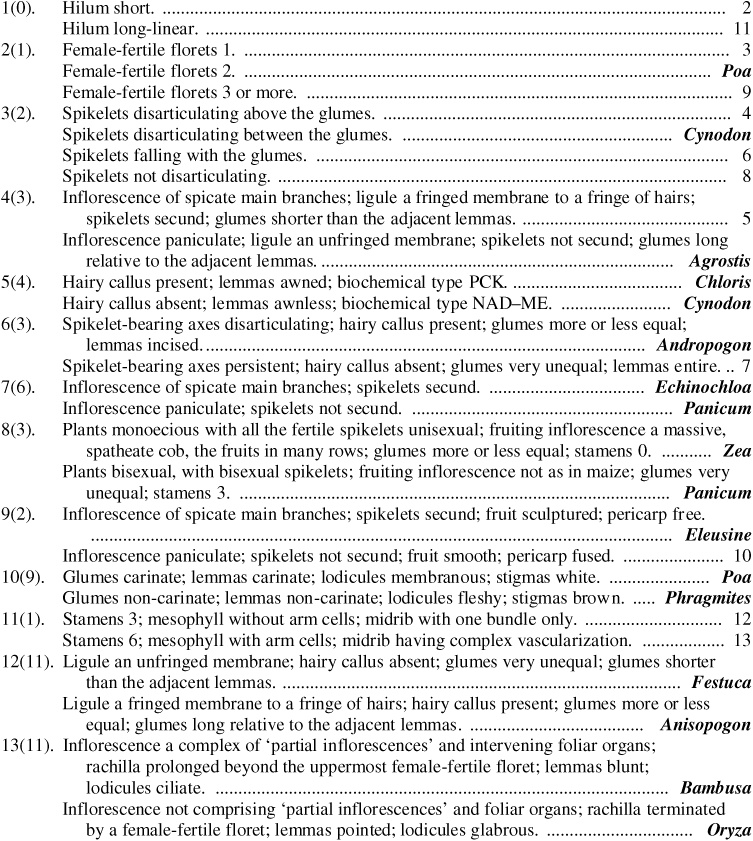
The program user may provide estimates of the relative ‘costs’ of the characters and the relative ‘frequencies’ of the items. By default, all costs and frequencies are assumed to be equal. An interpretation of the meaning of the cost of a character is not essential for the use of the program or for the development of the theory, but it may be thought of as a combination of the probability of error in using the character and the amount of effort required to use the character. Errors may arise because of misinterpretation or misjudgement by the user of the key, or because intra-taxon variability has not been completely accounted for in the taxon descriptions. The frequency of an item should be proportional to the frequency with which the item will need to be identified. (The character costs and item frequencies are specified indirectly by means of the CHARACTER RELIABILITIES and ITEM ABUNDANCES directives. See Section 5.5 for details.)
Under the assumption that the character costs are additive (that is, that the cost of using two characters is the sum of the costs of the characters), the program attempts to construct a key in which the average cost of an identification is minimized. The construction of a key proceeds in the following way. The ‘best’ character is selected, and is used to divide the original group of taxa into two or more subgroups. Each subgroup is then divided by the best remaining character (not necessarily the same one for each subgroup), and this process is continued until each subgroup contains only one taxon (or until no suitable character can be found).
The first step in the choice of the best character for the subdivision of a group of taxa is to eliminate those characters which take only one value in the group, or are not applicable to some members of the group. A ‘comparison function’ is then evaluated for each remaining character, and the character giving the lowest value is chosen. The comparison function used in Key is based on the average cost of an identification in the subgroup under consideration. It was derived by the following argument.
We define the length L as the average number of questions which must be answered to identify a taxon. If the taxon frequencies are all equal, L is given by
|
|
|
where n is the number of taxa and li is the number of questions required to identify the i-th taxon. It is easily verified that if all the characters have two states, the minimum value of L over all conceivable keys is given by
|
|
(1) |
where k is the integral part of log2n. The value of Lmin may be approximated by the simpler formula
|
|
|
which is exact if n is a power of 2, and differs from the value given by equation (1) by at most 0.086.
Suppose a character having a cost c is used to divide a group of n taxa into s subgroups. A key for the group can then be obtained by constructing subkeys for each of the subgroups. The average cost C of an identification in the key is then given by
|
|
(2) |
where cj is the ‘average’ cost of the characters used in the j-th subkey, fj is the total frequency of the items in the j-th subgroup, and Lj is the length of the j-th subkey. If we further assume that the subkeys are not far from minimum length, and that most of the characters have two states, equation (2) becomes
|
|
(3) |
where nj is the number of taxa in the j-th subgroup.
The estimation of the cj before the subkeys are constructed is difficult, and in view of the many other approximations, an elaborate procedure is not warranted. In the program, all the cj are simply set equal to cmin, the smallest cost for the characters under consideration. Equation (3) then becomes
|
|
(4) |
The comparison function K used in the program is obtained from equation (4) by incorporating a term V which allows the user to control the amount of intra-taxon variability in the key:
|
|
(5) |
V is given by
|
|
|
where v is the parameter VARYWT described in Sections 5.3.3 and 5.5. It should be noted that the term V is an arbitrary one, unrelated to the minimization of the cost. Even without this term (i.e. with v=1), the comparison function favours characters with low intra-taxon variability.
Characters which produce subgroups, at least one of which is the same size as the original group, can be treated in two ways. By default, these characters are not used. If an ALLOW IMPROPER SUBGROUPS directive is specified, these characters may be used, but V contains an extra factor (1+100m), where m is the number of subgroups that are equal in size to the original group (i.e. for which nj=n).
A range of character numbers has the general form
c1-c2
where c1 and c2 are character numbers, and c1 is less than or equal to c2. It denotes all character numbers from c1 to c2, inclusive. For example, 6-9 denotes the characters 6, 7, 8, and 9.
A range of item numbers has the general form
t1-t2
where t1 and t2 are item numbers, and t1 is less than or equal to t2. It denotes all item numbers from t1 to t2, inclusive. For example, 6-9 denotes the items 6, 7, 8, and 9.
This directive sets the base of the logarithmic item abundance scale. The frequency f of an item (see Section 5.4) is related to the abundance a (see ITEM ABUNDANCES) by the formula
f = ba-5
where b is the value of ABASE. Thus, if b=1, all items have equal frequencies, and the abundances have no influence on the formation of the key. If b=2, each increase of 1 in the abundance means a doubling of the frequency.
*ABASE b
where b is a real number in the range 1 to 5.
2.
*ABASE 1.2
This directive specifies that character numbers be inserted in bracketed keys.
*ADD CHARACTER NUMBERS
Character numbers are omitted from bracketed keys.
By default, a character is not considered for inclusion in the key unless the subgroups it produces are all proper subgroups of the group of taxa currently under consideration (that is, the subgroups must all contain fewer taxa than the group being divided). This directive removes this requirement.
*ALLOW IMPROPER SUBGROUPS
Characters giving rise to improper subgroups are not used.
This directive specifies the ‘reliabilities’ of the characters. Characters with high reliabilities tend to be used in the key in preference to those with lower reliabilities. See also RBASE, and Section 5.4.
Any characters not specified in this directive retain any reliabilities specified in the equivalent Confor directive.
*CHARACTER RELIABILITIES c1,r1 c2,r2 ...ci,ri ...
where ci is a character number or range of numbers, and ri is a real number in the range 0 to 10.
As specified in the Confor run which produced the Key items file (see KEY OUTPUT FILE). If no reliabilities were specified in the Confor run, all reliabilities default to 5.
*CHARACTER RELIABILITIES 1-3,6 5,9.5 6-10,8 11,10 12-15,0
This directive specifies the name of the characters file (which was output by Confor as the Key characters file – see KEY OUTPUT FILE).
*CHARACTERS FILE f
where f is a file name.
kchars.
*CHARACTERS FILE kcharsf
This directive enables comments to be incorporated in the directives file.
*COMMENT text
where text is any text not containing blank-star. The text may extend over more than one line.
None.
*COMMENT Anatomical characters have been assigned reliability 1.
This directive gives the values of the character-selection function and its components (see Section 5.4), for the character chosen at each point in the key, and the two next-best characters.
*DUMP n
where n is a non-negative integer. Information is output up to and including column n of the tabular key. The output is on the listing file (see LISTING FILE).
The values of the character-selection function are not output.
*DUMP 2
If this directive is added to the directives file key1 (see Section 5.3.1), the following output is produced.
Column 1
Group 1: 14 taxa
Char R Div Div&R TotN N1 N2 ...
66 8.0 2.944 1.430 14 10 4
60 7.0 2.710 1.491 16 1 1 1 11 0 0 2 0 0
44 8.0 3.167 1.511 18 10 3 5
Column 2
Group 1: 10 taxa
Char R Div Div&R TotN N1 N2 ...
44 8.0 2.354 1.216 11 7 1 3
27 8.0 2.687 1.337 13 7 2 4
12 8.0 2.729 1.352 11 1 9 1
Group 2: 4 taxa
Char R Div Div&R TotN N1 N2 ...
60 7.0 1.000 .871 4 0 0 0 2 0 0 2 0 0
4 7.0 1.189 .939 4 1 3
15 7.0 1.189 .939 4 1 3
The column and group numbers refer to the tabular key —see Section 5.3.1. In column 1, there is only 1 group, comprising all 14 taxa. In column 2, there are 2 groups of taxa: group 1, comprising the 10 taxa (some repeated) Agrostis to Phragmites; and group 2, comprising the 4 taxa Festuca to Oryza.
‘Char’ is the character number. The characters are listed in increasing order of values of the selection function, so the first in the list is always the one actually used in the key. ‘R’ is the character reliability. ‘Div’ is the component of the selection function that depends only on how the character divides the group (i.e. the term in square brackets in equation (5), Section 5.4). ‘Div&R’ is the complete selection function, taking into account both the division and cost (reliability). (Note that the cost is reduced by a factor REUSE if the character has been used previously in the key — see REUSE below). ‘N1 N2 ...’ are the numbers of taxa having states 1, 2, ...,and ‘TotN’ is the sum of these numbers.
This directive specifies which characters are to be excluded. The corresponding attributes are also excluded from the items. The excluded characters specified in this directive completely supersede those specified in Confor.
The directive must not appear with an INCLUDE CHARACTERS directive, to which it is an alternative.
*EXCLUDE CHARACTERS c1 c2 ...ci ...
where ci is a character number or range of numbers.
As specified in the Confor run which produced the Key items file (see KEY OUTPUT FILE).
*EXCLUDE CHARACTERS 1 3-5
This directive specifies which items are to be excluded. The corresponding attributes are also excluded from the items. The excluded items specified in this directive completely supersede those specified in Confor.
The directive must not appear with an INCLUDE ITEMS directive, to which it is an alternative.
*EXCLUDE ITEMS t1 t2 ...ti ...
where ti is an item number or range of numbers.
As specified in the Confor run which produced the Key items file (see KEY OUTPUT FILE).
*EXCLUDE ITEMS 3 5-6 20
This directive specifies a heading, which is placed at the top of the key.
*HEADING text
where text is any text not containing blank-star. The total number of symbols in the heading must not exceed 200.
The heading specified in the Confor run which produced the Key items file (see KEY OUTPUT FILE).
*HEADING Key to the Grass Genera of Australia
This directive specifies which characters are to be included. The corresponding attributes are also included in the items. The included characters specified in this directive completely supersede those specified in Confor.
The directive must not appear with an EXCLUDE CHARACTERS directive, to which it is an alternative.
*INCLUDE CHARACTERS c1 c2 ...ci ...
where ci is a character number or range of numbers.
As specified in the Confor run which produced the Key items file (see KEY OUTPUT FILE).
*INCLUDE CHARACTERS 2 6-20
This directive specifies which items are to be included. The included items specified in this directive completely supersede those specified in Confor.
The directive must not appear with an EXCLUDE ITEMS directive, to which it is an alternative.
*INCLUDE ITEMS t1 t2 ...ti ...
where ti is an item number or range of numbers.
As specified in the Confor run which produced the Key items file (see KEY OUTPUT FILE).
*INCLUDE ITEMS 1-2 4 7-19
This directive specifies the file from which input lines will be read after the processing of the current input line is finished. The file must not have been used for any other type of input or output.
*INPUT FILE f
where f is a file name.
Input is from a file specified in the command line that started the program running, or a file specified in response to a prompt issued by the program.
*INPUT FILE markrtf
This directive specifies the ‘abundances’ of the items. The program attempts to construct keys in which taxa with high abundances key out early (i.e. via a small number of characters). See also ABASE, and Section 5.4.
Any characters not specified in this directive retain any abundances specified in the equivalent Confor directive.
*ITEM ABUNDANCES t1,a1 t2,a2 ...ti,ai ...
where ti is a item number or range of numbers, and ai is a real number in the range 0 to 10.
As specified in the Confor run which produced the Key items file (see KEY OUTPUT FILE). If no abundances were specified in the Confor run, all abundances default to 5.
*ITEM ABUNDANCES 7,3 11-13,0 24,10
This directive specifies the name of the items file (which was output by Confor as the Key items file – see KEY OUTPUT FILE).
*ITEMS FILE f
where f is a file name.
kitems.
*ITEMS FILE kitems1
This directive specifies the file on which the tabular key is output. The bracketed key is also output on this file unless a TYPESETTING MARKS directive has been specified.
*KEY OUTPUT FILE f
where f is a file name.
The name of the directives file, with the file type changed to .prt.
*KEY OUTPUT FILE aust.tab
This directive specifies the file on which the bracketed key is output if a TYPESETTING MARKS directive is specified.
*KEY TYPESETTING FILE f
where f is a file name.
The name of the directives file, with the file type changed to .rtf.
*KEY TYPESETTING FILE aust.rtf
This directive specifies the file on which certain information about the program run is output. Error messages are also output on this file (as well as on the standard system output device).
*LISTING FILE f
where f is a file name.
Information about the run is output on the standard system output device, usually the screen.
*LISTING FILE key.lst
This directive outputs selected rows of the matrix during key generation. It is intended primarily as an aid to program debugging. The output is on the listing file (see LISTING FILE).
*MATRIX DUMP n r
where n and r are non-negative integers or ranges of integers . The matrix rows specified in r are output after the completion of each of the columns of the tabular key specified in n. If n contains the value 0, the matrix rows are output before the key generation starts. If n is absent, it defaults to 0. If r is absent, all rows of the matrix are output.
The matrix is not output.
*MATRIX DUMP 0-2 1-5
This directive suppresses the production of a key in the conventional, ‘bracketed’ format.
*NO BRACKETTED KEY
Both tabular and bracketed keys are produced.
This directive suppresses the production of a key in tabular format.
*NO TABULAR KEY
Both tabular and bracketed keys are produced..
This directive specifies the number of confirmatory characters that will be sought by the program for each main character in the key. The state values of the confirmatory characters must have the same distribution (with the possible exception of their order) as the state values of the main character, in the group of taxa under consideration. The main character is selected before the confirmatory characters are sought; the presence or absence of confirmatory characters therefore has no effect on the selection of the main character.
*NUMBER OF CONFIRMATORY CHARACTERS n
where n is an integer in the range 0 to 4.
No confirmatory characters are sought.
*NUMBER OF CONFIRMATORY CHARACTERS 2
For a complete example, showing the generated key, see Section 5.3.5.
This directive specifies a default directory for RTF and HTML output files (see TYPESETTING MARKS).
*OUTPUT DIRECTORY d
where d is a directory name.
Files are output in the ‘current’ directory — the directory from which the main directives file (for example, ‘key5’) is read.
*OUTPUT DIRECTORY www
This directive specifies that RTF control words, accented characters (e.g. à), and various special characters in the data (see Section 3.4) are to be translated into the corresponding HTML forms in keys. It must be used with a corresponding TYPESETTING MARKS directive.
*OUTPUT FORMAT HTML
RTF marks from the data are omitted from plain-text keys, and included in RTF keys.
This directive specifies the number of lines of the key to be output on each page. It does not apply to keys in RTF or HTML format (see TYPESETTING MARKS).
*PAGE LENGTH n
where n is a non-negative integer. If n is 0, the key is not paginated.
No pagination.
*PAGE LENGTH 60
This directive enables the user to select the characters to be used at any points in the key, i.e., to override the automatic selection of characters.
*PRESET CHARACTERS c1,k1:g1 c2,k2:g2 ...ci,ki:gi ...
where ci is a character number, ki is a column number, and gi is a group number. ki and gi specify the position in the tabular key at which ci is to be preset. ki is found by counting the columns of attributes, from left to right, until the desired position is reached. gi is found by counting, from the top, the taxon groups in the previous column, until the desired position is reached; groups consisting of only one taxon are not counted. The specifications must be ordered by column number (lowest first), and by group number within each column (this is the order in which the key is constructed).
All character selection is automatic.
*PRESET CHARACTERS 16,1:1 44,2:1 23,2:2 23,2:3 30,5:11 3,7:2
For a complete example, showing the generated key, see Section 5.3.4.
This directive specifies text to be output at the start of a key in RTF or HTML format (see TYPESETTING MARKS).
*PRINT COMMENT text
where text is any text not containing blank-star. The text may extend over more than one line.
None.
*PRINT COMMENT
\pard\plain\s3\sa200\keepn\fs24\b{}Key 5. Confirmatory characters\b0{}
This directive specifies the maximum line length for output of the keys. In the bracketed key, lines are kept within this length by starting a new line whenever a word will not fit on the current line. In the tabular key, if any lines are longer than the specified maximum, only the first parts of those lines are immediately printed. The excess parts of the lines are printed, together with all the taxon names, on an extra set of pages. This set of pages can be placed side by side with the first set to obtain the complete key. See also TRUNCATE TABULAR KEY AT.
This directive does not affect the width of the output produced by the TYPESETTING MARKS directive.
*PRINT WIDTH n
where n is an integer in the range 40 to 200.
80.
*PRINT WIDTH 132
This directive sets the base of the logarithmic character-reliability scale. The cost c of a character (see Section 5.4) is related to the reliability r (see CHARACTER RELIABILITIES) by the formula
c = b5-r
where b is the value of RBASE. Thus, if b=1, all characters have equal costs, and the reliabilities have no influence on the formation of the key. If b=1.4, each decrease of 2 in the reliability means a doubling of the cost (1.4≈√2).
*RBASE b
where b is a real number in the range 1 to 5.
1.4.
*RBASE 1.2
This directive is used to attempt to minimize the number of different characters used in the key. When a character is first used, its cost is divided by REUSE. If REUSE is greater than 1, the character is then more likely to be used again later in the key. As this is not usually an important requirement, the value should usually be only slightly greater than 1.
*REUSE r
where r is a real number in the range 1 to 5.
1.01.
*REUSE 1.5
This directive causes generation of the key to stop after a specified number of columns. Its purpose is to save time while investigating alternative structures for the early part of the key.
*STOP AFTER COLUMN n
where n is a positive number.
Key generation proceeds as far as possible.
*STOP AFTER COLUMN 4
This directive controls the amount of storage reserved for the data matrix. The amount required by the original matrix is multiplied by the specified value, to allow room for generation of new items (when variable items are split). The remaining available storage is used for other purposes. Any need for a non-default value will be indicated by the program.
*STORAGE FACTOR f
1.5.
*STORAGE FACTOR 2
This directive specifies that particular attributes are to be treated as ‘variable’. Thus, if one of these attributes is used in a key, the corresponding taxon is placed on all the branches emanating from that point in the key.
This is a way of allowing for incorrect interpretation of the character (in a particular taxon) by the user of the key, without actually coding the incorrect interpretation in your data, where it would be misleading in natural-language descriptions and classification analyses.
*TREAT CHARACTERS AS VARIABLE
#t1. c11 c12 ...c1j ...
#t2. c21 c22 ...c2j ...
...
#ti. ci1 ci2 ...cij ...
...
where ti is an item number, and cij is a character number or range of numbers. Note that currently only item numbers, not names, are permitted.
None.
*TREAT CHARACTERS AS VARIABLE
#1. 44 66
#4. 4
Item 1 is effectively coded ‘44,V 66,V’ and item 4 is effectively coded ‘4,V’.
This directive specifies that missing or unknown values are treated as inapplicable. That is, if the value of a character is missing or unknown for a particular taxon, then that character cannot be used for any group containing the taxon.
*TREAT UNKNOWN AS INAPPLICABLE
Missing or unknown values are treated as variable. If the value of a character is unknown for a particular taxon, and the character is used for a group containing that taxon, then the taxon will appear in the branches of the key corresponding to all the states of the character.
If the tabular key is too wide for the page, the program automatically prints any overflow on a new set of pages. As the tabular key is mainly used to evaluate the structure of the key, the rightmost parts are of less significance. This directive can be used to restrict the number of columns output, and thereby prevent overflow onto extra pages. The generation of the key and the output of the bracketed key are not affected. See also PRINT WIDTH.
*TRUNCATE TABULAR KEY AT n
where n is a positive integer.
The output of the tabular key is not truncated.
*TRUNCATE TABULAR KEY AT 20
This directive specifies that print output be produced in a form suitable for interpretation by a typesetting program. It is identical with the Confor TYPESETTING MARKS directive (see Section 3.5), but the default is different.
No typesetting marks are inserted, and any typesetting marks in the input data are omitted.
See files ‘markrtf’ (RTF marks) and ‘markhtm’ (HTML marks) in the sample data supplied with the programs.
This directive sets the value of a parameter that determines the treatment of intra-taxon variability in the process of character selection. If VARYWT is 0, characters which are variable for some taxa will not be used to divide groups containing any of the variable taxa; as a result, each taxon will appear only once in the key. If VARYWT is 1, there is no special penalty applied to characters with intra-taxon variability. Intermediate values of VARYWT have effects between these extremes.
A mathematical specification of the effect of VARYWT is given in equation (5) in Section 5.4.
*VARYWT v
where v is a real number in the range 0 to 1.
0.8.
*VARYWT .7
For a complete example, showing the generated key, see Section 5.3.3.
Dist is a program for generating a distance matrix. Distances are calculated using a modified version of Gower’s (1971) similarity coefficient.
Input to the program consists of a direct-access file produced by the TRANSLATE INTO DIST FORMAT option of Confor (see Section 3.5), and an optional directives file, which controls execution of the program. The default name of the directives file is ‘dist’.
For unordered multistate characters, the calculation of the distance depends on whether the directive MATCH OVERLAP is used. If MATCH OVERLAP is not used, the contribution Dijk of character k to the distance between items i and j is
Dijk = .5(|Pi1k-Pj1k|...+|Pisk-Pjsk|...+|Pink-Pjnk|)
where Pisk is the probability of item i having state s of character k, Pjsk is the probability of item j having state s of character k, and n is the number of states of character k. If the character has more than one value in an item, the probability is divided equally between the values present. If MATCH OVERLAP is used, Dijk is 0 if i and j have any state values in common, and 1 otherwise.
For ordered multistate and numeric characters, a single value Xik is calculated for each included item i and character k during the translation from DELTA format (see TRANSLATE INTO DIST FORMAT in Section 3.5). The contribution of each character to the distance is calculated as
Dijk = |Xik-Xjk|/Rk
where Rk is range of the Xik for all included items i.
The distance contribution from each character is multiplied by the character weight, and the sum of these weighted contributions is divided by the sum of the weights. If a character is not coded or inapplicable for either item, it makes no contribution to the total distance or to the sum of the weights.
The output file contains the distance matrix in upper-triangular form, without the diagonal. Each row of the matrix starts on a new line. There are up to 8 matrix elements per line. Each element occupies 10 columns, and has 5 decimal places. Thus, the first line contains D12, ...D19; and D23, D34, ... are at the beginnings of lines.
Definitions
A range of character numbers has the general form
c1-c2
where c1 and c2 are character numbers, and c1 is less than or equal to c2. It denotes all character numbers from c1 to c2, inclusive. For example, 6-9 denotes the characters 6, 7, 8, and 9.
A range of item numbers has the general form
t1-t2
where t1 and t2 are item numbers, and t1 is less than or equal to t2. It denotes all item numbers from t1 to t2, inclusive. For example, 6-9 denotes the items 6, 7, 8, and 9.
This directive specifies the weights of the characters. In calculating the distance between two items, the contribution from each character is multiplied by its weight.
The directive completely overrides any weights (or reliabilities) specified in Confor.
*CHARACTER WEIGHTS c1,r1 c2,r2 ...ci,ri ...
where ci is a character number or range of numbers, and ri is a real number in the range 0.03125 to 32.
If this Dist directive is not used, the weights are those specified in the Confor run which produced the input file to Dist. If no weights were specified in Confor, all weights default to 1. If this Dist directive is used, any weights not specified in the directive default to 1 (not to the weights specified in Confor).
*CHARACTER WEIGHTS 1-3,2 5,2 9-12,.5 19,3 20-25,2
This directive enables comments to be incorporated in the directives file.
*COMMENT text
where text is any text not containing blank-star. The text may extend over more than one line.
None.
*COMMENT Anatomical characters have been assigned reliability 1.
This directive specifies which characters are to be excluded. The corresponding attributes are also excluded from the items. The excluded characters specified in this directive completely supersede those specified in Confor.
The directive must not appear with an INCLUDE CHARACTERS directive, to which it is an alternative.
*EXCLUDE CHARACTERS c1 c2 ...ci ...
where ci is a character number or range of numbers.
As specified in the Confor run which produced the input file to Dist.
*EXCLUDE CHARACTERS 1 3-5
This directive specifies which items are to be excluded. The excluded items specified in this directive completely supersede those specified in Confor.
The directive must not appear with an INCLUDE ITEMS directive, to which it is an alternative.
*EXCLUDE ITEMS t1 t2 ...ti ...
where ti is an item number or range of numbers.
As specified in the Confor run which produced the input file to Dist.
*EXCLUDE ITEMS 3 5-6 20
This directive specifies which characters are to be included. The corresponding attributes are also included in the items. The included characters specified in this directive completely supersede those specified in Confor.
The directive must not appear with an EXCLUDE CHARACTERS directive, to which it is an alternative.
*INCLUDE CHARACTERS c1 c2 ...ci ...
where ci is a character number or range of numbers.
As specified in the Confor run which produced the input file to Dist.
*INCLUDE CHARACTERS 2 6-20
This directive specifies which items are to be included. The included items specified in this directive completely supersede those specified in Confor.
The directive must not appear with an EXCLUDE ITEMS directive, to which it is an alternative.
*INCLUDE ITEMS t1 t2 ...ti ...
where ti is an item number or range of numbers.
As specified in the Confor run which produced the input file to Dist.
*INCLUDE ITEMS 1-2 4 7-19
This directive specifies the name of the input file (which was output by Confor as the DIST OUTPUT FILE).
*ITEMS FILE f
where f is a file name.
ditems.
*ITEMS FILE ditems.anm
This directive specifies the file on which certain information about the program run is output. Error messages are also output on this file (as well as on the standard system output device).
*LISTING FILE f
where f is a file name.
Information about the program run is output on the standard system output device, usually the screen (or, in batch mode, the log file).
*LISTING FILE dist.lst
This directive specifies that a log of the progress of the run is to be output on the listing file (see LISTING FILE).
*LOG
A log is not produced.
This directive specifies that, for unordered multistate characters, the contribution of a character to the distance between two items is 0 if the items have any of the values of the character in common.
*MATCH OVERLAP
The contribution to the distance depends on the probabilities of the character values for the items (see Section 6.1).
This directive specifies the maximum number of items to be stored in memory simultaneously. On computers with virtual memory, it may be possible to improve the efficiency of paging by using this directive.
*MAXIMUM ITEMS IN MEMORY c
where c is an integer number in the range 1 to number of included items.
The maximum number of items possible is held in memory.
*MAXIMUM ITEMS IN MEMORY 50
This directive specifies the minimum number of character comparisons required to calculate the distance between two items. If the required number of comparisons is not satisfied, an error message is output and an asterisk is output in the corresponding cell of the matrix.
*MINIMUM NUMBER OF COMPARISONS c
where c is an integer number in the range 1 to number of included characters.
The square root of the number of included characters.
*MINIMUM NUMBER OF COMPARISONS 5
This directive specifies the file on which the item names are output.
*NAMES FILE f
where f is a file name.
The name of the output file, with the file type changed to .nam.
*NAMES FILE grass.nam
This directive specifies the file on which the distance matrix is output.
*OUTPUT FILE f
where f is a file name.
The name of the directives file, with the file type changed to .dis.
*OUTPUT FILE grass.dis
This directive causes the taxon names to be interleaved with the rows of the distance matrix, as required by the program Phylip (Felsenstein 1993).
*PHYLIP FORMAT
The taxon names and distance matrix are output as separate files.
This section is intended for authors of datasets. For information on using Intkey, see User’s guide to Intkey: a program for interactive identification and information retrieval.
Intkey is an interactive program for identifying a specimen by comparing its attributes with stored descriptions of taxa. The program can also be used to interrogate the stored data. Complete documentation is available within the program.
Intkey offers better and more comprehensive features than any similar program. These features include:
The data files used by Intkey are created from DELTA-format data by the TRANSLATE INTO INTKEY FORMAT directive of Confor (see Section 3.5).
All of the program messages and help are in a separate file (rather than being embedded in the program itself). Some foreign-language versions are supplied with the program. Please contact the authors if you are interested in producing other translations (no knowledge of programming is needed).
Intkey can access its data and image files over the Internet. To do this, the data-set index file (see ‘Introduction’ in the Intkey online help) or a link in a Web page must point to a special startup file, with extension (type) ‘.ink’. The startup file tells Intkey where the data set and its associated images are to be found, and the name of the intialization file to use.
When Intkey is installed, it configures itself as a ‘helper application’ for Web browsers. When a person using a browser clicks on a link to an Intkey startup file, the browser activates Intkey and passes it a copy of the startup file. Intkey itself then retrieves the actual data set from the Web, extracts its contents, and begins the identification.
Note that Intkey runs only under Windows or OS X computers (see Installing and running the programs of the DELTA System). Even with Web-based data sets, users will not be able to use Intkey on computers running under other operating systems (unless they use a Windows emulator). However, the Web server that provides the data set can be any sort of platform.
Here is the procedure to follow to make an Intkey data set available over the Web. Some of the steps can be automated by means of a batch program – see ‘webgen.bat’ in the sample data.
1. Generate and test an Intkey data set on a Windows-based PC. Be sure that it does what you want on your PC before you consider putting it on the Web.
2. Assemble together all the files that Intkey requires to use your data set. This will typically include the following:
(a) the data files ‘ichars’ and ‘iitems’ (not your original ‘chars’ and ‘items’ files);
(b) the initialization file, usually named ‘intkey.ink’;
(c) any Intkey ‘input’ files, e.g. the file ‘toolbar.inp’ defining a custom toolbar;
(d) any special .bmp files used in the custom toolbar (those already provided with the Intkey distribution need not be included);
(e) any ‘Contents’ files (usually ‘contents.ind’) and the files they reference (usually ‘*.rtf’).
Do not include image files for characters, taxa, keywords, or startup at this stage (you actually may do so if you wish, but a more efficient mechanism is provided for the retrieval of images on an ‘as-needed’ basis).
You can find the required files by examining your initialization file (‘intkey.ink’) and any contents file (‘contents.ind’). Determine what files are referenced either directly or indirectly from these files, and include them all.
3. Put the files from step 2 into a single zip file.
4. Determine where you will later place the data set (and any associated images) on a Web server. You will need to know the full URL that the data set will have once it is on the server. You may need to consult with the manager of your Web server about this.
Create a startup file, usually called ‘webstart.ink’, specifying five different values, each having the general form ‘keyword=value’. Use the extension ‘.ink’ when naming this file, and save it as a plain text file. Comments are preceded by semicolons. Here is an example.
; To run the interactive key associated with this file,
; you need the free Intkey app on your Windows or OS X computer
; - see http://delta-intkey.com/www/programs.htm.
;
InkFile=http://delta-intkey.com/angio/webstart.ink
; Name of this file
DataFile=http://delta-intkey.com/angio/intkeyw.zip
; Name of the compressed data file
InitializationFile=intkeyw.ink
; Name of the Intkey initialization file within the compressed data file
ImagePath=http://delta-intkey.com/angio/images
; Image path
InfoPath=http://delta-intkey.com/angio/info
; Information path
The value for ‘InkFile’ specifies a fully qualified URL at which the startup file itself can be found. This enables Intkey to re-locate the data set in a later session without the help of a Web browser. This entry is mandatory.
The value for ‘DataFile’ specifies a fully qualified URL pointing to the zip file created in step 3. This entry is mandatory.
The value for ‘InitializationFile’ tells Intkey the name of the file within the data set archive to use as its initialization file (usually ‘intkey.ink’). This entry is mandatory.
The entry for ‘ImagePath’ is optional, but should be used if your data set contains images that have been associated with the data via the Confor directives CHARACTER IMAGES, TAXON IMAGES, CHARACTER KEYWORD IMAGES, TAXON KEYWORD IMAGES, and STARTUP IMAGES. It should indicate the URL of a directory from which the various image files can be retrieved. This should normally be a subdirectory ‘images’ of the directory in which the ‘DataFile’ is stored on the server.
The entry for ‘InfoPath’ is optional, but should be used if your data set contains external ‘information’ files that have been associated with taxa via the Confor directives CHARACTER FOR OUTPUT FILES, ITEM OUTPUT FILES, and TAXON LINKS. It should indicate the URL of a directory from which the various information files can be retrieved. This should normally be a subdirectory ‘info’ of the directory in which the ‘DataFile’ is stored on the server.
5. Place the files on your Web server. The startup file should go into the location specified by InkFile; the zip file containing the data set should go into the location specified by DataFile; and any image and ‘information’ files should go into the directories specified by ImagePath and InfoPath.
6. Both the HTTP server and the PC must be able to recognize that the startup file references an Intkey data set. The HTML protocol uses ‘MIME types’ to distinguish how different files are to be used. Your startup file should be associated with a MIME type of ‘application/x-intkey’. This association needs to be set up by the manager of your Web server. The exact method for doing so will depend on the server software in use, but in most cases it will simply involve defining an association between the file extension ‘.ink’ and the MIME type ‘application/x-intkey’. A similar association on the PC is generated automatically by the Intkey installation procedure.
7. You will probably want to create an HTML document pointing to your Intkey data set (see sample file ‘ident.htm’).
8. Test to see whether it all works. N.B. The Internet Explorer browser does not need the MIME type to be set on the server, so it is advisable to test with another browser as well, e.g. Mozilla Firefox or Opera.
There may be circumstances in which you may wish to restrict access to your data set. There are two basic ways this can be done. The first approach is to have the manager of your Web server deal with this via the server’s security features. The second is to encrypt your zip file when you create it (step 3) and protect it with a password. Intkey will then require that the user enter the correct password before the data set can be used. Your needs will determine which of these approaches is most appropriate. The first approach could be used to restrict access only to PC’s located on a university’s campus. The second approach could be used to restrict access to students within a single class, or to world-wide collaborators.
Intimate is a program for use by developers of Intkey data sets. Its purpose is to aid the developer in associating images with particular characters or taxa, and in the placement of various forms of annotation on these images. Primarily this annotation takes the form of ‘text boxes’ — small, scrollable windows, which overlay the image itself and contain textual information. We shall use the term ‘illustration’ to denote an image plus its annotation.
The syntax used to describe the annotation is given in detail in Section 8.8. Although the syntax itself is not unduly complex, it does not lend itself well to manual editing. In particular, specifying suitable positions and sizes for ‘text boxes’ is quite difficult to do well if not done interactively. The role of Intimate is to shield the developer from having to deal with the details of the annotation syntax. It provides a mean of associating images with data, and interactively adding, modifying and positioning annotation.
The following Confor directives are associated with the display of illustrations in Intkey.
This set of directives will be referred to as ‘image directives’ throughout this chapter.
When developing a DELTA data set for use with Intkey, it is recommended that the CHARACTER IMAGES directives be placed in a separate file with the name ‘cimages’, the TAXON IMAGES directives be placed in a separate file with the name ‘timages’, and the CHARACTER KEYWORD IMAGES, TAXON KEYWORD IMAGES, and STARTUP IMAGES directives be placed in a separate file with the name ‘kimages’. These files may then be accessed via INPUT FILE directives placed in a higher-level directives file (such as toint). Although the use of these file names is completely arbitrary (as is placing of these directives in separate files), most developers find it convenient to adopt this convention. This is also the convention that has been used in the sample data set provided with the programs.
Intimate requires the presence of data files in the Intkey format for its operation (these files are normally generated by running ‘confor toint’ — see Section 3.1). The Intimate program then allows the developer to interactively modify the associations of images with data or keywords and to annotate these images. The results of these modifications are then written as new copies of the image directives. Note that Intimate does not modify the Intkey data files directly. To incorporate the updated information and make it available to the Intkey program, these files must be re-generated (by running ‘confor toint’ again).
Note that Intkey and Intimate differ in the ways they obtain information about images. Intkey obtains this information from the Intkey data files. Intimate ignores this source (although it does obtain other information from the Intkey data files), and instead reads information about images from the directives files.
When Intimate is started, it attempts to read the file intkey.ind in the DELTA directory. This file is expected to contain a list of the available Intkey data sets and the complete path names of the intkey.ini (or other initialization) files associated with them. (See the documentation of Intkey for further information about this file.) The current list of Intkey data sets is presented to the user, who may then select one on which to work. Provision is also made for modifying, adding, and deleting entries in the list of Intkey data sets.
Intimate then asks the user to open a directives file; by default, it suggests toint in the same directory as the Intkey initialization file. It reads this directives file, and any other files implicitly included in it via INPUT FILE directives, searching for any image directives.
This menu contains options for opening and saving data sets, as well as for exiting the program. These are as follows.
Start a new set of image directives. Normally used only the first time a particular data set is edited, as it discards any information read from already existing directives.
Open and read a Confor directives file containing image directives. Files implicitly included via INPUT FILE directives are also read.
Write new copies of all applicable images directives (incorporating any changes made to the images used and to their annotation), making new versions of the files from which they were read (or of the files to which they were most recently saved). Any other directives present in the original files are copied without modification. The original files are saved as backup copies with the extension ‘.bak’, and any old backup copies are deleted.
Write a new copy of one of the images directives (selected from a submenu), making a new version of the file from which it was read (or of the file to which it was most recently saved). Any other directives present in the original files are copied without modification. The original file is saved as a backup copy with the extension ‘.bak’, and any earlier backup copy is deleted.
Write a copy of one of the images directives (selected from a submenu) to a file with a name specified by the user (for newly created directives, the program suggests the name ‘cimages’ for character images, the name ‘timages’ for taxon images, and the name ‘kimages’ for character keyword images, taxon keyword images, and startup images). If a file with the specified name already exists, the user is presented with a choice of completely overwriting the file; of appending the directive to the end of the file (or of replacing the directive if it is already found within the file); of selecting a different file name; or of cancelling the operation. If an existing file is overwritten or modified, the original file is saved as a backup copy with the extension .bak, and any earlier backup copy is deleted.
Select a new Intkey data set on which to work. The user may choose from the list of available data sets listed in the file intkey.ind in the DELTA directory. Provision is also made for modifying, adding, and deleting entries in the list of Intkey data sets. When a new data set is opened, any information read from earlier data sets is discarded; if the earlier data set has been modified, the user is given a final opportunity to save the files.
Modify the directory path which will be searched for images. By default, the program will use the value set by the SET IMAGEPATH directive in the Intkey initialization file (usually intkey.ink) or, if that is not found, will use the current directory.
Terminate the program. If any modifications have been made, the user is given a final opportunity to save the files.
This menu is used to select the type of image association which is to be defined or modified. For character and taxon images, the first character or taxon to be worked on is also selected.
Presents a dialog box for selection of a character for which an illustration is to be added, previewed, or modified. The dialog box presents a list of character numbers and their associated feature descriptions. Those characters which already have an associated illustration are distinguished by being listed in a bold font. The list of characters may be restricted to show only illustrated or unillustrated characters by ticking the appropriate checkbox. The ‘Find’ box near the bottom of the dialog allows the user to search for a character based on its feature description text. For example, entering the word ‘culm’ will advance the character selection bar to the next character in the list for which the string ‘culm’ appears in the feature description. The ‘Find Next’ button moves the pointer forward to the next such character, looping back to the start of the list if necessary.
Once a character has been selected, and the OK button pressed, the first illustration associated with that character will appear in its own window. If no illustrations have yet been associated with the character, the user will be prompted for the name of an image file to associate with the character.
Presents a dialog box for selection of a item (taxon) for which an illustration is to be added, previewed, or modified. The dialog box presents a list of item numbers and their item names. Those items which already have an associated illustration are distinguished by being listed in a bold font. The list of items may be restricted to show only illustrated or unillustrated items by ticking the appropriate checkbox. The ‘Find’ box near the bottom of the dialog allows the user to search for an item based on its name. For example, entering the string ‘Poa’ will advance the character selection bar to the next character in the list for which the string ‘poa’ appears in the item name (case is ignored). The ‘Find Next’ button moves the pointer forward to the next such item, looping back to the start of the list if necessary.
Once an item has been selected, and the OK button pressed, the first illustration associated with that item will appear in its own window. If no illustrations have yet been associated with the item, the user will be prompted for the name of an image file to associate with the item.
Allows the user to specify illustrations to be displayed when the data set in opened in Intkey. If startup images have already been defined, the first illustration will appear in its own window. If no illustrations have yet been associated with startup, the user will be prompted for the name of an image file to use.
Allows the user to specify illustrations for character keywords. If character keyword images have already been defined, the first illustration will appear in its own window. If no illustrations have yet been associated with character keywords, the user will be prompted for the name of an image file to use.
Allows the user to specify illustrations for taxon keywords. If taxon keyword images have already been defined, the first illustration will appear in its own window. If no illustrations have yet been associated with taxon keywords, the user will be prompted for the name of an image file to use.
This menu provides options for browsing images, adding, deleting, or substituting image associations, emulating screen resolutions, and setting fonts for overlays.
Presents a dialog box for selection of an image file. When a file has been selected, it is displayed in a window of its own. This does not associate the image in any way with characters, items, etc. It merely provides a mechanism for previewing image files prior to their use.
Restricts images to the selected size. This is intended to allow developers to see how their images and overlays might appear when viewed on a system with a lower screen resolution than their development system.
Presents a dialog box for selection of overlay fonts. A submenu allows specification of:
Presents a dialog box for selection an image file to be associated with the current entity (the character, item, keyword, or startup currently referenced by the topmost window). When a file is selected, it becomes associated with the current entity, and the image is displayed in the current topmost window.
‘Insert new after’ places the new image after the current image, and ‘Insert new before’ places the new image before the current image.
Presents a dialog box for selection of the name of an image file to be used instead of the image file currently associated with the current entity.
Presents an edit box for modification of the text used to label the image in the ‘Subject’ menu of image windows. This text is also placed in the caption above an image when it is displayed. If no text is provided, the file name is used.
Presents a dialog box for selection of a sound file to be associated with the current illustration. The dialog box allows the sound to be previewed before it is selected.
Deletes the current image association, and saves a copy of the illustration (including annotation) in the image paste buffer.
Places a copy of the current illustration (including annotation) in the image paste buffer.
Associates the illustration in the image paste buffer with the current entity (the character, item, keyword, or startup currently referenced by the topmost window), and displays in the topmost window.
‘Paste After’ places the new image after the current image, and ‘Paste Before’ places the new image before the current image.
Deletes the current image association. The illustration is not saved in the image paste buffer.
This menu provides options for the insertion, modification, and deletion of annotations (primarily in the form of text boxes) on the current image.
RTF marks (see Section 3.4) may be typed directly into the overlay text. There is currently no other mechanism for including these marks. Currently, only \par{} and \line{} are interpreted by Intkey: both produce a line break. However, other marks are interpreted when included in natural-language descriptions (see CHARACTER FOR TAXON IMAGES in Section 3.5), and will be interpreted by a future version of Intkey. We therefore suggest that you include appropriate marks, particularly ‘\i{}...\i0{}’ to specify italics for species names.
The position and dimensions of an overlay box can be manipulated by dragging the whole box, its borders, or corners. They can be also specified numerically in ‘Add overlay’ or ‘Modify overlay’ dialogs. In these dialogs, the position and dimensions are normally specified in ‘image units’ — one thousandth of the width or height of the image. The top left-hand corner of the image has the coordinates (0,0), and the bottom right (1000,1000).
Provides a submenu of annotation features to be placed over the current image. An image may have any number of overlays associated with it, and they are stored in a specific order. This order matters only when overlays overlap one another. When this occurs, the overlay that lies ‘above’ will obscure portions of any overlay that lies ‘below’ it. Except for hotspots (see below), ‘Insert new above’ places the new overlay above the currently selected overlay, and ‘Insert new below’ places the new overlay below the currently selected overlay. If no overlay is currently selected (i.e., in the edit mode), then only ‘Insert new above’ is available, and the new overlay as added above all existing overlays.
The following types of overlay are available:
Text
Creates an overlay containing any arbitrary text.
Item (taxon) name
Creates an overlay containing the name of the taxon as given in the ITEM DESCRIPTIONS directive.
This option is available only for taxa.
Feature description
Creates an overlay containing the textual description of the feature as given in the CHARACTER LIST directive.
This option is available only for characters.
Feature + All states
Creates a series of overlays, containing: the feature description; the character states, together with a hotspot (see below) for each state; ‘OK’ and ‘Cancel’ buttons; and a ‘Notes’ button if notes are present. For numeric characters, an ‘Enter’ box is created (see below; units are also displayed, if available), rather than overlays for each state.
This option is available only for characters.
State
Creates an overlay containing the textual description of a state of the character as given in the CHARACTER LIST directive. An image may contain only one such overlay for each state.
This option is available only for multi-state characters.
Value
Creates an overlay containing a value or range of values; this value or range must be specified by the author. The overlay can be selected by the Intkey user, instead of entering values in an ‘Enter’ box.
This option is available only for numeric characters.
Hotspot
Creates a ‘hotspot’ — a rectangular or elliptical region to be associated with a given state (for multi-state characters), value (for numeric characters), or keyword (for character or taxon keywords). Within Intkey, clicking within this hotspot will (in appropriate contexts) cause the associated state to be selected.
This option is available only if a state, value, or keyword overlay, or an existing hotspot, is selected.
There may be any number of hotspots associated with any given state, value, or keyword. They are always ‘below’ the associated state, value, or keyword.
This option is available only for characters, character keywords, and taxon keywords.
Enter
Creates an overlay within which the Intkey user may enter a value. Only one such overlay may be present on an image.
This option is available only for characters.
Units
Creates an overlay containing the units in which a numeric character is expressed. By default, this will be positioned immediately to the left of an ‘Enter’ overlay, if one already exists.
This option is available only for numeric characters.
Heading
Creates an overlay containing the descriptive heading of the data set (see HEADING in Section 3.5).
This option is available only for startup.
Keyword
Creates an overlay containing a textual description associated with one or more character or taxon keywords.
This option is available only for character keywords and taxon keywords.
OK
Creates a default push-button containing the text ‘OK’. Pressing this button within Intkey will close the image window, applying any states, values or keywords that may have been selected.
Cancel
Creates a push-button containing the text ‘Cancel’. Pressing this button within Intkey will close the image window, and discard any state, value or keyword selections.
Notes
Creates a push-button containing the text ‘Notes’. Pressing this button within Intkey will cause any explanatory notes for the character to be displayed.
This option is available only for characters with character notes.
Image Notes
Creates a push-button containing the text ‘Notes’, and allows specification of the text to be displayed when this button is pressed within Intkey.
This button is an alternative to a text overlay. It should not be used to specify notes about a taxon (such information should be stored in text characters). The intended use is for information about taxon images (e.g. the name of the photographer).
This option is available only for taxon, startup, and keyword images.
Presents a dialog box for modification of the properties of the overlay. This includes the text appearing within the box (other than text obtained directly from an item, feature, state, character, or keyword description); the position of the box; whether text ought or ought not to be centred within the box; whether a character state (or other) description ought to include comments; and whether the height of a box ought to be automatically adjusted so as to always contain a specified, integral number of lines of text (even when the image is scaled). Note that when the latter option is selected, box height is given in terms of numbers of lines of text, rather than in image units.
Presents a dialog box for modification of the properties assigned by default to newly created overlays. These are: whether text is to be centred within a box; whether a character state description is to include comments; whether the description text is to be omitted entirely for ‘state’ and ‘value’ boxes; and whether the height of a text box is to be rounded so as to always display an integral number of lines of text. Pressing the ‘OK’ button causes the new set of properties to be applied for the remainder of the current session. Pressing the ‘Save’ button causes a copy of the properties to be saved in an external file, and be applied automatically to later sessions. Pressing the ‘Restore’ button reads properties from the external file.
Presents a submenu providing the options ‘Align vertically’, ‘Align horizontally’, and ‘Don’t align’. This affects the way in which ‘OK’, ‘Cancel’, and ‘Notes’ push-buttons are positioned. When alignment is enabled (whether horizontally or vertically), any newly created push-buttons are aligned with those already in existence, and maintained in the order ‘OK, Cancel, Notes’. Additionally, any changes made in the position of a push-button (whether by dragging or by the ‘Modify Properties’ dialog) affects all the push-buttons as a block, rather than just the currently selected push-button.
Deletes the current overlay, and save a copy of it in the overlay paste buffer.
Places a copy of the current overlay in the overlay paste buffer.
Places the contents of the overlay paste buffer (see ‘Cut’ and ‘Copy’) on the current image. The distinction between ‘Paste above’ and ‘Paste below’ is the same as that between ‘Insert new above’ and ‘Insert new below’ (see above).
Deletes the current overlay. The overlay is not saved in the overlay paste buffer.
Deletes all overlays from the current image. This command requires additional confirmation from the user, as once the overlays are deleted, they cannot readily be recovered.
The images are displayed in windows that resemble the appearance they will have within Intkey, except that ‘hot-spots’ associated with character states or values are visible by default. Also, the menus above the window are similar to the ones in Intkey’s Advanced Mode.
If the same illustration is opened in more than one window, changes made in one are not reflected in the other, and only the last of the windows to be closed will actually have its contents reflected in the output files. This situation should therefore be avoided.
The way that hot-spots are drawn may sometimes cause difficulty. The boundary lines are drawn by ‘inverting’ the colours of the display. Inverting the colours a second time restores the original colours. Hence when hot-spot boundary lines exactly overlie one another, they disappear from view. This is a particularly serious difficulty when a hot-spot has been copied to the paste-buffer, then pasted back onto the image. As it is placed exactly over the original hot-spot, both the old and new hot-spots appear to vanish completely. They are actually there; it’s just that one is directly on top of the other. Moving the topmost will reveal this.
Overlays may be re-sized or re-positioned by use of the mouse. Click on an overlay to select it. Its border will change to a wide double line. (The innermost of the double lines corresponds to the border of the normal overlay window.) When the cursor is positioned over this border, it changes to a double-headed arrow, indicating that the overlay window may be re-sized by holding down the left mouse button and moving the mouse. (The ‘OK’, ‘Cancel’, and ‘Notes’ push-buttons are exceptions to this — they cannot be resized.) To move the selected overlay window, but retain its size, position the cursor in the middle of the window and hold down the left mouse button. The cursor will change to a ‘hand’, and moving the cursor will move the window to a new position. An overlay is not permitted to extend beyond the boundaries of the image window.
Double-clicking the left mouse button within a selected overlay will open a dialog box for modification of the properties of the overlay (this is equivalent to choosing Modify Properties from the main window’s menu — see the description above).
A selected overlay may be returned to normal by selecting another overlay, or by clicking on some portion of the image where there is no overlay.
Intkey allows image files to be associated with particular characters, taxa and keywords, and can display images when a data set is started. All these images may have annotation overlaid on them, primarily in the form of ‘text boxes’. This Section describes the syntax used to specify the images and their annotation.
The supported image formats are: GIF (Graphics Interchange Format); JFIF (JPEG File Interchange Format; usually called simply JPEG format); BMP (Windows device-independent bitmap); and AVI (Video for Windows)
‘Still’ images (GIF, JPEG, and BMP) can be linked to sound files in either RIFF WAV format (the standard format for sound files in MS-Windows) or MIDI format (the standard format for synthesized music). Within Intkey, the sound will be played immediately after the image is displayed.
AVI files are played, then frozen on the last frame of the video prior to the display of the annotation.
Note that the playing of sound files and the audio component of AVI files requires the presence of suitable audio hardware and software.
Examples of image directives can be found in the sample data files supplied with the programs.
N.B. Image file names must not contain spaces, because spaces are used as delimiters in DELTA.
Annotation and comments may optionally be associated with image files. The annotation consists of annotators, each starting with ‘@’, and enclosed, individually or collectively, in angle brackets (‘<>’). Each ‘@’ must be preceded by a space or ‘<’. A comment is arbitrary text enclosed in angle brackets. A comment may be within the same set of angle brackets as annotators, in which case it must precede them.
An annotator consists of a keyword and parameters. The keyword immediately follows the ‘@’, and defines the type of annotator. Parameters are single characters. Some are followed by ‘=’ and a value. (The ‘=’ may be omitted, but its inclusion is recommended for clarity.)
A ‘hot spot’ is a rectangular or elliptical region associated with a state, value, or keyword. If the Intkey user clicks in this region, the corresponding state, value, or keyword is selected (or de-selected if already selected).
Text will be wrapped to fit within its overlay box, and a scroll-bar added if necessary. In Intkey (and in ‘Preview’ mode in Intimate), the size of the box is automatically increased to accommodate at least one line of text, and the longest word.
x=x y=y w=w h=h
x and y are respectively the x and y coordinates of the top-left corner of the overlay box, w is the width of the box, and h is the height of the box. The parameters may be in any order.
The values are normally specified in ‘image units’ — one thousandth of the width or height of the image. The top left-hand corner of the image has the coordinates (0,0), and the bottom right (1000,1000).
If h is negative, its absolute value specifies the height in multiples of the height of a line of text.
If parameter ‘m’ is specified, text will be centred in its box. Otherwise, it will begin in the upper-left hand corner of the box.
If parameter ‘c’ is specified, comments within text obtained from the main data (for example, feature descriptions and taxon names) are included; otherwise they are omitted.
If parameter ‘n’ is present, text normally obtained from the main data (for example, feature descriptions and taxon names) is omitted. This would usually be used in conjunction with the ‘t’ parameter — see below.
t=t
This parameter specifies arbitrary text t. The text is terminated by the end of the enclosing comment, or the start of the next annotator, whichever occurs first. This parameter must therefore be the last parameter of the annotator.
t=t
This parameter specifies additional text t to be placed after (or instead of) text obtained from the main data (for example, feature descriptions and taxon names). The text is terminated by the end of the enclosing comment, or the start of the next annotator, whichever occurs first. This parameter must therefore be the last parameter of the annotator.
When displayed in Intkey, or in the ‘preview’ mode of Intimate, the contents of t are separated from the ‘default’ text (for example, a feature description) by a space, unless the first character of t is a punctuation character (period, comma, semi-colon or exclamation).
If parameter ‘e’ is specified, the associated hotspot is elliptical; otherwise it is rectangular.
By default, hotspots are invisible in Intkey. If parameter ‘p’ is specified, the associated hotspot is a ‘pop-up’ hotspot — its boundary becomes visible when the cursor is moved over it.
f=bgr
By default, the colour of the boundary of a pop-up hotspot is obtained by ‘inverting’ the background colour, that is, by subtracting the red, green, and blue values from FF (hexadecimal). (Note that the colour obtained in this way is invisible against a mid-grey background.)
The parameter ‘f’ specifies the colour of a pop-up hotspot. b, g, and r are respectively the intensities of the blue, green, and red components of the colour. They are specified as hexadecimal numbers in the range 00 to FF. For example, f=0080FF specifies orange.
This directive specifies information on character images and associated annotation for use with Intkey. Within Intkey, the images can be displayed to illustrate the characters, and character states can be selected from the images screens (instead of from text screens).
*CHARACTER IMAGES
#c1. f11 a11 f12 a12 ...f1j a1j ...
#c2. f21 a21 f22 a22 ...f2j a2j ...
...
#ci. fi1 ai1 fi2 ai2 ...fij aij ...
...
where ci is a character number, fij is the name of an image file, and aij is optional annotation and an optional comment associated with fij. (Although the annotation is formally optional, it is highly desirable). The annotation consists of annotators, each starting with ‘@’, and enclosed, individually or collectively, in angle brackets (‘<...>’). Each ‘@’ must be preceded by a space or ‘<’. A comment is arbitrary text enclosed in angle brackets. A comment may be within the same set of angle brackets as annotators, in which case it must precede them.
The available annotators are as follows. For the meanings of symbols, see Parameters, above.
@text x=x y=y w=w h=h [m] t=t
(The square brackets enclose an optional part.)
Places any arbitrary text t within a box.
@feature x=x y=y w=w h=h [c] [n] [m] [t=t]
(The square brackets enclose optional parts.)
Places the feature description of the character and additional text t (if specified) within a box..
@state s x=x1 y=y1 w=w1 h=h1
[x=x2 y=y2 w=w2 h=h2 [e] [p [f=b2g2r2]] ...
x=xi y=yi w=wi h=hi [e] [p [f=bigiri]] ...] [c] [n] [m] [t=t]
(The square brackets enclose optional parts.)
Places the character state number s, the state description, and additional text t (if specified) within a box. The first box contains the text, and the remaining boxes specify hot spots.
This option may only be used in conjunction with multistate characters.
@value v x=x1 y=y1 w=w1 h=h1
[x=x2 y=y2 w=w2 h=h2 [e] [p [f=b2g2r2]] ...
x=xi y=yi w=wi h=hi [e] [p [f=bigiri]] ...] [c] [n] [m] [t=t]
(The square brackets enclose optional parts.)
Places the value or range of values given in v, the units (if any) in which the character is measured, and additional text t (if specified) within a box. The first box contains the text, and the remaining boxes specify hot spots.
This option may only be used in conjunction with numeric characters.
@units x=x y=y w=w h=h [c] [n] [m] [t=t]
(The square brackets enclose optional parts.)
Places the units of the character and the additional text t (if specified) within a box.
The size and position of the box are specified in the usual way, except that the tilde character (~) may used to specify x and y (the x and y coordinates, respectively). This indicates that the values to use are the coordinates of the upper-right corner of the ‘enter’ box for the character. It is an error to use the tilde if no ‘enter’ box is defined for the character.
This annotation may only be used in conjunction with numeric characters for which units have been specified.
@enter x=x y=y w=w h=h [t=t]
(The square brackets enclose an optional part.)
Creates an EDIT control into which the user may enter values. The contents of t, if specified, are used to initialize the contents of the control.
This annotation may only be used in conjunction with numeric characters.
@ok x=x y=y
Creates a push-button control, containing the label ‘OK’. This is a default push-button, so that pressing the Enter key will cause it to be activated, unless a different push-button has been selected. In Intkey, activation of the button, either by pressing Enter or clicking on it, causes any currently selected states or values for the figure to be chosen, and closes the window containing the image. Only the position of the upper-left corner of the box can be specified; its height and width are calculated from the size of the font used.
@cancel x=x y=y
Creates a push-button control, containing the label ‘Cancel’. In Intkey, activation of the button closes the window containing the image and cancels any state or value selections which have been made (pressing the Escape key will also have this effect). Only the position of the upper-left corner of the box can be specified; its height and width are calculated from the size of the font used.
@notes x=x y=y
Creates a push-button control, containing the label ‘Notes’. In Intkey, activation of the button opens a new window displaying the character notes. Only the position of the upper-left corner of the box can be specified; its height and width are calculated from the size of the font used.
@subject t
Uses t as a label for the image. This label appears within the caption of the image when it is displayed, and also is used as an entry in the ‘Subject’ menu. Only one such label may be associated with a given image. If no label is provided, the file name of the image is used instead.
@sound s
Plays a sound file following display of the image. s specifies the name of the sound file.
This directive specifies information on taxon images and associated annotation for use with Intkey and in natural-language descriptions. Within Intkey, the images can be displayed to illustrate the taxa.
*TAXON IMAGES
#t1. f11 a11 f12 a12 ...f1j a1j ...
#t2. f21 a21 f22 a22 ...f2j a2j ...
...
#ti. fi1 ai1 fi2 ai2 ...fij aij ...
...
or
*TAXON IMAGES
#n1/ f11 a11 f12 a12 ...f1j a1j ...
#n2/ f21 a21 f22 a22 ...f2j a2j ...
...
#ni/ fi1 ai1 fi2 ai2 ...fij aij ...
...
where ti is a taxon number, ni is a taxon name, fij is the name of an image file, and aij is optional annotation and an optional comment associated with fij. The annotation consists of annotators, each starting with ‘@’, and enclosed, individually or collectively, in angle brackets (‘<...>’). Each ‘@’ must be preceded by a space or ‘<’. A comment is arbitrary text enclosed in angle brackets. A comment may be within the same set of angle brackets as annotators, in which case it must precede them.
The annotators @text, @subject, @sound, @ok, and @cancel are available and work in the same way as with character images. (The remaining annotators used for characters do not make sense in the context of taxon images, and so are not permitted.) In addition, the following annotators are available. For the meanings of symbols, see Parameters, above.
@item x=x y=y w=w h=h [c] [n] [m] [t=t]
(The square brackets enclose optional parts.)
Places the name of the item and the additional text t (if specified) within a box.
@imagenotes x=x y=y t=t
Creates a push-button control, containing the label ‘Notes’. In Intkey, activation of the button opens a new window displaying the associated text-string. Only the position of the upper-left corner of the box is specified; its height and width are calculated from the size of the font used.
These directives specify information on character and taxon keyword images and associated annotation for use with Intkey. They allow selection of keywords from image screens (instead of from text screens).
*TAXON KEYWORD IMAGES f1 a1 f2 a2 ...fj aj ...
and
*TAXON KEYWORD IMAGES f1 a1 f2 a2 ...fj aj ...
where fi is the name of an image file, and ai is optional annotation and an optional comment associated with fi. The annotation consists of annotators, each starting with ‘@’, and enclosed, individually or collectively, in angle brackets (‘<...>’). Each ‘@’ must be preceded by a space or ‘<’. A comment is arbitrary text enclosed in angle brackets. A comment may be within the same set of angle brackets as annotators, in which case it must precede them.
Annotation of keyword images is accomplished in a method similar to that for character or taxon images. The @text, @subject, @sound, @ok, @cancel and @imagenotes annotators are available and work in the same way as with character or taxon images. The remaining annotators used for characters and taxa do not make sense in the context of keyword images, and so are not permitted. In addition, the following annotator is available. For the meanings of symbols, see Parameters, above.
@keyword ["]k["] x=x1 y=y1 w=w1 h=h1
[x=x2 y=y2 w=w2 h=h2 [e] [p [f=b2g2r2]] ...
x=xi y=yi w=wi h=hi [e] [p [f=bigiri]] ...] [c] [n] [m] [t=t]
(The square brackets enclose optional parts.)
Places the keyword list given in k, and the additional text t (if specified) within a box. The first box contains the text, and the remaining boxes specify hot spots.
k should be a text string that Intkey can interpret as a keyword or list of keywords. Note that if k contains spaces, the entire string must be contained within quotation marks ("). Any spaces contained within the separate Intkey keywords should be removed. Hence a keyword string containing the two Intkey keywords ‘habit’ and ‘vegetative form’ would appear as
"habit vegetativeform"
This directive specifies illustrations to be displayed when the data set is opened in Intkey.
*STARTUP IMAGES f1 a1 f2 a2 ...fj aj ...
where fi is the name of an image file, and ai is optional annotation and an optional comment associated with fi. The annotation consists of annotators, each starting with ‘@’, and enclosed, individually or collectively, in angle brackets (‘<...>’). Each ‘@’ must be preceded by a space or ‘<’. A comment is arbitrary text enclosed in angle brackets. A comment may be within the same set of angle brackets as annotators, in which case it must precede them.
Annotation of startup images is accomplished in a method similar to that for character or taxon images. The @text, @subject, @sound, @ok, @cancel and @imagenotes annotators are available and work in the same way as with character images. The remaining annotators used for characters, taxa, or keywords do not make sense in the context of startup images, and so are not permitted. In addition, the following annotator is available. For the meanings of symbols, see Parameters, above.
@heading x=x y=y w=w h=h [c] [n] [m] [t=t]
(The square brackets enclose optional parts.)
Places the heading text for the data (see HEADING in Section 3.5) and the additional text t (if specified) within a box.
This directive specifies the fonts to be used in image overlays. If the directive is omitted, the ‘system’ font is used.
*OVERLAY FONTS
#1. [<r1>] f1
#2. [<r2>] f2
#3. [<r3>] f3
(The square brackets enclose optional parts.)
ri is a comment, and fi describes the font to be used. f2 specifies the font used on buttons, f3 specifies the font used for feature descriptions, and f1 specifies the font used for all other text. fi consists of a series of six numeric values, followed by the name of the font, for example,
8 7 0 2 2 0 Trebuchet MS
The six values map directly to aspects of the logical font description used internally by Windows, and are as follows.
Any or all of the numeric values may be omitted, in which case they default to 0.
The font name is Microsoft’s name for the typeface to be used. Common examples are: ‘Arial’, ‘Times New Roman’, ‘MS Sans Serif’, ‘Courier New’, or ‘System’. It is generally best to use one of the fonts supplied with Windows. If the specified font is not available, Windows will substitute a similar font, with unpredictable effects on the layout of text in the overlays (for example, whether or not a scroll bar is required).
We are grateful to many colleagues for supplying diverse data and ideas, which have guided the development of the coding system and the associated programs. We particularly wish to thank Leslie Watson.
Revision history of this Guide. First published April 1980. Second edition February 1984. Third edition December 1986. Fourth edition August 1993; 4.01 November 1993; 4.02 May 1995; 4.03 July 1995; 4.04 January 1996; 4.05 September 1996; 4.06 November 1996; 4.07 March 1997; 4.08 December 1997; 4.09 April 1999; 4.10 October 1999; 4.11 September 2000; 4.12 December 2000. Later versions are identified only by the date of publication at the top of the document.
Bruhl, J.J., Watson, L., and Dallwitz, M.J. 1992. Genera of Cyperaceae: interactive identification and information retrieval. Taxon 41: 225–35.
Dallwitz, M.J. 1974. A flexible computer program for generating identification keys. Syst. Zool. 23: 50–7.
Dallwitz, M.J. 1980. A general system for coding taxonomic descriptions. Taxon 29: 41–6. Also available at delta-intkey.com.
Dallwitz, M.J. 1984. Automatic typesetting of computer-generated keys and descriptions. In ‘Databases in systematics’, Systematics Association Special Volume No. 26, pp. 279–90. (Eds R. Allkin and F.A. Bisby.) (Academic Press: London.)
Dallwitz, M.J., Paine, T.A., and Zurcher, E.J. 1993 onwards. User’s guide to the DELTA System: a general system for processing taxonomic descriptions. delta-intkey.com
Dallwitz, M.J., Paine, T.A., and Zurcher, E.J. 1995 onwards. User’s guide to Intkey: a program for interactive identification and information retrieval. delta-intkey.com
Dallwitz, M.J., Paine, T.A., and Zurcher, E.J. 1998. Interactive keys. In ‘Information technology, plant pathology and biodiversity’, pp. 201–212. (Eds P. Bridge, P. Jeffries, D. R. Morse, and P. R. Scott.) (CAB International: Wallingford.)
Dallwitz, M.J., Paine, T.A., and Zurcher, E. J. 1999 onwards. User’s guide to the DELTA Editor. delta-intkey.com
Dallwitz, M.J., Paine, T.A. and Zurcher, E.J. 2000 onwards. Principles of interactive keys. delta-intkey.com
Dallwitz, M.J., and Zurcher, E.J. 1988. User’s guide to TYPSET: a computer typesetting program. 2nd edition. CSIRO Aust. Div. Entomol. Rep. No. 18, 1–25.
Dallwitz, M.J., Zurcher, E.J., and Paine, T.A. 1993. User’s Guide to the Text Editor TED. 2nd edition. (CSIRO Division of Entomology: Canberra.)
Farris, J.S. 1988. ‘Hennig86.’ Version 1.5. (Port Jefferson Station: New York)
Felsenstein, J. (1993). ‘PHYLIP (Phylogeny Inference Package).’ Version 3.5c. Distributed by the author. (Department of Genetics, University of Washington: Seattle.)
Gower, J.C. 1971. A general coefficient of similarity and some of its properties. Biometrics 27: 857–71.
Maddison, W.P., and Maddison, D.R. (1992). MacClade: analysis of phylogeny and character evolution. Version 3. 398pp. (Sinauer Associates: Sunderland, Massachusetts.)
Partridge, T.R., Dallwitz, M.J., and Watson, L. 1993 onwards. A primer for the DELTA System. delta-intkey.com
Payne, R.W. 1975. Genkey: a program for constructing diagnostic keys. In ‘Biological identification with computers’. (Ed. R. J. Pankhurst.) pp. 65–72. (Academic Press: London.)
Ross, D., Dale, M., Shields, K., and Hulett, C. 1985. Taxon users’ manual. Edition P4. CSIRO Aust. Div. Comput. Res. CSIRONET Manual No. 6.
Swofford, D.L. 1984. Phylogenetic analysis using parsimony. Version 2.2. (Illinois Natural History Survey: Champaign.)
Swofford, D.L. 1991. PAUP: phylogenetic analysis using parsimony. Version 3.1. (Illinois Natural History Survey: Champaign.)
Watson, L., and Dallwitz, M.J. 1988. Grass genera of the world: illustrations of characters, classification, interactive identification, information retrieval. With microfiches, and floppy disks for MS-DOS microcomputers. (Research School of Biological Sciences, Australian National University: Canberra.)
Watson, L., and Dallwitz, M.J. 1992 onwards. Grass genera of the world: descriptions, illustrations, identification and information retrieval; including synonyms, morphology, anatomy, physiology, cytology, classification, pathogens, world and local distribution, and references. delta-intkey.com
Watson, L., and Dallwitz, M.J. 1994. The grass genera of the world. 2nd edition. 1081 pp. (CAB International: Wallingford.)
Watson, L., Dallwitz, M.J., and Johnston, C.R. 1986. Grass genera of the world: 728 detailed descriptions from an automated database. Aust. J. Bot. 34: 223–30.
Watson, L., Gibbs Russell, G.E., and Dallwitz, M.J. 1989. Grass genera of southern Africa: interactive identification and information retrieval from an automated data bank. S. Afr. J. Bot. 55: 452–63.
Publications making use of the components of the DELTA system must cite as follows.
|
Components used |
Citation |
|
DELTA Editor |
Dallwitz 1980 Dallwitz, Paine, and Zurcher 1999 onwards |
|
DELTA format, Confor, Dist |
Dallwitz 1980 Dallwitz, Paine, and Zurcher 1993 onwards |
|
Key |
Dallwitz 1974 Dallwitz 1980 Dallwitz, Paine, and Zurcher 1993 onwards |
|
Intkey |
Dallwitz 1980 Dallwitz, Paine, and Zurcher 1993 onwards Dallwitz, Paine, and Zurcher 1995 onwards Dallwitz, Paine, and Zurcher 2000 onwards |
Versions of documents published on delta-intkey.com are identified only by the date of publication. If you want to cite a particular version, use ‘... Version: date. delta-intkey.com’, where ‘date’ is the date at the top or bottom of the document.
Dallwitz, M.J., Paine, T.A., and Zurcher, E.J. 1999 onwards. User’s guide to the DELTA Editor. Version: 10th September 2016. delta-intkey.com
Usually, the URL of a publication is cited only as delta-intkey.com. To find the publication, use the search box on the home page.
Please send the reference for your publication to M.J. Dallwitz, who will add it to the list of DELTA publications on the Web.
|
|
DELTA home page |


